MCP 伺服器可以定義提示——預先寫好的高品質指令,客戶端可以使用這些指令,而不必從頭開始撰寫自己的提示。將提示視為精心製作的範本,它們能提供比使用者自行撰寫更好的結果。
為什麼要使用提示?
假設您想讓 Claude 將文件重新格式化為 markdown。您可以直接問「將 report.pdf 轉換為 markdown」,這樣也能正常運作。但如果使用經過充分測試、涵蓋邊緣情況並提供具體格式化指令的詳細提示,您通常會得到更好的結果。
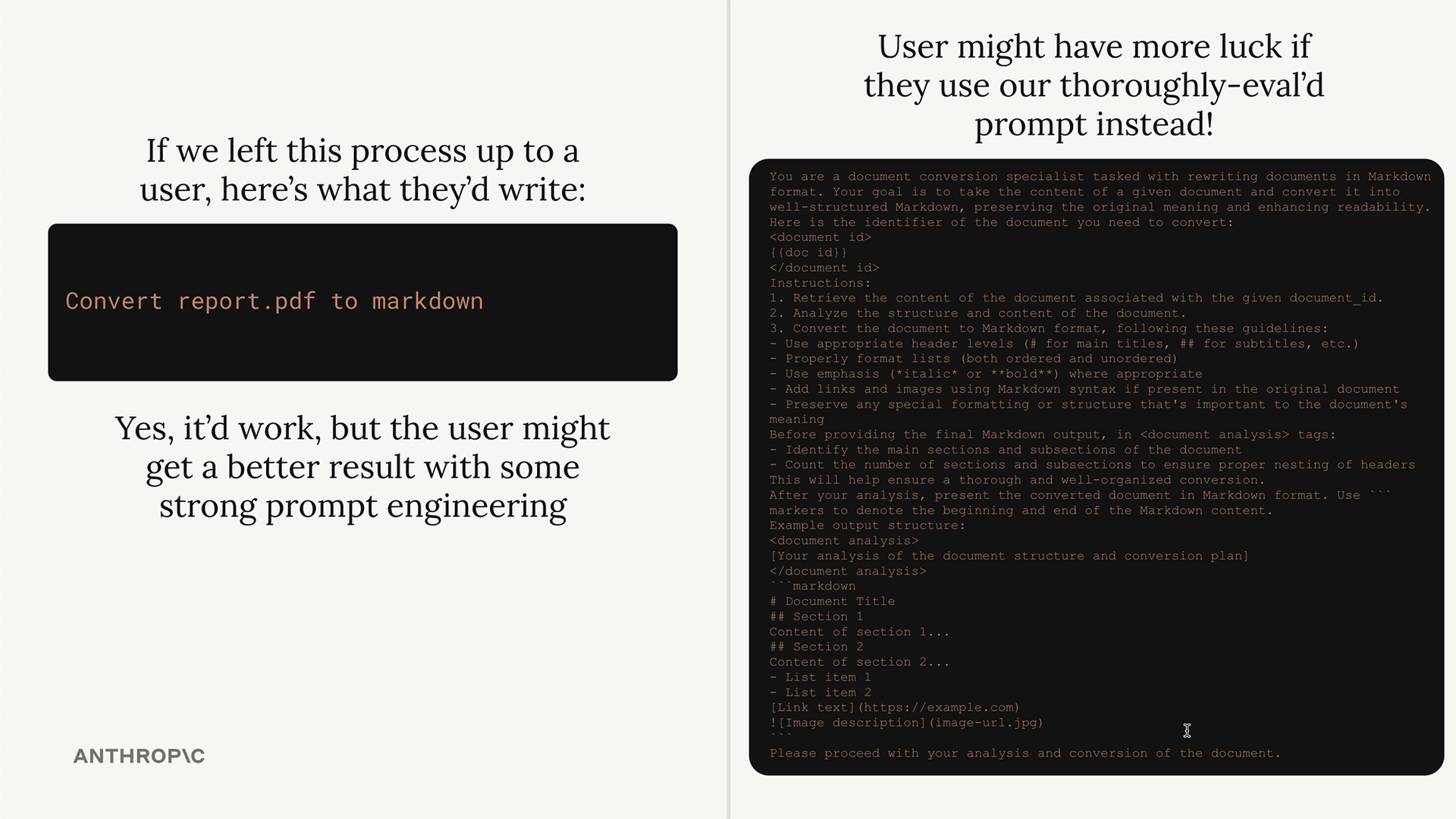
這個想法很簡單:作為 MCP 伺服器開發者,我們可以花時間製作並測試真正優秀的提示,然後將它們提供給任何使用我們伺服器的人。使用者可以獲得更好的結果,而不必自己成為提示工程專家。
定義提示
提示使用與工具和資源類似的裝飾器模式。以下是基本結構:
python
@mcp.prompt(
    name="format",
    description="Rewrites the contents of the document in Markdown format."
)
def format_document(
    doc_id: str = Field(description="Id of the document to format")
) -> list[base.Message]:
    # 回傳訊息清單
該函式會回傳一個訊息列表,可以直接傳送給 Claude。這讓您可以在需要時建構包含多個使用者和助手訊息的複雜提示。
建構格式化提示
對於我們的文件伺服器,我們將建立一個將文件重新格式化為 markdown 的提示。該提示需要:
- 以文件 ID 作為輸入
- 使用 read_doc_contents 工具取得文件
- 使用正確的 markdown 語法重新格式化
- 將變更儲存回文件
以下是實作方式:
python
def format_document(
    doc_id: str = Field(description="Id of the document to format")
) -> list[base.Message]:
    prompt = f"""
Your goal is to reformat a document to be written with markdown syntax.

The id of the document you need to reformat is:

{doc_id}


Add in headers, bullet points, tables, etc as necessary. Feel free to add in structure.
Use the 'edit_document' tool to edit the document. After the document has been reformatted...
"""

    return [
        base.UserMessage(prompt)
    ]
測試提示
定義好提示後,您可以使用 MCP Inspector 進行測試。導覽至 Prompts 分頁,選擇您的提示,並提供所需的參數。
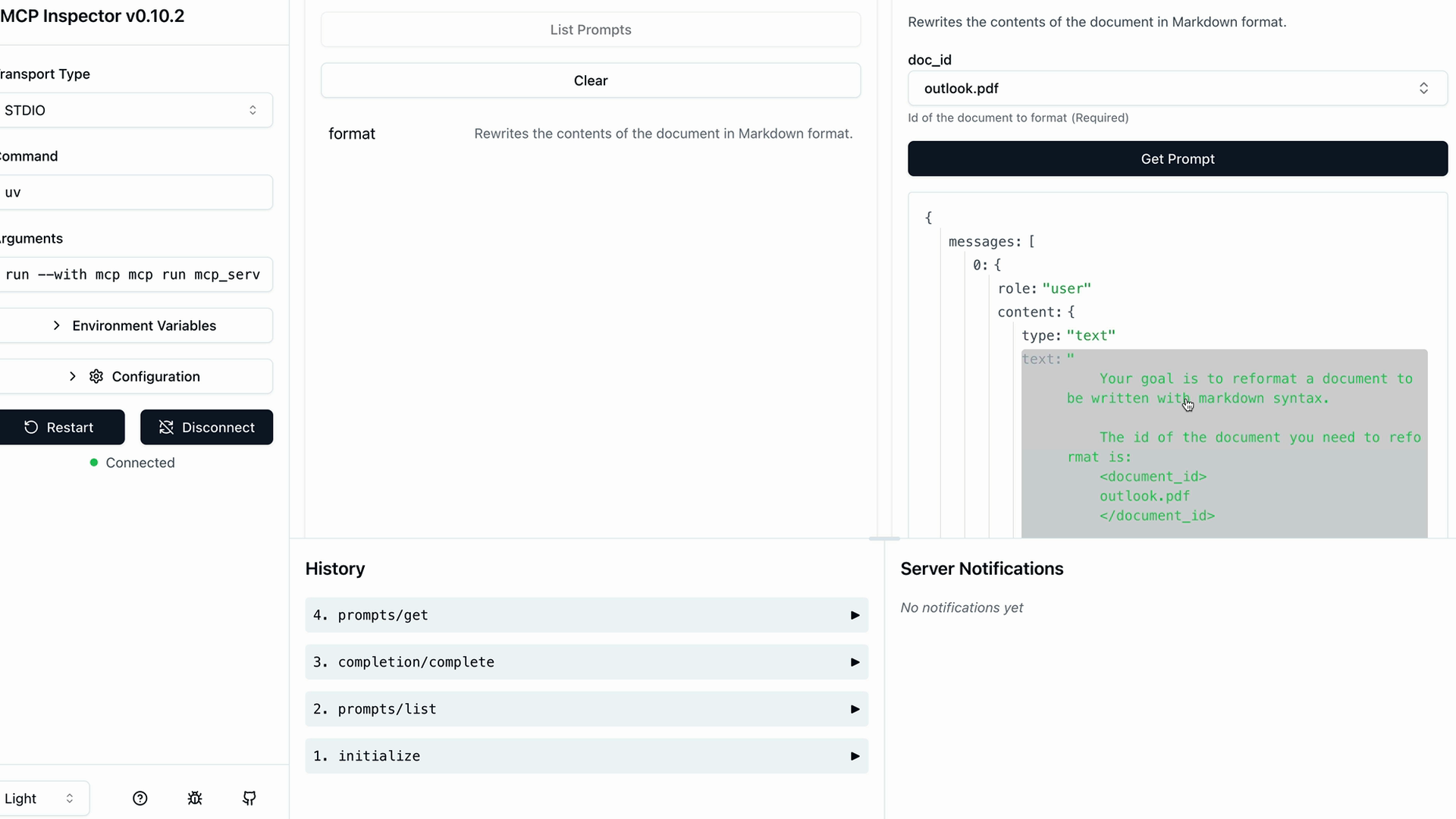
Inspector 會顯示將傳送給 Claude 的生成訊息。您可以驗證參數插值是否正確運作,以及您的提示是否包含所有必要的指令。
主要優點
- 品質控管 - 伺服器作者可以在使用者看到提示之前先進行測試和改進
- 一致性 - 每個人都能獲得相同的高品質提示,而不必臨時即興發揮
- 專業化 - 提示可以針對您伺服器的特定領域和功能進行客製化
- 可重複使用性 - 多個客戶端應用程式可以使用相同的精心製作的提示
請記得匯入訊息類型所需的基礎模組:
python
from mcp.server.fastmcp.prompts import base當您的 MCP 伺服器具有特定的專注領域時——例如文件管理、資料分析或程式碼生成——提示會特別有價值。您可以為使用者提供經過實戰測試的提示,有效運用您伺服器的工具。