Claude 原生就能同時執行多個工具,但某些版本並未如您所期望的那樣充分利用這一點。您可以透過實作批次工具,大幅提高 Claude 在單一訊息中進行多次工具呼叫的機率。
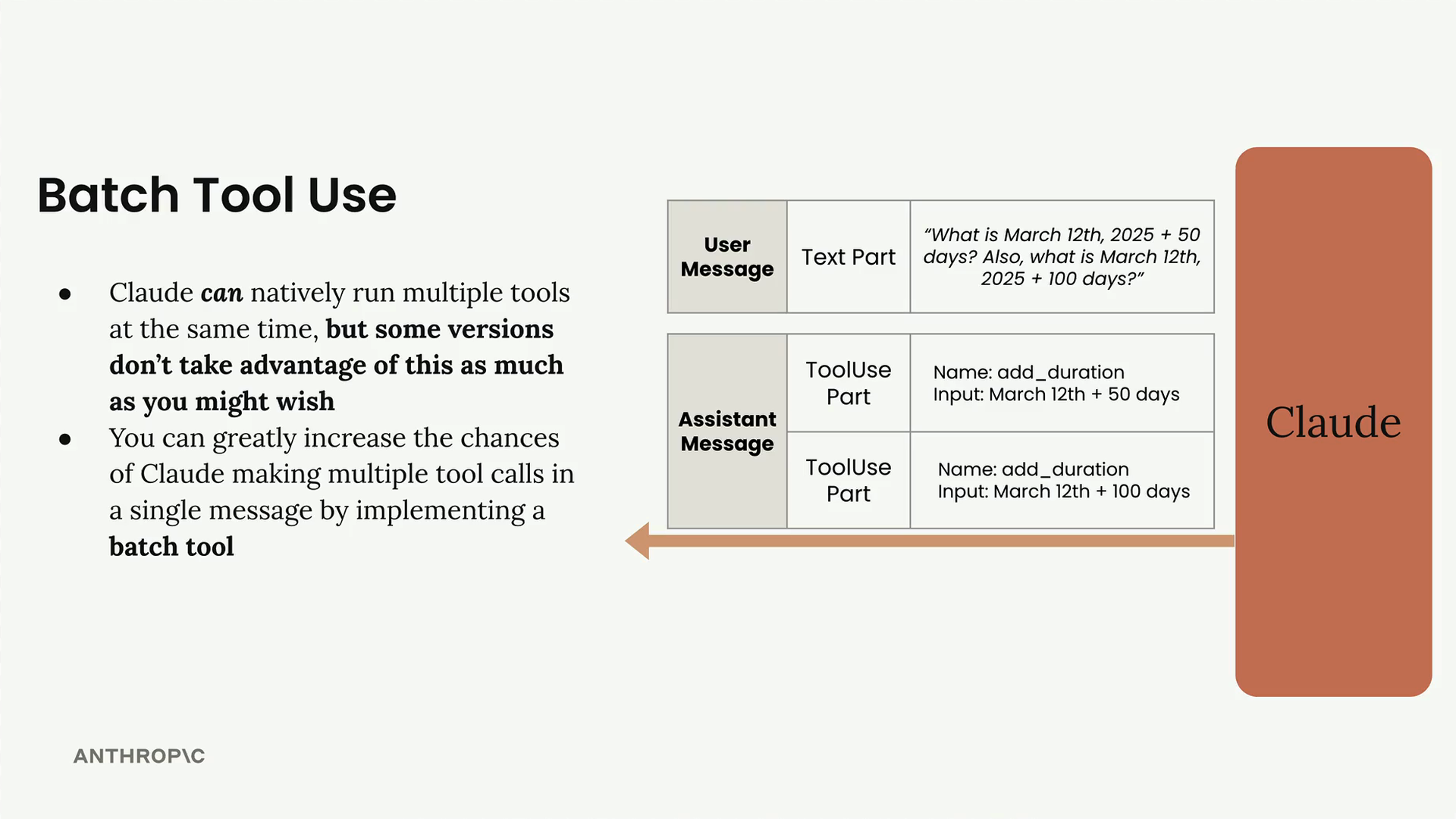
當 Claude 在訊息中傳回工具使用部分時,單一回應中可能會有多個工具請求。例如,如果您問「2025 年 3 月 12 日加 50 天是幾號?另外,2025 年 3 月 12 日加 100 天又是幾號?」,Claude 理論上可以傳回兩個獨立的工具使用部分——每個計算各一個。由於這些操作彼此不相依,因此完全可以平行處理。
然而,Claude 並不總是像您預期的那樣嘗試平行化工具呼叫。它往往不是同時進行兩次呼叫,而是依序進行,這樣效率較低。
批次工具的運作方式
批次工具的實作方式與其他工具相同——您需要一個工具規格,以及一個在該工具被呼叫時處理的函式。其核心概念是建立一個可以同時呼叫多個其他工具的工具。
以下是批次工具規格的基本結構:
{
  "name": "batch_tool",
  "description": "Invoke multiple other tool calls simultaneously",
  "input_schema": {
    "type": "object",
    "properties": {
      "invocations": {
        "type": "array",
        "description": "The tool calls to invoke",
        "items": {
          "type": "object",
          "properties": {
            "name": {
              "type": "string",
              "description": "The name of the tool to invoke"
            },
            "arguments": {
              "type": "string",
              "description": "The arguments to the tool, encoded as a JSON string"
            }
          },
          "required": ["name", "arguments"]
        }
      }
    },
    "required": ["invocations"]
  }
}
此工具接受一個呼叫清單,其中每個呼叫都包含要呼叫的工具名稱及其引數(以 JSON 字串編碼)。
實作
批次工具的實作涉及兩個主要函式:
run_batch 函式
def run_batch(tool_input):
    batch_output = []
    for invocation in tool_input["invocations"]:
        tool_name = invocation["name"]
        args = json.loads(invocation["arguments"])

        tool_output = run_tool(tool_name, args)
        batch_output.append({"tool_name": tool_name, "output": tool_output})

    return batch_output
此函式會遍歷每個呼叫,提取工具名稱和引數,使用現有的 run_tool 函式呼叫對應的工具,並收集所有結果。
加入到 run_tool
您還需要在主要的 run_tool 函式中加入一個分支:
elif tool_name == "batch_tool":
    return run_batch(tool_input)
請注意,與其他工具不同,您需要直接傳遞 tool_input,而不使用展開運算子(**),因為批次工具需要處理原始的輸入結構。
結果
當您實作批次工具並執行相同的日期計算查詢時,您將不會在訊息記錄中看到兩個獨立的工具呼叫,而是會看到對批次工具的單一呼叫。這個單一呼叫包含兩個日期計算作為子呼叫,有效地將這些操作平行化。
當您有多個可以同時執行的獨立操作時,批次工具特別有用。透過「誘導」Claude 使用這種模式,您可以顯著提升工具呼叫工作流程的效率。