在撰寫好您的工具函式之後,下一步就是建立一個 JSON 結構(schema),告訴 Claude 您的函式需要哪些參數以及如何使用它。這個結構就像是文件說明,Claude 會閱讀它以了解何時以及如何呼叫您的工具。
了解 JSON Schema
JSON Schema 並非專屬於 AI 或工具呼叫——它是一個已經存在多年、廣泛使用的資料驗證規範。AI 社群採用它,是因為它是描述函式參數並驗證資料的便利方式。
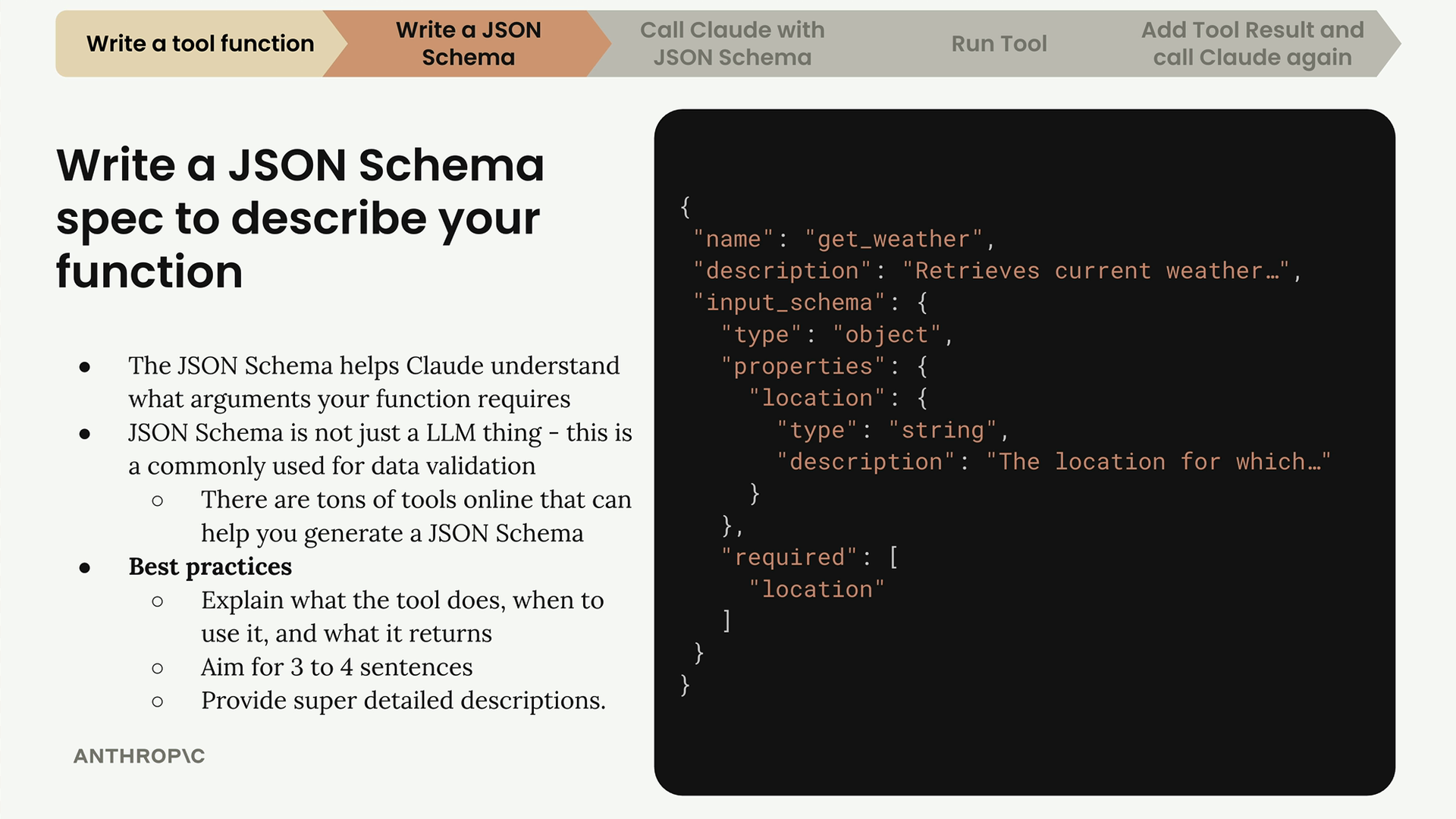
完整的工具規格有三個主要部分:
- name——為您的工具取一個清晰、具描述性的名稱(例如「get_weather」)
- description——說明該工具的功能、何時使用,以及它會回傳什麼
- input_schema——描述函式參數的實際 JSON 結構
撰寫有效的描述
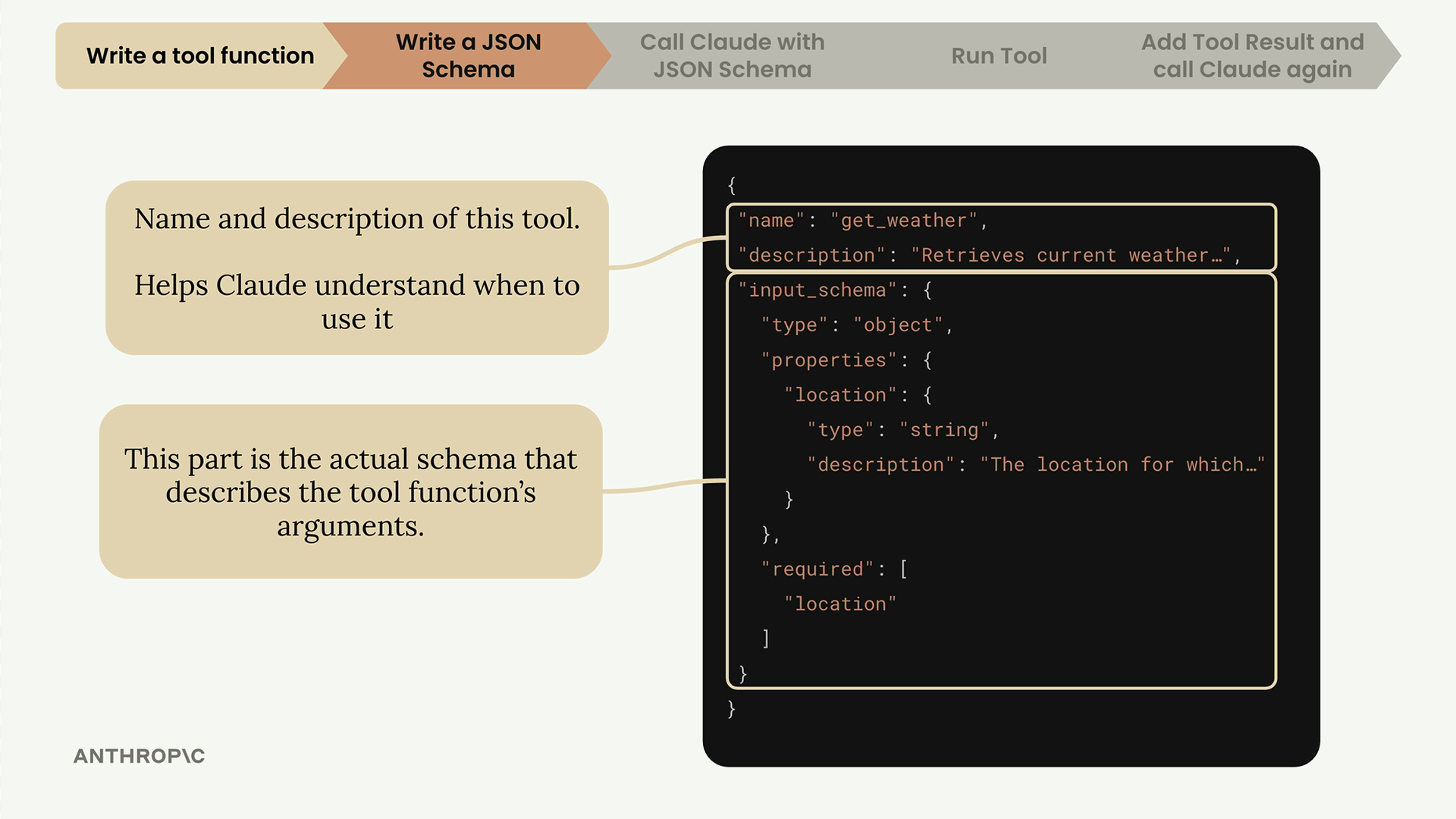
您的工具描述對於幫助 Claude 了解何時使用您的函式至關重要。最佳實務包括:
- 力求用 3 到 4 句話說明該工具的功能
- 描述 Claude 應該在何時使用它
- 說明它會回傳什麼類型的資料
- 為每個參數提供詳細的描述
產生結構的簡便方法
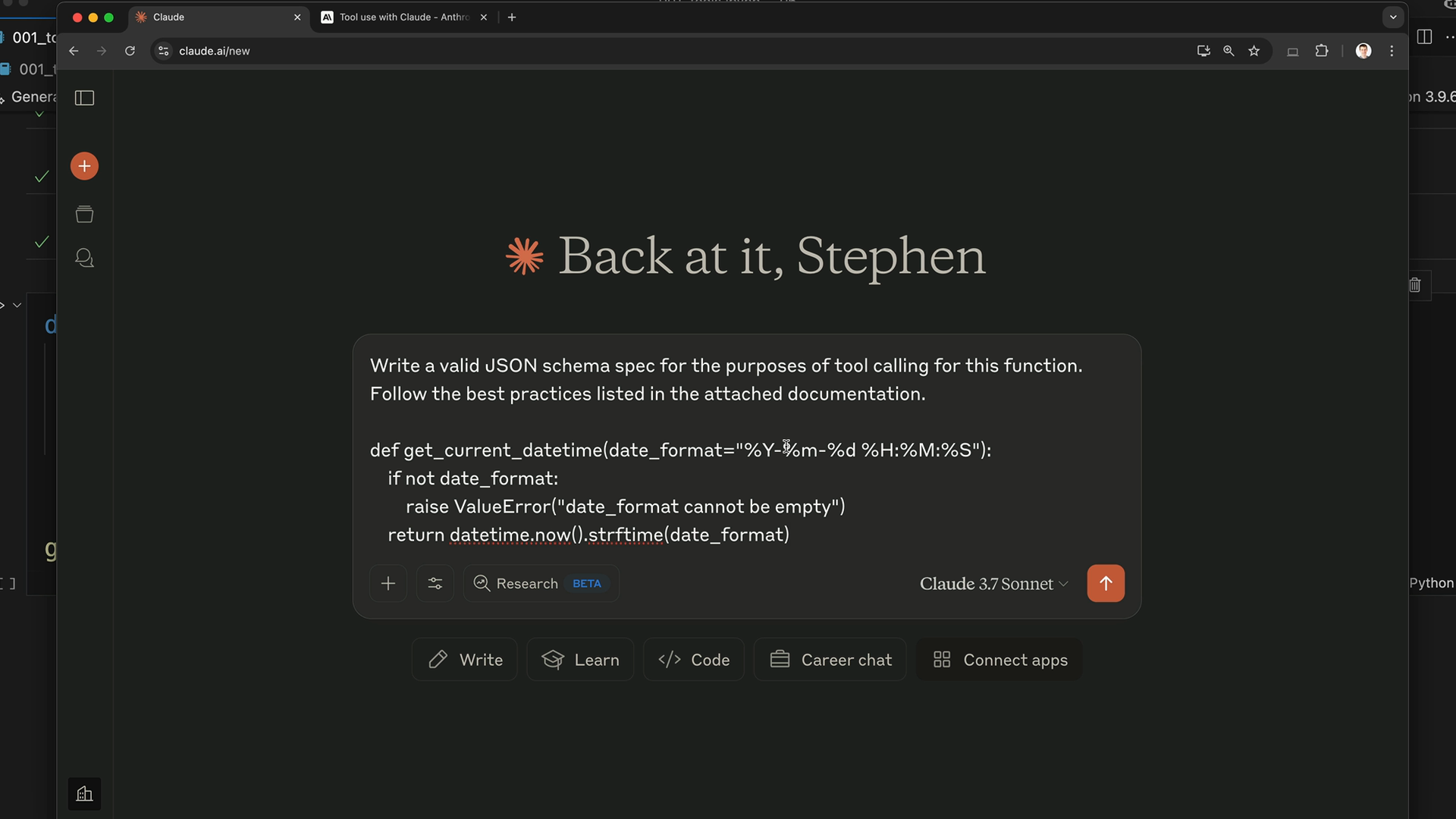
您可以使用 Claude 本身來產生 JSON 結構,而不必從零開始撰寫。以下是流程:
- 複製您的工具函式程式碼
- 前往 Claude,請它為工具呼叫撰寫一個 JSON 結構
- 將 Anthropic 關於工具使用的文件作為上下文附上
- 讓 Claude 依照最佳實務產生格式正確的結構
提示詞大致應該是這樣:「請為這個函式撰寫一個有效的 JSON 結構規格,用於工具呼叫的目的。請遵循附件文件中列出的最佳實務。」
在程式碼中實作結構
一旦 Claude 產生了您的結構,請將它複製到您的程式碼檔案中。以下是一個值得遵循的良好命名模式:
python
def get_current_datetime(date_format="%Y-%m-%d %H:%M:%S"):
    if not date_format:
        raise ValueError("date_format cannot be empty")
    return datetime.now().strftime(date_format)

get_current_datetime_schema = {
    "name": "get_current_datetime",
    "description": "Returns the current date and time formatted according to the specified format",
    "input_schema": {
        "type": "object",
        "properties": {
            "date_format": {
                "type": "string",
                "description": "A string specifying the format of the returned datetime. Uses Python's strftime format codes.",
                "default": "%Y-%m-%d %H:%M:%S"
            }
        },
        "required": []
    }
}
請使用 function_name 後接 function_name_schema 的模式,以保持您的結構井然有序,並容易與對應的函式相互比對。
增加型別安全性
為了更好的型別檢查,請從 Anthropic 函式庫匯入並使用 ToolParam 型別:
python
from anthropic.types import ToolParam

get_current_datetime_schema = ToolParam({
    "name": "get_current_datetime",
    "description": "Returns the current date and time formatted according to the specified format",
    # ……結構的其餘部分
})
雖然這並非功能上絕對必要,但它可以在您將結構與 Claude 的 API 一起使用時,防止型別錯誤,並讓您的程式碼更加穩健。