當您使用官方 Python SDK 時,建置 MCP 伺服器會變得更加簡單。您不需要手動撰寫複雜的 JSON schema 來定義工具,SDK 會透過裝飾器(decorators)和型別提示(type hints)為您處理所有複雜性。
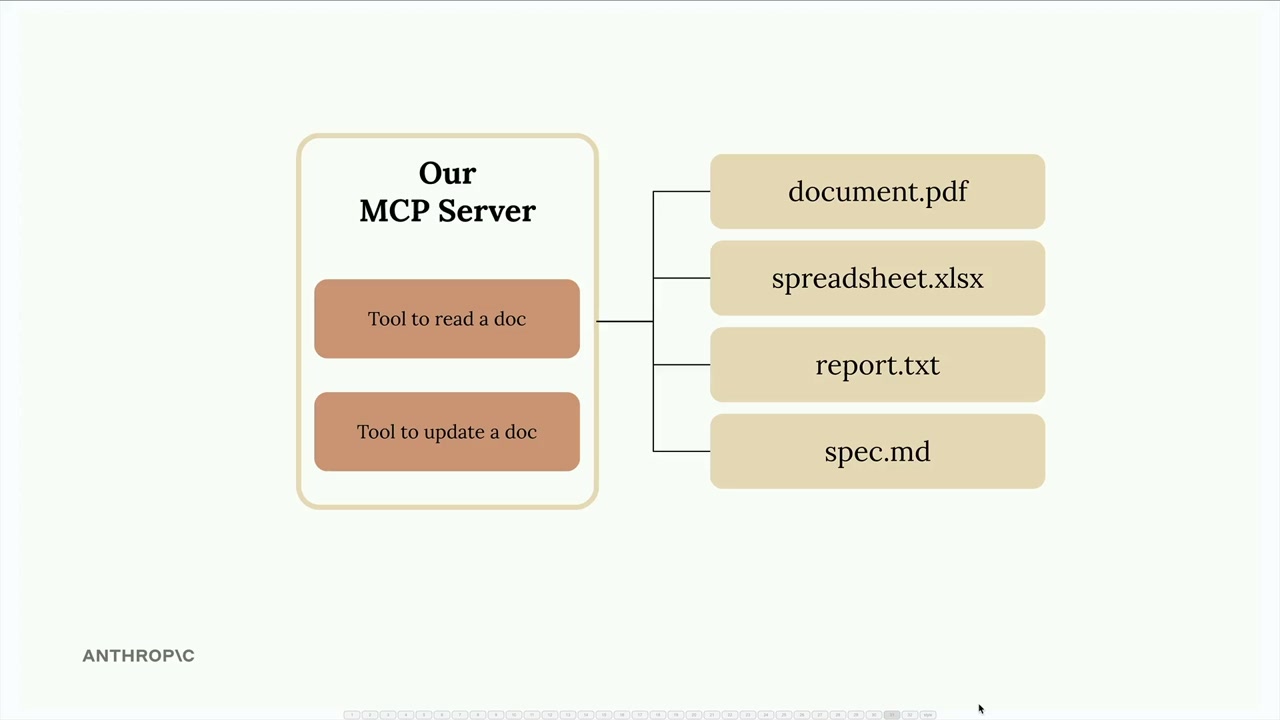
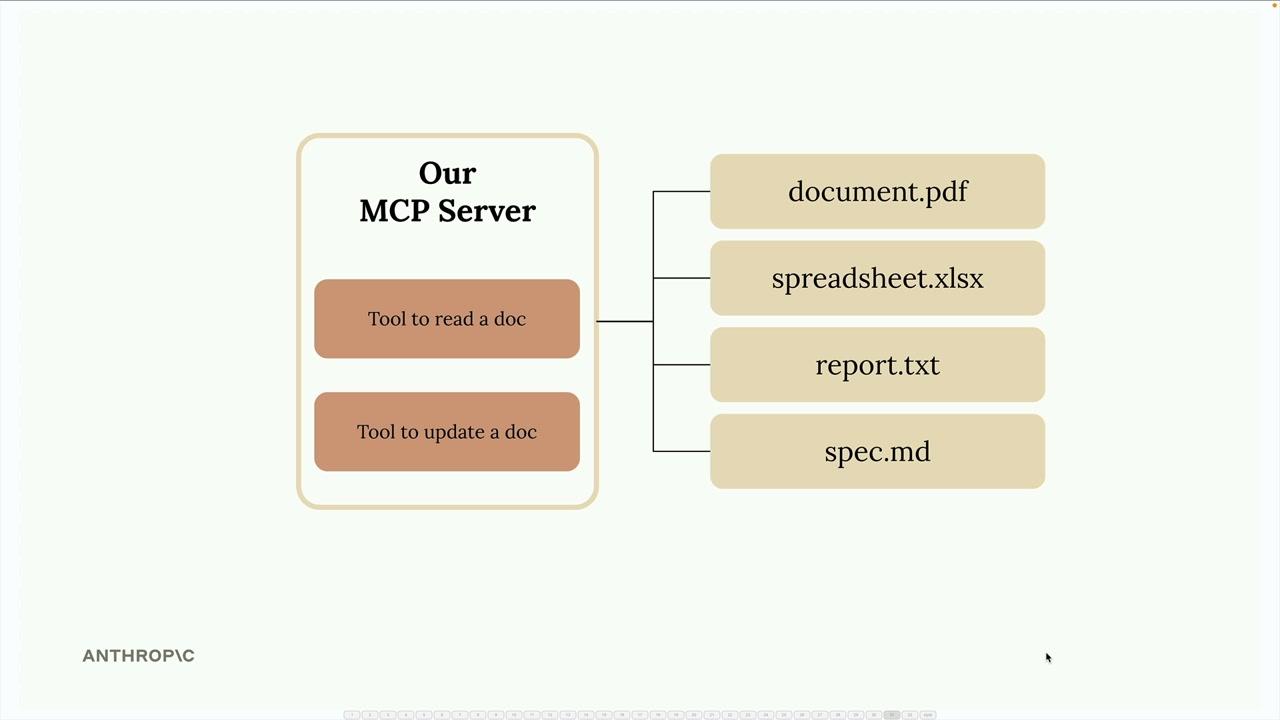
在這個範例中,我們正在建立一個管理儲存在記憶體中的文件的 MCP 伺服器。該伺服器將提供兩個基本工具:一個用於讀取文件內容,另一個用於透過尋找並取代操作來更新文件。
設定 MCP 伺服器
Python MCP SDK 讓伺服器的建立變得非常簡單。您只需一行程式碼即可初始化一個完整的 MCP 伺服器:
from mcp.server.fastmcp import FastMCP
from pydantic import Field

mcp = FastMCP("DocumentMCP", log_level="ERROR")
在此實作中,文件儲存在一個簡單的 Python 字典中,其中鍵是文件 ID,值則包含文件內容:
docs = {
    "deposition.md": "This deposition covers the testimony of Angela Smith, P.E.",
    "report.pdf": "The report details the state of a 20m condenser tower.",
    "financials.docx": "These financials outline the project's budget and expenditure",
    "outlook.pdf": "This document presents the projected future performance of the",
    "plan.md": "The plan outlines the steps for the project's implementation.",
    "spec.txt": "These specifications define the technical requirements for the equipment"
}
使用裝飾器定義工具
SDK 將工具建立從一個冗長的過程轉變為簡潔易讀的內容。您不需要撰寫冗長的 JSON schema,而是使用 Python 裝飾器和型別提示。
建立文件讀取工具
第一個工具允許 Claude 透過文件 ID 讀取任何文件。以下是完整的實作:
@mcp.tool(
    name="read_doc_contents",
    description="Read the contents of a document and return it as a string."
)
def read_document(
    doc_id: str = Field(description="Id of the document to read")
):
    if doc_id not in docs:
        raise ValueError(f"Doc with id {doc_id} not found")

    return docs[doc_id]
@mcp.tool 裝飾器會自動產生 Claude 所需的 JSON schema。來自 Pydantic 的 Field 類別提供參數描述,幫助 Claude 理解每個參數的預期內容。
建置文件編輯工具
第二個工具對文件執行簡單的尋找並取代操作:
@mcp.tool(
    name="edit_document",
    description="Edit a document by replacing a string in the documents content with a new string."
)
def edit_document(
    doc_id: str = Field(description="Id of the document that will be edited"),
    old_str: str = Field(description="The text to replace. Must match exactly, including whitespace."),
    new_str: str = Field(description="The new text to insert in place of the old text.")
):
    if doc_id not in docs:
        raise ValueError(f"Doc with id {doc_id} not found")

    docs[doc_id] = docs[doc_id].replace(old_str, new_str)
此工具接受三個參數:文件 ID、要尋找的文字,以及取代文字。此實作使用 Python 內建的字串 replace() 方法以求簡潔。
錯誤處理
這兩個工具都包含基本的錯誤處理,以應對 Claude 請求不存在的文件的情況。當提供無效的文件 ID 時,工具會引發一個 ValueError,並附上描述性訊息,讓 Claude 能夠理解並可能據此採取行動。
SDK 方法的主要優勢
- 從 Python 型別提示自動產生 JSON schema
- 簡潔、易讀且易於維護的程式碼
- 透過 Pydantic 內建參數驗證
- 相較於手動撰寫 schema,減少了樣板程式碼
- 開發時具備型別安全性和 IDE 支援
MCP Python SDK 將過去撰寫工具定義的複雜過程,轉變為對 Python 開發者來說自然而然的事情。您可以專注於業務邏輯,而 SDK 則負責處理協定細節。