在使用 Claude 的工具呼叫功能時,您可能會注意到 Claude 可以在單一助理訊息中包含多個工具使用區塊。這讓 Claude 能夠平行執行多個工具,而不必為每個工具分別發出請求。然而,在實務上要讓 Claude 持續穩定地這樣做,可能頗具挑戰性。
多重工具呼叫的問題
假設您要求 Claude 為同一天設定兩個提醒。理論上,Claude 應該能夠回傳一個包含兩個工具使用區塊的單一回應——每個提醒各一個。但實際上,Claude 經常改為發送各自獨立的回應。
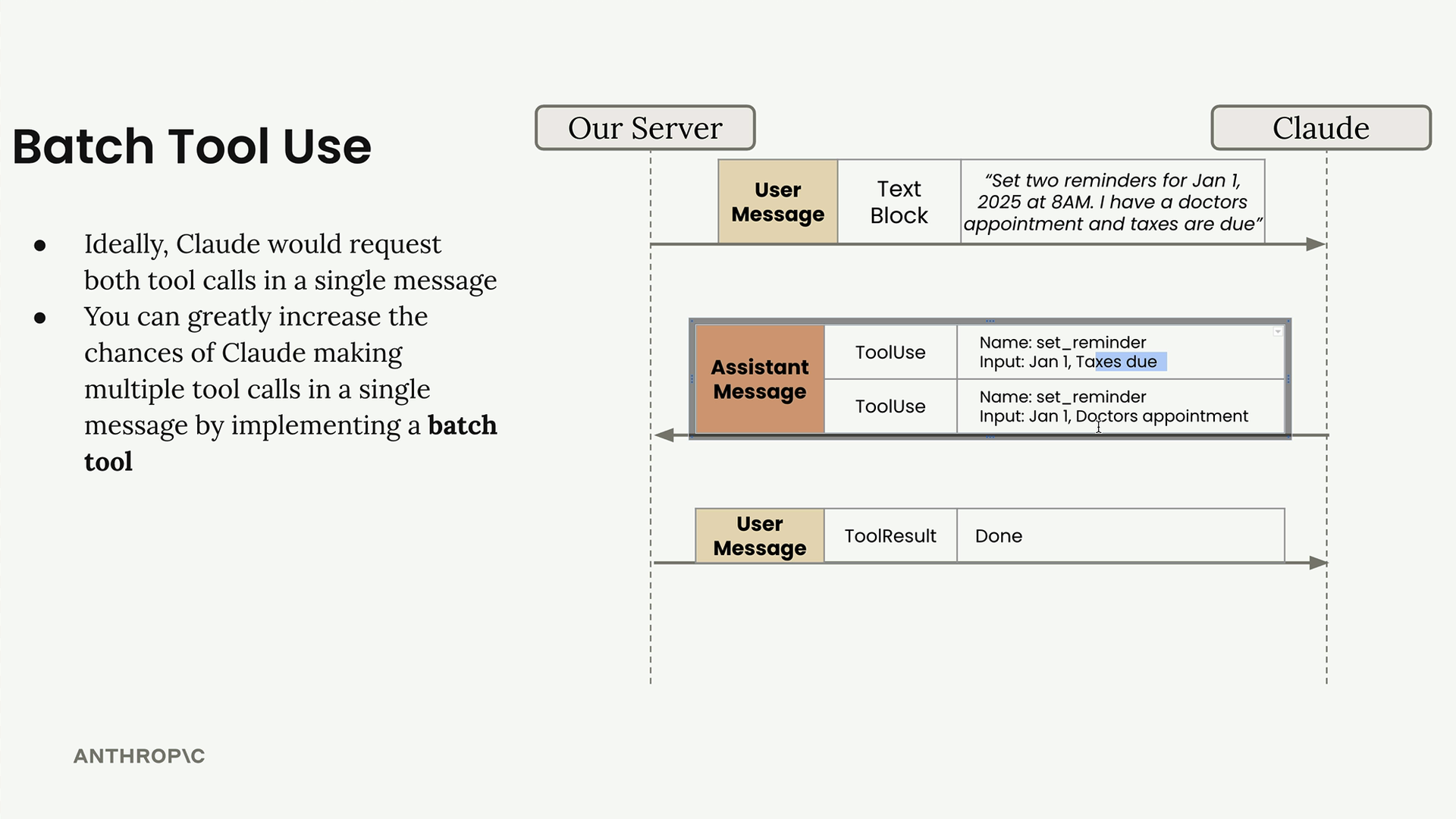
通常發生的情況是,Claude 先發出第一個工具呼叫,等待結果,然後在後續訊息中發出第二個工具呼叫。這會造成不必要的來回通訊,而這些操作原本可以同時完成。
批次工具解決方案
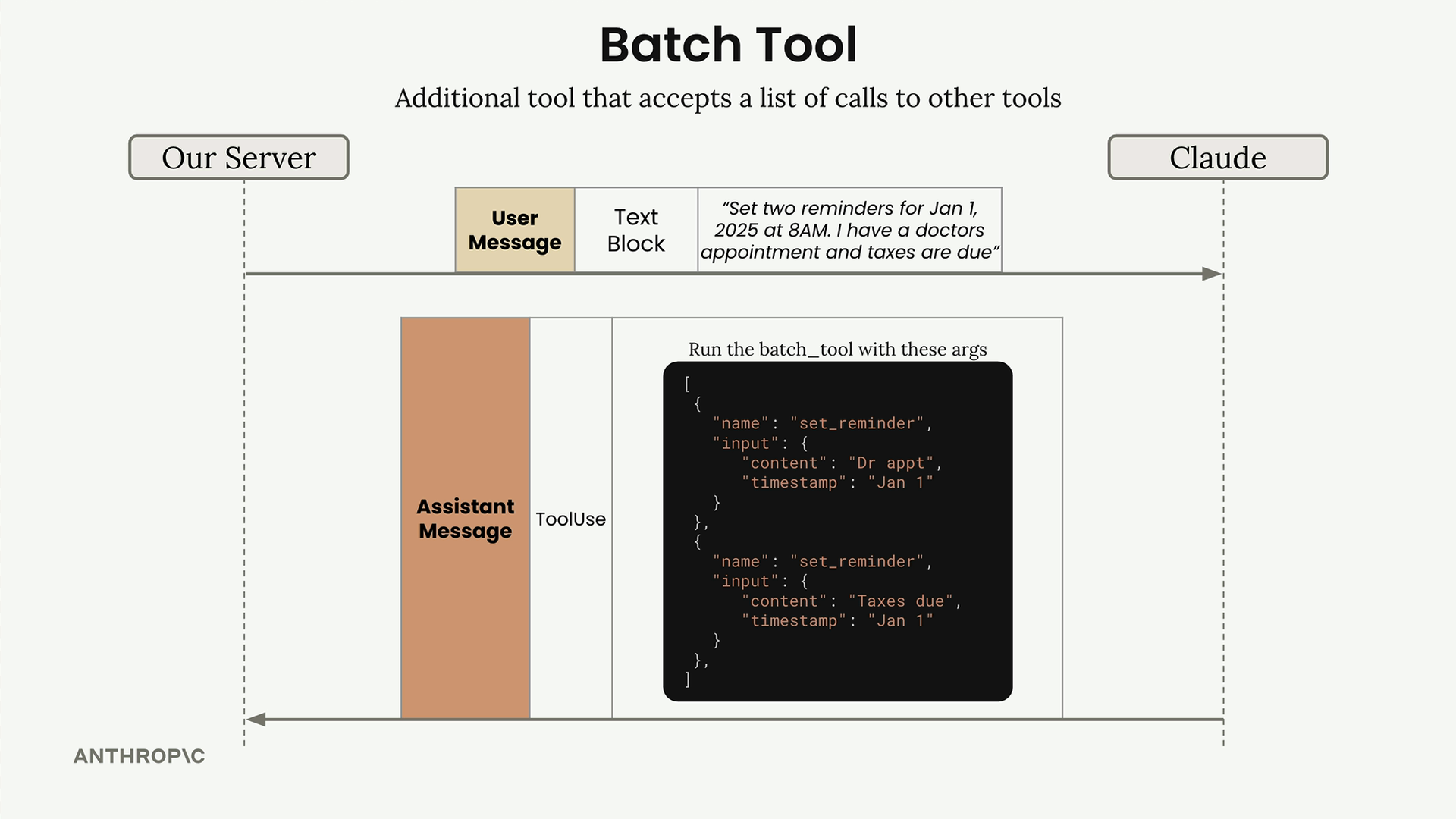
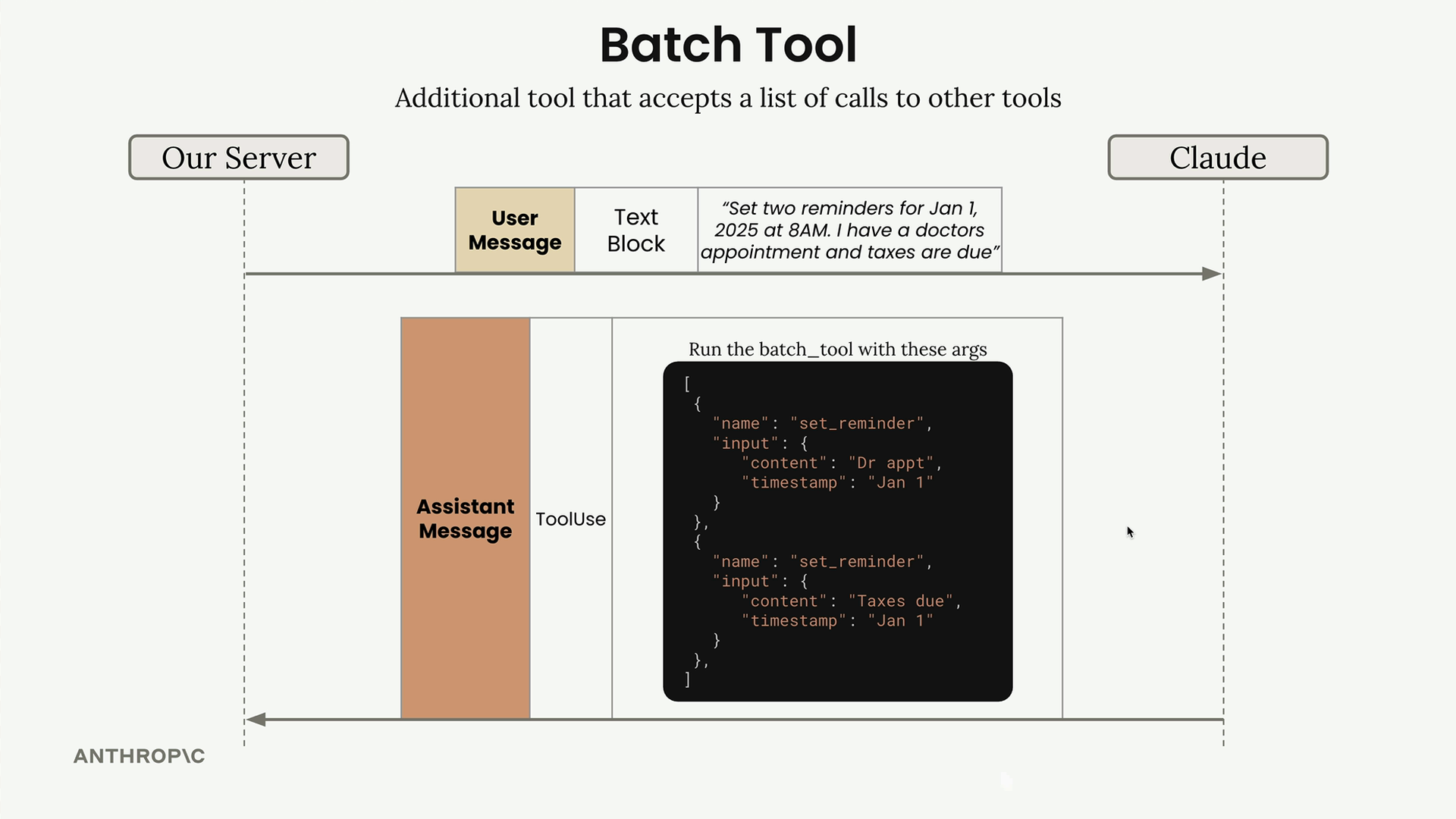
解決方案是實作一個「批次工具」——一種特殊工具,可接受一份其他工具呼叫的清單,並同時執行它們。這本質上是一種變通方法,誘使 Claude 一次發出多個工具呼叫。
運作方式如下:
- 您定義一個批次工具結構描述(schema),告訴 Claude 它可以平行執行多個其他工具
- Claude 不直接呼叫工具,而是以一份工具呼叫清單來呼叫批次工具
- 您的程式碼處理這份清單並執行每個工具呼叫
- 您將合併後的結果回傳給 Claude
實作批次工具結構描述
批次工具結構描述定義了當 Claude 想要執行多個工具時,應如何建構其請求:
python
batch_tool_schema = {
    "name": "batch_tool",
    "description": "Invoke multiple other tool calls simultaneously",
    "input_schema": {
        "type": "object",
        "properties": {
            "invocations": {
                "type": "array",
                "description": "The tool calls to invoke",
                "items": {
                    "type": "object",
                    "properties": {
                        "name": {
                            "type": "string",
                            "description": "The name of the tool to invoke"
                        },
                        "arguments": {
                            "type": "object",
                            "description": "The arguments to pass to the tool"
                        }
                    }
                }
            }
        }
    }
}
處理批次工具呼叫
當 Claude 使用批次工具時,您需要處理這份呼叫清單並執行每一個呼叫。以下是實作方式:
python
def run_batch(invocations=[]):
    batch_output = []

    for invocation in invocations:
        name = invocation["name"]
        args = invocation["arguments"]

        tool_output = run_tool(name, args)

        batch_output.append({
            "tool_name": name,
            "output": tool_output
        })

    return batch_output
您還需要更新主要的工具路由函式,以處理批次工具呼叫:
python
def run_tool(tool_name, tool_input):
    if tool_name == "get_current_datetime":
        return get_current_datetime(**tool_input)
    elif tool_name == "add_duration_to_datetime":
        return add_duration_to_datetime(**tool_input)
    elif tool_name == "set_reminder":
        return set_reminder(**tool_input)
    elif tool_name == "batch_tool":
        return run_batch(**tool_input)
結果
實作批次工具後,Claude 更有可能將相關操作分組在一起。Claude 不會為每個提醒分別發出請求,而是會使用批次工具同時設定兩個提醒。
對話流程變得更加簡潔——使用者發出一個請求,Claude 以批次工具呼叫回應一次,然後再以一次後續訊息回傳所有結果。這降低了延遲,並讓您的應用程式更有效率。
雖然這看起來像是一種變通方法(事實上也確實是),但批次工具模式是一種有效的方式,能促使 Claude 思考哪些操作可以平行化,並更有效率地執行它們。