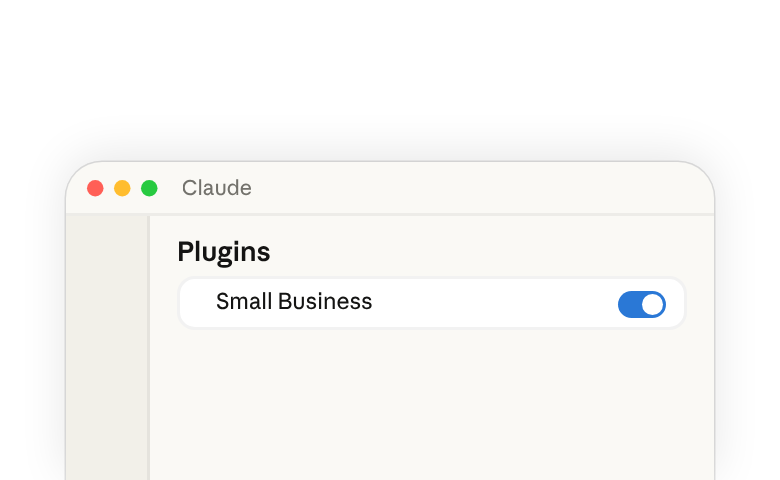
Small Business plugin(在新标签页中打开) 让 Claude(在新标签页中打开) 在您已经使用的工具中工作——您的会计、付款、CRM、设计、合同、电子邮件、文件和日历。您用简单的语言描述工作,Claude 读取数据、完成工作,并在发送、发布或付款之前向您展示结果。
良好地运行插件是一种委派行为,分为两步:您用简单的语言描述工作,以便 Claude 为其选择合适的技能,并且在工作进行期间保持参与,在任何内容发出之前阅读 Claude 暂存的内容。Claude 作为您指挥的协作者工作:它提供能力,而意图和判断决策仍由您掌控。
安装并运行插件
您需要在 Pro、Max、Team 或 Enterprise 计划上使用 Claude 桌面应用(在新标签页中打开)。
- 打开 Claude,然后点击左侧边栏中的 自定义。
- 在 插件 下,点击 +。
- 找到 Small Business,然后点击 安装。
安装插件后,您将拥有下面列出的所有技能(在新标签页中打开)。要根据您的业务和工作流程定制插件,请参阅本指南中的 为您的业务自定义插件 部分。
要运行某项技能:
- 在聊天栏中输入
/,然后从列表中选择,或者 - 用简单的语言描述工作,Claude 会选择合适的技能。
无论哪种方式,Claude 都会遵循该任务的技能说明。要了解更多信息,请参阅什么是技能(在新标签页中打开)和在 Claude 中使用插件(在新标签页中打开)。
插件中包含的内容
插件(在新标签页中打开)将一组技能(在新标签页中打开)及其读取的连接器捆绑在一起。每个技能都是针对特定任务的一组说明。安装插件后,Claude 已经知道一系列任务的步骤,因此当您为某项任务提示时,只需要几个字。
此插件中的一些技能会按顺序运行其他几个技能,在步骤之间征求您的决定,因此一项更大的工作仍然只需一次请求。下表列出了每项技能、它的作用以及它所读取的工具
| 技能 | 功能 | 使用的工具 |
|---|---|---|
| Set up the plugin | ||
smb-onboard | The setup skill. Asks about your business, helps you connect your tools, and saves your context so every other skill knows it. | All connectors |
| Extend beyond what's available | ||
build-connector | Connects Claude to a tool that doesn't have an official connector yet. | Claude connector directory, Zapier |
build-agent | Turns a task you keep doing by hand into a skill you can run by name or on a schedule. | Native |
| Run the business | ||
/pay-the-bills | Codes your bills, checks you have the cash, and lines up the payment run for your OK.Runs ap-processor cash-flow-snapshot month-end-prep | Expensify, Gmail, Gusto, Intuit QuickBooks, MYOB, NetSuite, Notion, PayPal, Ramp, Shopify, Square, Stripe, Xero, Zoho Books |
/restock | Figures out what to reorder, drafts the purchase orders and supplier emails, and logs them in your books.Runs inventory-planner ap-processor | Expensify, Gmail, Google Calendar, Intuit QuickBooks, NetSuite, Notion, Ramp, Shopify, Square, Xero, Zoho Books |
/report-pack | Runs your saved reports on a schedule and adds a quick business snapshot for context.Runs report-builder business-pulse | Any data source |
/monday-brief | One page to start the week: cash, sales, pipeline, your calendar, and the one thing that most needs you.Runs business-pulse report-builder | Docusign, Expensify, Gmail, Google Calendar, Google Drive, Gusto, HubSpot, Intuit QuickBooks, MYOB, NetSuite, PayPal, Ramp, RingEX Chat, Shopify, Slack, Square, Stripe, TikTok Ads, Xero, Zoho Books, Zoho Desk |
/close-month | Closes your books, updates your cash forecast, and writes the close packet for your accountant.Runs month-end-prep cash-flow-snapshot report-builder | Expensify, Google Drive, Gusto, Intuit QuickBooks, MYOB, NetSuite, PayPal, Ramp, Shopify, Square, Stripe, Xero, Zoho Books |
/tax-prep | Makes sure your books are closed, then prepares your quarterly taxes or 1099 list for your accountant.Runs month-end-prep tax-season-organizer | Expensify, Gusto, Intuit QuickBooks, MYOB, NetSuite, Notion, PayPal, Ramp, Shopify, Square, Stripe, Xero, Zoho Books |
/plan-payroll | Checks you'll have the cash for payroll, drafts reminders for overdue invoices, and gets the run ready for you to submit.Runs cash-flow-snapshot invoice-chase payroll-prep | Airwallex, Gmail, Gusto, Intuit QuickBooks, Microsoft 365, MYOB, NetSuite, Notion, PayPal, Ramp, Shopify, Square, Stripe, Xero, Zoho Books |
inbox-manager | Sorts your inbox, tells you what needs you, and drafts replies in your voice. | Gmail, Google Calendar, Microsoft 365, Notion, Slack |
report-builder | Builds a report you describe in plain English and saves it so you can rerun it anytime. | Any data source |
ap-processor | Pulls bills from your inbox or uploads, codes them to the right account, and lines up who to pay. | Expensify, Gmail, Intuit QuickBooks, NetSuite, Notion, Ramp, Xero, Zoho Books |
payroll-prep | Checks timesheets, flags anything that looks off, and gets payroll ready for you to submit. | Gusto, Intuit QuickBooks, MYOB, NetSuite, Notion, Xero, Zoho Books |
inventory-planner | Tracks how fast each item sells, warns you before you run out, and drafts the reorders. | Google Calendar, Intuit QuickBooks, NetSuite, Shopify, Square |
ticket-deflector | Reads a customer email, looks up their order and history, and drafts a reply matched to the situation. | Atlassian, Gmail, HubSpot, Notion, PayPal, RingEX Chat, Shopify, Square, Stripe, Zoho Desk |
cash-flow-snapshot | Reads cash, invoices, bills, and incoming settlements and builds a 30/60/90-day forecast with the tight weeks flagged. | Gusto, Intuit QuickBooks, MYOB, NetSuite, PayPal, Ramp, Shopify, Square, Stripe, Xero, Zoho Books |
invoice-chase | Ranks overdue invoices and drafts a reminder for each one, matched to how that customer has paid before. | Airwallex, Gmail, Intuit QuickBooks, Microsoft 365, MYOB, NetSuite, Notion, PayPal, Shopify, Square, Stripe, Xero, Zoho Books |
month-end-prep | Reconciles your books against your payment processors, flags what's off, and writes the close packet for your accountant. | Expensify, Gusto, Intuit QuickBooks, MYOB, NetSuite, PayPal, Ramp, Shopify, Square, Stripe, Xero, Zoho Books |
tax-season-organizer | Calculates quarterly estimated taxes or builds a year-end 1099 list, formatted for your accountant. | Expensify, Gusto, Intuit QuickBooks, MYOB, NetSuite, Notion, PayPal, Ramp, Square, Stripe, Xero, Zoho Books |
business-pulse | One page: cash, sales trend, pipeline, this week's calendar, and the one thing that most needs you. | All connectors |
hiring-screener | Ranks your applicants against the job's requirements, drafts replies, and schedules interviews. | Docusign, Gmail, Google Calendar, Google Drive, Gusto, Microsoft 365, Trello |
contract-review | Reads a contract and writes a plain-English summary, a red-flag list, and a marked-up redline. | None required; optional Docusign, Gmail |
job-post-builder | Writes a job post, a structured interview guide with a scoring rubric, and an offer letter template. | None required; optional Docusign, Gmail, Google Drive |
| Grow the business | ||
/call-list | Picks the top leads to call today and writes a call card with talking points for each.Runs lead-triage | Apollo, Clay, Gmail, Google Calendar, HubSpot |
/grow-pipeline | Finds new prospects, writes outreach in your voice, and logs every touch in your CRM.Runs lead-finder outreach-composer crm-autopilot | Apollo, Clay, Gmail, HubSpot; Google Calendar, Intuit Mailchimp, Intuit QuickBooks, Microsoft 365, Monday.com, Notion, PayPal, RingEX Chat, Salesforce, Shopify, Stripe, Trello, Zoho CRM, Zoom |
/speed-to-lead | Answers new inquiries on nights and weekends and updates your CRM.Runs speed-to-lead outreach-composer crm-autopilot | Gmail, Google Calendar, HubSpot; Apollo, Clay, Intuit Mailchimp, Microsoft 365, Monday.com, Notion, RingEX Chat, Salesforce, Slack, Trello, Zoho CRM, Zoom |
/marketing-monday | One page to start the week on growth: what's working, what customers are saying, and what competitors changed.Runs growth-pulse review-reputation | Apollo, Clay, Gmail, HubSpot, Intuit Mailchimp, Intuit QuickBooks, Monday.com, PayPal, Shopify, Slack, Square, Stripe, TikTok Ads, Zoho CRM, Zoho Desk |
/reactivate | Finds customers who've stopped buying and drafts personal win-back messages for each one.Runs review-reputation outreach-composer crm-autopilot | Apollo, Clay, Gmail, Google Calendar, HubSpot, Intuit Mailchimp, Intuit QuickBooks, Microsoft 365, Monday.com, MYOB, NetSuite, Notion, PayPal, RingEX Chat, Salesforce, Shopify, Square, Stripe, Trello, Xero, Zoho Books, Zoho CRM, Zoho Desk, Zoom |
lead-finder | Finds new prospects that look like your best customers, with the right person to contact at each. | Apollo, Clay, HubSpot, Intuit QuickBooks, Notion, PayPal, Shopify, Stripe |
lead-triage | Scores your leads on engagement, fit, and urgency, and writes a call card for the top ones with talking points. | Apollo, Clay, Gmail, Google Calendar, HubSpot |
outreach-composer | Writes outreach and follow-up emails that sound like you, personalized to each prospect. | Apollo or Clay, Gmail or Microsoft 365, HubSpot, Intuit Mailchimp |
speed-to-lead | Answers new inquiries fast with a reply and real meeting times, and flags hot leads for you. | Gmail, Google Calendar, HubSpot, Notion, RingEX Chat, Slack |
proposal-builder | Turns your notes, photos, or an RFP into a priced proposal and sends it for signature once you approve. | Apollo, Atlassian, Canva, Docusign, Gmail, Google Drive, Intuit QuickBooks, Microsoft 365, MYOB, NetSuite, Notion, PayPal, Square, Stripe, Trello, Xero, Zoho Books, Zoom |
ad-manager | Shows what your ads are earning and wasting, suggests changes, and makes them once you say yes. | Canva, HubSpot, Intuit QuickBooks, Shopify, Square, TikTok Ads; other ad platforms via build-connector |
seo-ai-visibility | Checks how easily customers can find you on search engines and AI assistants, and gives you the fixes. | None required; optional Shopify, Wix |
growth-pulse | One page on growth: sales by channel, marketing results, customer reviews, and three actions for this week. | Gmail, HubSpot, Intuit Mailchimp, Intuit QuickBooks, PayPal, Shopify, Slack, Square, Stripe, TikTok Ads |
canva-creator | Builds the campaign from an approved brief: posting calendar, social designs, captions, and email copy. | Canva, HubSpot, Shopify, Square |
social-content-engine | Keeps your social calendar full with on-brand posts in your voice, ready for your approval. | Canva, HubSpot, Intuit Mailchimp, Notion, Shopify, Trello |
review-reputation | Gathers your reviews and customer feedback into themes, drafts review replies, and spots customers who've gone quiet. | Gmail, HubSpot, Monday.com, PayPal, Shopify, Square, Stripe, Zoho CRM, Zoho Desk |
crm-autopilot | Keeps your CRM up to date from your emails, calls, and meetings, and flags deals that have gone quiet. | Emergent, Gmail, Google Calendar, HubSpot, Monday.com, Notion, RingEX Chat, Salesforce, Trello, Zoho CRM, Zoom |
content-strategy | Reads your sales data, finds what's selling and what isn't, and drafts a content plan that pushes the winners. | Intuit QuickBooks, Notion, PayPal, Shopify, Square, Stripe |
grant-rfp-writer | Finds grants and bids you qualify for, tells you which are worth pursuing, and drafts the application. | Docusign, Google Calendar, Google Drive or Microsoft 365, Trello |
列出的工具是默认设置。当您自定义插件时,您可以将某项技能指向您实际使用的工具——不同的支付处理器、会计工具或 CRM——该技能会改为从这些工具中读取数据。
为您的业务自定义插件
这些技能自带为典型小型企业编写的默认设置。有两种方法可以让它们变成您自己的。
在 自定义 → 插件 中,打开 Claude for Small Business,然后点击 自定义。或者在聊天栏中自己输入提示:
根据我的公司情况为我自定义 "small-business" 插件。
Claude 会询问您的业务情况——您做什么、谁与您共事、目前最棘手的是什么——并重写插件的默认设置以匹配。从那时起,这些技能就会携带您的上下文:您的行业、您的团队规模、您的优先事项、您喜欢的做事方式。
当您使用 Claude 执行运行这些技能的任务并看到它们产生的输出时,您可以随时告诉 Claude 更新其中任何一项——说出您希望不同的地方,更改就会被保存。随着时间的推移,这些技能会变得更加贴合您喜欢的做事方式以及您希望输出呈现的方式。
要了解完整的模式,请参阅如何在 Claude 中自定义插件(在新标签页中打开)。
可以尝试的示例
从您本周的清单中选一件事,用您向信任的人描述这件事时会用的方式来描述它。Claude 会读取您的提示,并运行合适的技能。
设置插件
- 帮我开始吧。我经营一家咖啡烘焙公司,有两家咖啡馆、一项批发业务和一家在线商店。
超越现有功能进行扩展
- 我的烘焙软件不在你的列表中。你能连接到它,这样我就可以看到每天的烘焙批次吗?
- 每周一我都要提取上周的批发订单,并就我们缺货的东西给咖啡馆发邮件。你能把这变成我只要开口说一下就能完成的事情吗?
运营业务
- 付账单。我能付清本周到期的所有账单同时还能发放工资吗?
- 我们的豆子和袋子快用完了。弄清楚需要重新订购什么,并为我的供应商起草采购订单。
- 运行我的每周数据包,并在每周一早上发给我。
- 给我我的周一简报。这周我需要知道什么?
- 关闭八月的账目,并为我的会计准备好资料包。
- 帮我为报税做好准备。结清本季度账目,并告诉我应该为预估税款留出多少。
- 资金紧张,工资周五要发。我能撑过去吗?如果可以,请准备好发放流程。
发展业务
- 我今天应该给谁打电话?给我前 5 名及其要点。
- 填满我的销售漏斗。找到像我最好的批发客户那样的咖啡馆,并撰写外联内容。
- 每晚和周末运行 speed-to-lead,这样就不会有咨询被搁置而得不到回复。
- 给我我的周一营销简报。什么在起作用,客户在说什么,竞争对手又做了什么改变?
- 我们的一些常客已经好几个月没有下单了。找出谁变得沉默了,并帮我把他们赢回来。
要获取其中三个任务的分步演练——工资发放、月末结账和周一简报——请参阅将 Claude 用于您的小型企业(在新标签页中打开)。
练习:自己运行一项技能
从您本周的工作中挑选一项,挑一项您大致已经知道答案应该是什么样子的工作,然后在聊天栏中用您把它交给一个人时会用的方式来描述它:
哪些发票已逾期?我应该首先跟进哪些?
如果本周您想的不是发票这件事,换成您自己的工作,措辞保持简单,不要提技能名称。Claude 会选择合适的技能。如果得到的结果不是您想要的工作,输入 / 并自己选择技能。
在批准任何内容之前,请将结果与您已经知道的内容进行核对:
- 对照您的账目核对一行数据。 挑选一个您能随口说出情况的客户,检查草拟的提醒中关于他们的说法是否与您的记录相符。
- 扫描列表,查看是否有不该出现的内容。 如果一张您知道已经结清的发票显示为未结清,这就是提示您停下来,先弄清楚这个不一致之处,然后再让任何内容发出。
要保持的习惯是:描述工作,让 Claude 选择技能,并在批准之前将结果与您已知的内容进行核对。这对此插件中的每项技能都同样适用。
需要注意的事项
- 您需要在任何内容发送、发布或付款之前批准 ——技能负责起草、提议和暂存。在您同意之前,任何内容都不会发出。
- 您现有的权限依然有效 ——Claude 只读取您在每个工具中的账户有权读取的内容。它无法看到您本来就没有访问权限的数据。
- Anthropic 不会用您的业务数据训练 Claude ——并且您已经在工具中设置的权限仍然适用。如果某位员工今天在 QuickBooks 中看不到某些内容,他们也无法通过 Claude 看到它。完整政策见信任中心(在新标签页中打开)。
- 重大决策仍由您掌控 ——Claude 负责准备工作并向您展示它的发现,但那些真正重要的决定——收多少费用、签署什么、给您的会计发送什么——由您和您的专业人士来做出。
- 部分功能取决于您在所连接工具中的计划 ——生成设计或暂存发送可能需要该工具中更高的套餐等级。当某项功能不可用时,该技能会告知您,并提供变通方案。
了解更多
- 介绍 Claude for Small Business(在新标签页中打开) ——发布公告
- 将 Claude 用于您的小型企业(在新标签页中打开) ——插件端到端运行的工作流程
- 如何在 Claude 中自定义插件(在新标签页中打开) ——让技能根据您的上下文运行
- 什么是技能(在新标签页中打开) ——技能在 Claude 中如何运作