Creating tools that Claude picks
When Claude picks the wrong tool, look first at the tool's definition. The video follows Meridian, a fictional engineering consultancy. Meridian rewrites its tool definitions and runs the same 30 questions before and after the rewrite.
The demo in this video was recorded in September 2026. It ran on Claude Sonnet 5 (claude-sonnet-5). Results may differ on newer models.
Say your tool loop works, and then one of these happens:
- Claude calls the wrong tool.
- It makes three tool calls for one fact.
- It passes
0142where your code wantsMEG-2026-0142.
Claude never receives the function that runs your tool. It sees only the definition you send and the results you return. So when Claude misuses a tool, look at the definition first.
Meridian has an internal assistant for employees' questions about projects, permits, and billing. Rewriting its tool definitions raised its score from 14 to 26 of 30 test questions, on the same model.
What Claude sees of your tool
A tool definition is a block of JSON that tells Claude a tool exists. You send it in the tools list of each request.
Here is the rewritten definition of Meridian's project tool. It has four parts.
{
  "name": "lookup_project_status",
  "description": "Returns current facts about a single Meridian …",
  "input_schema": {
    "type": "object",
    "properties": {
      "project_id": {
        "type": "string",
        "description": "Full Meridian job number in the format MEG-YYYY-NNNN, e.g. MEG-2026-0142."
      },
      "fields": {
        "type": "array",
        "items": {
          "type": "string",
          "enum": ["phase", "status", "lead", "hours", "deadline", "site", "client"]
        },
        "description": "Which fields to return. Omit to return everything."
      }
    },
    "required": ["project_id"]
  },
  "input_examples": [
    {"project_id": "MEG-2026-0142", "fields": ["phase", "status"]},
    {"project_id": "MEG-2025-0417", "fields": ["lead", "hours"]},
    {"project_id": "MEG-2024-0233"}
  ]
}nameis what Claude calls the tool by.descriptionis plain text that you write and Claude reads. It's cut short here and shown in full in the next section.input_schemalists the tool's parameters in JSON Schema, each with a name, a type, and its own description.requiredsays which ones must be given.input_examplesis optional. It shows Claude what a good input looks like, such as a full job number. Each example must be valid againstinput_schema, or the API returns a 400 error.
Claude decides whether to make a tool call by reading the user's request and each tool's description.
Write a detailed description
Of the four parts, the description does the most.
Aim for at least three to four sentences, more if the tool is complex. Cover four things:
- What the tool does
- When to use it, and when not to
- What each parameter means
- What it doesn't return
Here is Meridian's full description:
Returns current facts about a single Meridian project: phase,
schedule status, project lead, hours budgeted and consumed,
deadline, site city, and client. Use this only when the user asks
about a specific project by name or job number; if only a partial
number is given (e.g. 'the 0142 job'), normalize it to the full
MEG-YYYY-NNNN format before calling. Pass the fields parameter to
fetch just the fields the question needs instead of the whole
record. This tool does not return permit or invoicing information.
Use get_permit_status or get_billing_summary for those.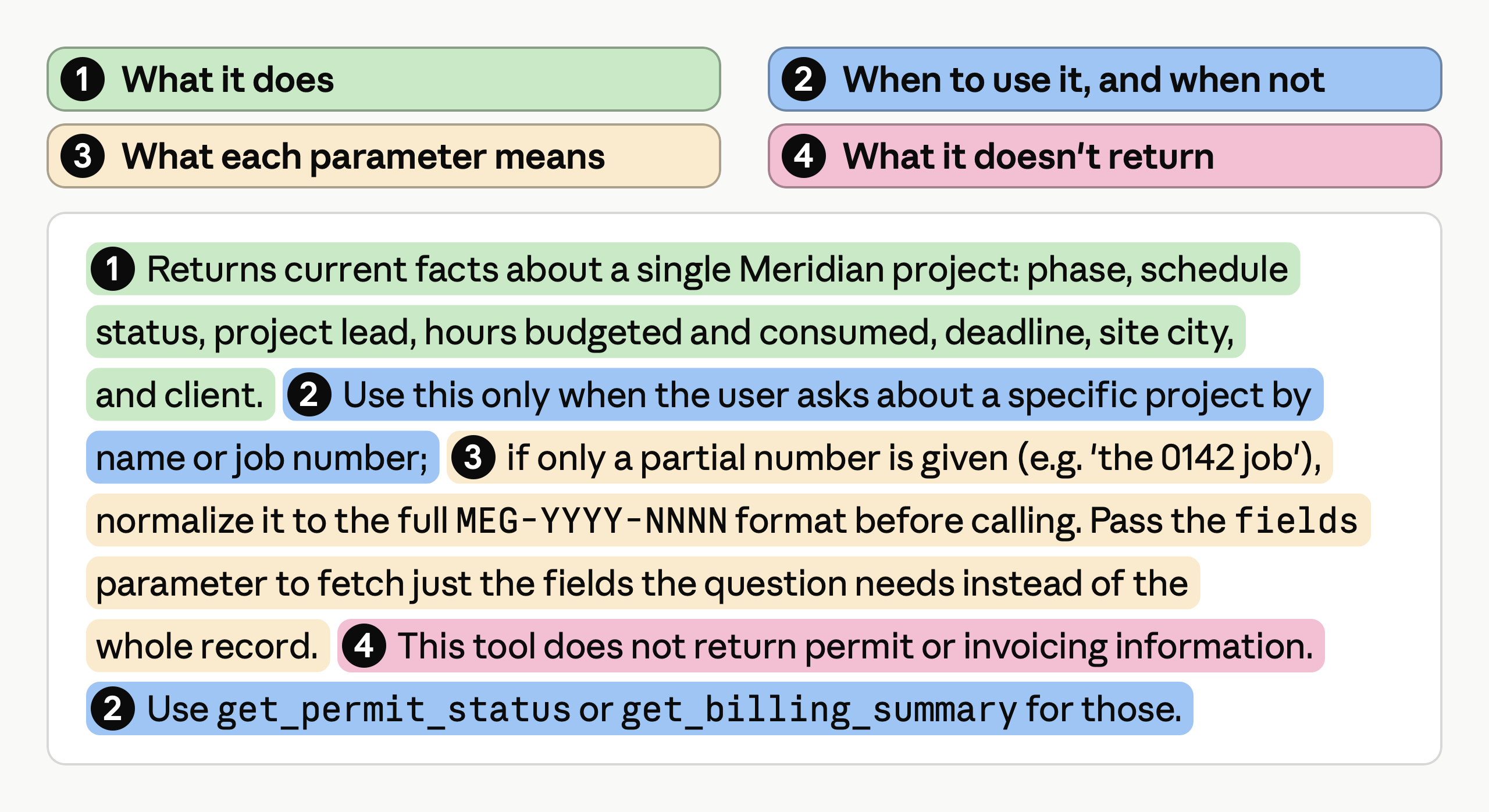
Meridian's description covers all four things a good description needs.
Saying when to use the tool, and when not to, helps Claude avoid calling the wrong one. Meridian's description limits the tool to questions about one project. For permits and billing, it names the tools to use.
Combine overlapping tools into one
A good description can't help much when several tools do nearly the same job.
Meridian's first set had six thin tools, each with a one-line description. Four of them returned one project fact each. Those four overlapped, so Claude had to guess which ones a question needed.
The fix is to combine the four into one tool, lookup_project_status, with a fields parameter that says which facts to return. The other two, for permits and billing, do different jobs, so they stay. Six tools become three.
Measure the change with an eval
An eval is a fixed set of test questions with known right answers, run against Claude and scored. It shows whether the new definitions are better.
Meridian's eval checks whether Claude calls the right tools. It has 30 questions an employee would ask, each labeled with the right tool calls. Meridian ran the 30 questions twice on claude-sonnet-5, once with each set of tools.
| Set of tools | Number of tools | Score |
|---|---|---|
| Thin | 6 | 14/30 (47%) |
| Consolidated | 3 | 26/30 (87%) |
Fix only the part at fault
To fix one failure, find the part of the definition that's at fault, change only that part, and rerun your eval.
| What Claude does wrong | Part to change | What to do |
|---|---|---|
| Calls the wrong tool, or more tools than the question needs | The description | Say what each tool does and when to use it. Combine tools that overlap. |
| Passes a value of the wrong type or format | The schema and the examples | Give the format in the parameter's own description. Add input_examples. |
Troubleshooting tool use(opens in new tab) lists more symptoms and fixes.
Key takeaways
- Write descriptions of at least three to four sentences, and say when not to use the tool.
- Combine overlapping tools into one tool with parameters.
- Measure changes with an eval.
- To fix one failure, change only the part at fault.