Set up
Try a plugin
The Productivity plugin ships with /task-management and other thread-distilling skills as a starting point, already structured to separate decisions from discussion and name owners. If your admin manages plugins and it's not available yet, skip this; nothing below requires it.
Connect your tools
Claude Cowork is more powerful when it works directly with your systems. You control permissions and access. Learn about tool access(opens in new tab).
Navigate to Customize → Connectors in Cowork to set up.

'%3e%3cpath%20d='M11.9091%2034H16.3636V23.6969L10%2019.1515V32.1818C10%2033.1879%2010.8559%2034%2011.9091%2034Z'%20fill='%234285F4'/%3e%3cpath%20d='M31.6364%2034H36.0909C37.1473%2034%2038%2033.1848%2038%2032.1818V19.1515L31.6364%2023.6969'%20fill='%2334A853'/%3e%3cpath%20d='M31.6364%2015.8182V23.6969L38%2019.1515V16.7272C38%2014.4788%2035.305%2013.1969%2033.4182%2014.5454'%20fill='%23FBBC04'/%3e%3cpath%20d='M16.3636%2023.697V15.8182L24%2021.2727L31.6364%2015.8182V23.697L24%2029.1515'%20fill='%23EA4335'/%3e%3cpath%20d='M10%2016.7272V19.1515L16.3636%2023.6969V15.8182L14.5818%2014.5454C12.6918%2013.1969%2010%2014.4788%2010%2016.7272Z'%20fill='%23C5221F'/%3e%3c/g%3e%3cdefs%3e%3cclipPath%20id='clip0_4766_38693'%3e%3crect%20width='28'%20height='20'%20fill='white'%20transform='translate(10%2014)'/%3e%3c/clipPath%3e%3c/defs%3e%3c/svg%3e)

Set your working folder
Keep a Decisions/ folder and point Cowork at it. Drop exported email chains or pasted threads there when connectors aren't an option, and Cowork writes each new entry alongside your running decision log. If your team logs decisions regularly, create a Cowork project(opens in new tab) from that folder so the log format and owner directory stay attached.
The prompt
Copy this into Claude Cowork
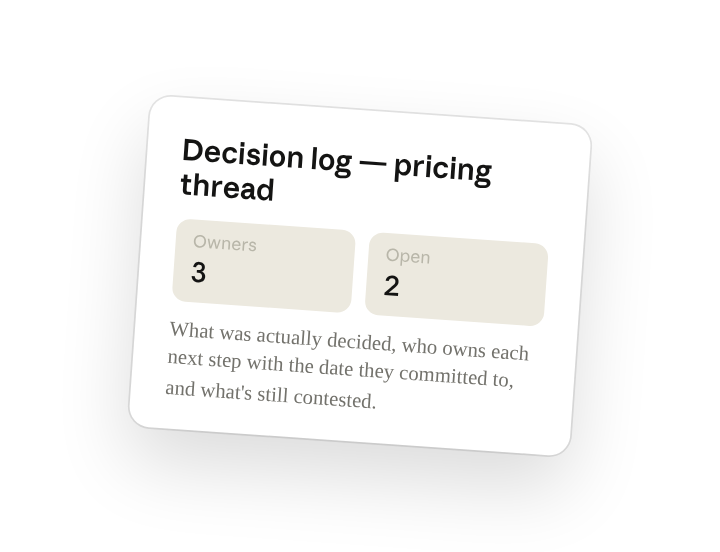
Tell me what was actually decided, who owns each next step with the date they committed to, and what's still open or contested. Append it to the decision log: decision, owners, open questions, links back to the source messages. No commentary, just the record.
Why this works
Ask for what was actually decided. Asking for what was "actually decided" is asking to skip the deliberation — outcome, owners, and open questions without the back-and-forth.
Require an owner and a date. "Who owns each next step with the date they committed to" turns vague agreement into accountable line items you can follow up on.
Call out what's still open. Calling out "still open or contested" means the entry doesn't paper over disagreement, and the team knows exactly what still needs a call.
Link each item to its source. The thread permalink and the email chain in the folder mean every line in the entry is one click from the conversation that produced it.
Get a better draft
Add an example to match. Drop an example you like into the folder and Cowork matches your structure and voice.
Ask it to flag uncertainty. Add "flag anything you're not confident about" so you know where to look first when you review the draft.
Make Cowork work for you
A plugin skill is a starting point — customize it with your own practices and expertise. A few minutes of conversation and it runs with your standards from then on.
Make what we've done in this task so far into a skill, or edit the /task-management skill with my feedback.
Make it repeatable
Run it whenever a thread gets long
Decisions get buried the moment a thread crosses fifty replies. Type /schedule in the prompt, or open Scheduled in the Cowork sidebar, and the customized skill watches your key channels and writes an entry whenever a thread is marked resolved.
/schedule Weekdays at 5pm, check #product-decisions and #leadership for threads with a :decided: reaction since the last run, run /task-management on each, and append to decision-log.md in Decisions.
Checks watched channels for threads marked decided since the last run and appends each to the running log.
Share with your teammates
Your customized /task-management now carries your entry format, your sign-off rules, and your log location. Share it so anyone on the team can turn a thread into a log entry the same way, and the running log stays consistent no matter who captures it.