Set up
Try a plugin
The Productivity plugin ships with /start and other personal-planning skills as a starting point, already structured to walk a calendar and gather context per event. If your admin manages plugins and it's not available yet, skip this; nothing below requires it.
Connect your tools
Claude Cowork is more powerful when it works directly with your systems. You control permissions and access. Learn about tool access(opens in new tab).
Navigate to Customize → Connectors in Cowork to set up.


'%3e%3cpath%20d='M11.9091%2034H16.3636V23.6969L10%2019.1515V32.1818C10%2033.1879%2010.8559%2034%2011.9091%2034Z'%20fill='%234285F4'/%3e%3cpath%20d='M31.6364%2034H36.0909C37.1473%2034%2038%2033.1848%2038%2032.1818V19.1515L31.6364%2023.6969'%20fill='%2334A853'/%3e%3cpath%20d='M31.6364%2015.8182V23.6969L38%2019.1515V16.7272C38%2014.4788%2035.305%2013.1969%2033.4182%2014.5454'%20fill='%23FBBC04'/%3e%3cpath%20d='M16.3636%2023.697V15.8182L24%2021.2727L31.6364%2015.8182V23.697L24%2029.1515'%20fill='%23EA4335'/%3e%3cpath%20d='M10%2016.7272V19.1515L16.3636%2023.6969V15.8182L14.5818%2014.5454C12.6918%2013.1969%2010%2014.4788%2010%2016.7272Z'%20fill='%23C5221F'/%3e%3c/g%3e%3cdefs%3e%3cclipPath%20id='clip0_4766_38693'%3e%3crect%20width='28'%20height='20'%20fill='white'%20transform='translate(10%2014)'/%3e%3c/clipPath%3e%3c/defs%3e%3c/svg%3e)

Set your working folder
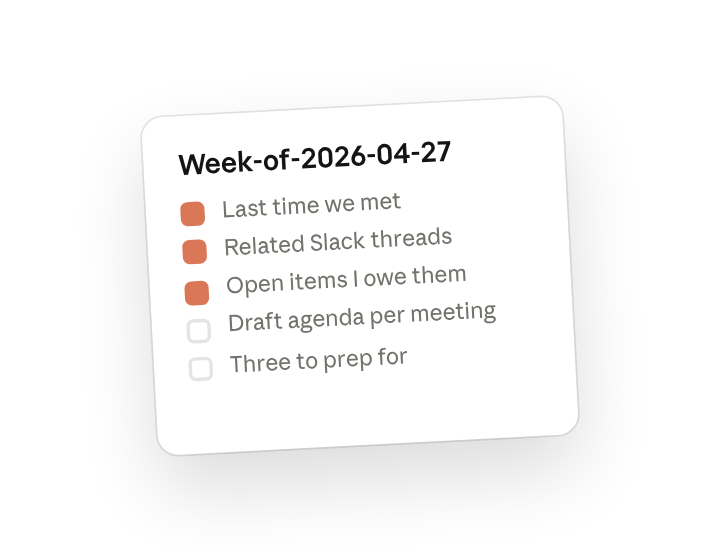
Create a Week-of-<date> folder and point Cowork at it. The week-ahead doc, each meeting's agenda, and any prep notes you add through the week land there together. If you run this every week, create a Cowork project(opens in new tab) from the parent folder so your agenda format and prep preferences stay attached.
The prompt
Copy this into Claude Cowork
Look at my calendar for next week. For each meeting, pull the context: the last time we met, related Slack threads, attached or mentioned docs, and open items I owe them. Draft a one-paragraph agenda for each and flag the three I most need to prep for. Write it all to a single week-ahead doc for Sunday night.
Why this works
List the sources to pull from. Listing "last time we met, related Slack threads, attached docs, open items I owe" tells Cowork exactly which sources to chase per meeting, so the brief is grounded rather than generic.
Ask which ones matter most. "Flag the three I most need to prep for" makes Cowork commit to a priority call instead of treating every meeting as equal weight.
Ask for one combined output. "Write it all to a single week-ahead doc" gives you something you can read top to bottom on Sunday instead of clicking through a folder of files.
Send output to a folder you'll reuse. The Week-of folder is where the briefing, the agendas, and your own notes accumulate through the week, so Friday's retro can read straight from it.
Get a better draft
Add an example to match. Drop an example you like into the folder and Cowork matches your structure and voice.
Ask it to flag uncertainty. Add "flag anything you're not confident about" so you know where to look first when you review the draft.
Make Cowork work for you
A plugin skill is a starting point — customize it with your own practices and expertise. A few minutes of conversation and it runs with your standards from then on.
Make what we've done in this task so far into a skill, or edit the /start skill with my feedback.
Make it repeatable
Run it every Sunday at 5pm
The briefing should be waiting before the week starts. Type /schedule in the prompt, or open Scheduled in the Cowork sidebar, and the customized skill runs every Sunday afternoon and writes to a fresh Week-of folder.
/schedule Run /start every Sunday at 5:00pm, create a Week-of-<next-monday> folder under Planning, and write the week-ahead doc and per-meeting agendas there.
Runs /start against Calendar, Slack, Gmail, and Drive and writes the briefing and agendas to a new Week-of folder.
Share with your teammates
Your customized /start now carries your skip list, your prep tiers, and your agenda format. Share it so your directs and your EA produce briefings in the same shape, and anyone covering for you walks into Monday with the same context you would.