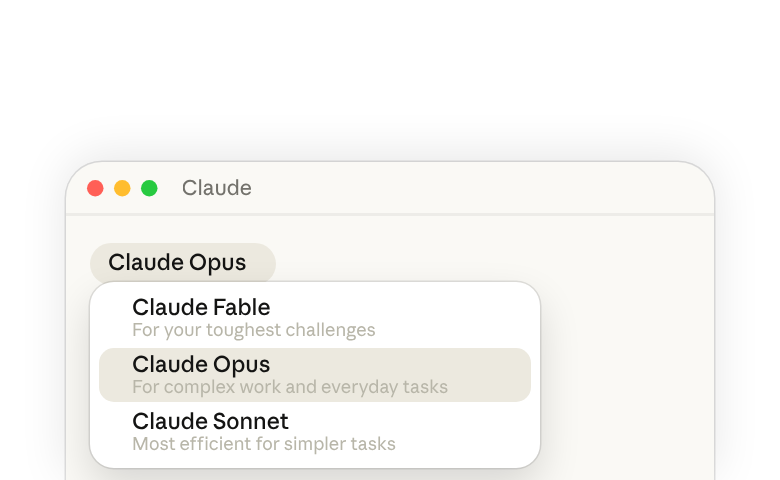
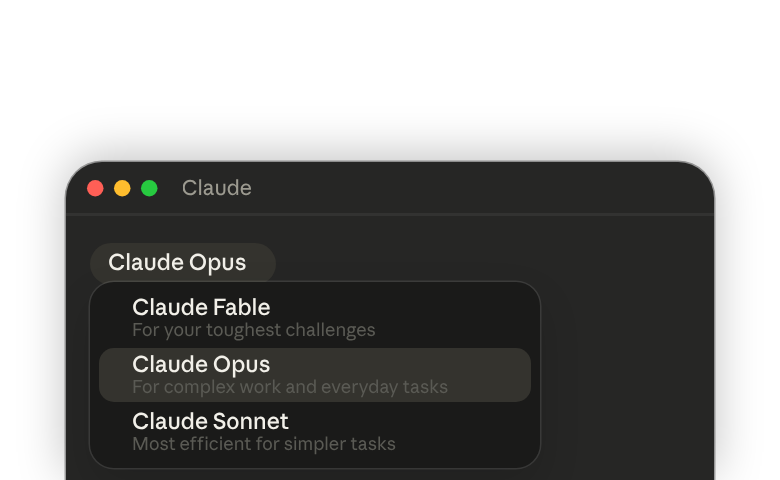
Claude comes in four models: Fable, Opus, Sonnet, and Haiku. They differ in capability, speed, and how much of your usage limit they use.
Choosing a model sets how much capability you have to work with, meaning the knowledge, reasoning and judgment Claude brings to your task. While models can be provided context or steered, the model’s overall knowledge base and capabilities are set.
A more capable model is better at handling ambiguity, and at long tasks where one wrong step affects everything after it. On that kind of work it is more likely to get to the right answer, and often in fewer turns. A less capable model answers faster, and it does its best work on specific, more bounded tasks.
For most knowledge work, we recommend starting with Opus. From there, you can adjust two settings, the model and its effort level, to suit the kind of work you do.
Which models you have and how high your limit is both depend on your Claude account plan(opens in new tab). Free includes Haiku and Sonnet. Paid plans add Opus and more headroom. How you get Fable depends on your plan(opens in new tab): on some it runs on usage credits. At work, your admin can also set which models appear in your menu.
1. Meet the four models
The four models are listed in the order you see them in the model menu.
2. When to adjust the model or effort
Where to start
Claude Opus is the default model on Pro, Max, Ultra, and Team plans. For most coding and knowledge work, we recommend starting with Opus, then moving up or down based on the scope and complexity of your work, and how much cost and speed matter to you.
Some plans and organizations start you on Sonnet. If that's your default, start there. The same approach applies: raise effort first, then switch to a more capable model if the result still falls short.
What you can adjust
After using the default, you may notice it isn't quite right for some of your work. Claude's results may miss the mark, like missed instructions, unfinished work, or quality below what you need. Or you may be getting more than you need, like longer waits, longer answers, or extra work you didn't request. In both cases, you can adjust two settings, both in the model menu, next to the send button.
- Model: the model you choose determines the level of capability you are working with. You can switch up to a larger model (like Opus or Fable), or down to a less capable one (like Sonnet).
- Effort: effort is a signal of how hard you want that model to work. Raise it, and Claude thinks longer, makes more tool calls, and checks more of its work before answering. Lower it, and Claude takes a quicker, more direct pass and comes back sooner. Learn more about effort(opens in new tab).
How to adjust
Start at the default, and see what comes back. If a result isn't right, first check that your prompt and files gave Claude what it needed. From there, change one setting at a time, starting with effort, so you can tell what made the difference. Which change to make depends on what you notice:
How these settings affect your usage
Your usage is counted in tokens, which are small units of text Claude processes. Everything Claude does (reading your prompt, processing files, thinking, writing responses) is measured that way and draws from your usage limit. Both settings affect how fast you use it.
- Model: the model determines what each token costs. In general, the more capable the model, the more it costs per token.
- Effort: effort affects how many tokens a task uses. Higher effort means more thorough responses, but takes longer and uses your limits faster.
The cost that matters more is the cost per task. A more capable model often finishes a difficult task in fewer turns. So a more capable model can cost less per task on long or hard work, even though it costs more per token. This is one reason we recommend starting on Opus.
If you want to use less of your limit, lower effort first. Switching to a less capable model changes both cost and capability. Lowering effort changes cost while keeping the model's judgment and reasoning intact.
3. What this looks like in practice
We recommend choosing the model that fits how you usually work. For most coding and knowledge work, that starts with Opus. If Opus easily handles everything you give it, Sonnet may also be a great fit. If your hardest projects still fall short after you raise effort on Opus, try the same task on Fable and compare the results.
The work itself can give you an early sense. This illustration asks two questions, how long the work would take you without AI and how clear the correct output is. Longer projects and less clear outputs are where a more capable model tends to help most. Still, other factors also matter, like the stakes of your work, how easily you yourself could verify it, or how quickly you need a response.
How would you describe the work?
Move the sliders to describe the kind of work you usually do, and see where it may fall.
This picture is an illustration to explore. The best way to tell whether a model suits your work is to try it, then look closely at what comes back. Check whether Claude followed your instructions, finished the work, and reached the quality you need. To learn more ways to practice discernment, read How people check Claude's work(opens in new tab).
Try it out on your own work
Pick two tasks you've done recently, one bounded and one long, multi-step job. Run both on Opus and on Sonnet, and compare what it took to finish each one.
- Decide what a good result looks like before you run anything.
- Give both models the same prompt and files, in a new chat, at the default effort.
- Keep going until you have a result you would use, and look at how many times you have to steer through follow-up turns or retry.
- Compare the difference between the results, one task at a time. Long tasks with more steps and judgment may show clearer gains.
If both got there in about the same number of turns, either model suits work like this, so keep the one you normally use. If one needed fewer, or found something that matters, use that model for work like this.
If you don't have a task in mind, start with a report you've read yourself and run this prompt:
Summarize the attached report in five bullet points, then flag the one claim in it you'd most want a second source for.
Choosing models over time
Claude is always evolving, and so are the types of problems you can hand it. Each new model brings its own strengths, so the tasks worth giving Claude grow and shift with every release. When a new model comes out, try out more ambitious tasks that may have hit a ceiling in the past.
Whenever there is a new model, including a newer version of the one you already use, revisit the tasks you have been doing. See if you can get the same results with the more capable model at a lower effort, which might make those tasks cheaper. Spend a few minutes running your go-to tasks across models.
Learn more
- How to select the right effort setting in Claude(opens in new tab): how effort settings work in claude.ai and why adjusting effort on a frontier model often costs less per task than switching to a cheaper model.
- Choosing the right effort level in Claude Code(opens in new tab): the same setting in Claude Code, with
/effort, the settings that control it, and a worked example. - Change the model, effort, and thinking settings(opens in new tab): the Help Center article on where each setting is and how to change it.