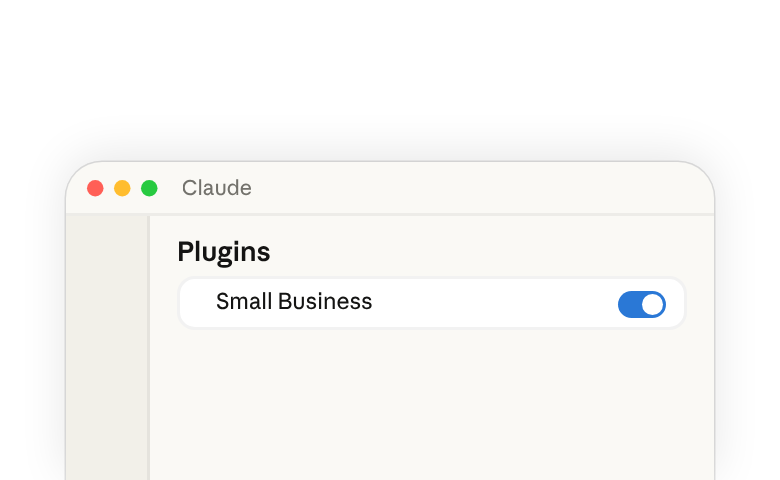
Small Business 플러그인(새 탭에서 열림)은 이미 사용 중인 도구 전반에 걸쳐 Claude(새 탭에서 열림)를 작동시킵니다 — 회계, 결제, CRM, 디자인, 계약, 이메일, 파일, 캘린더까지. 작업을 평범한 말로 설명하면 Claude가 데이터를 읽고, 작업을 수행하고, 무엇이든 전송되거나 게시되거나 결제되기 전에 결과를 보여줍니다.
플러그인을 잘 실행하는 것은 두 가지 동작으로 이루어진 위임 행위입니다: Claude가 알맞은 skill을 선택하도록 작업을 평범한 말로 표현하는 것, 그리고 작업이 진행되는 동안 계속 관여하여 무엇이든 나가기 전에 Claude가 준비해 둔 내용을 확인하는 것입니다. Claude는 여러분이 지시하는 협업자로 작동합니다: Claude는 역량을 제공하고, 의도와 판단은 여러분에게 남아 있습니다.
플러그인 설치 및 실행
Pro, Max, Team, 또는 Enterprise Plan에서 Claude 데스크톱 앱(새 탭에서 열림)이 필요합니다.
- Claude를 열고 왼쪽 사이드바에서 사용자 정의를 클릭하세요.
- 플러그인 아래에서 +를 클릭하세요.
- Small Business를 찾아 설치를 클릭하세요.
플러그인을 설치하면 아래 나열된 모든 skill(새 탭에서 열림)을 사용할 수 있게 됩니다. 플러그인을 비즈니스와 워크플로우에 맞게 조정하려면 이 가이드의 비즈니스에 맞게 플러그인 커스터마이즈하기 섹션을 참조하세요.
skill을 실행하려면:
- 채팅창에
/를 입력하고 목록에서 선택하거나, - 작업을 평범한 말로 설명하면 Claude가 적합한 skill을 선택합니다.
어느 쪽이든 Claude는 해당 작업에 대한 skill의 지침을 따릅니다. 자세히 알아보려면 skill이란 무엇인가요(새 탭에서 열림) 및 Use plugins in Claude(새 탭에서 열림)를 참조하세요.
플러그인에 포함된 항목
플러그인(새 탭에서 열림)은 일련의 skill(새 탭에서 열림)과 그 skill들이 읽어오는 커넥터를 하나로 묶은 것입니다. 각 skill은 특정 작업을 위한 일련의 지침입니다. 플러그인이 설치되면 Claude는 다양한 작업의 단계를 이미 알고 있으므로, 프롬프트를 입력할 때 몇 단어만 있으면 됩니다.
이 플러그인의 일부 skill은 다른 skill 몇 개를 순서대로 실행하면서 단계 사이마다 여러분의 결정을 묻기 때문에, 더 큰 작업이라도 여전히 한 번의 요청으로 처리됩니다. 아래 표는 각 skill, 수행하는 작업, 그리고 읽어오는 도구를 나열합니다
| Skill | 수행하는 작업 | 사용하는 도구 |
|---|---|---|
| Set up the plugin | ||
smb-onboard | The setup skill. Asks about your business, helps you connect your tools, and saves your context so every other skill knows it. | All connectors |
| Extend beyond what's available | ||
build-connector | Connects Claude to a tool that doesn't have an official connector yet. | Claude connector directory, Zapier |
build-agent | Turns a task you keep doing by hand into a skill you can run by name or on a schedule. | Native |
| Run the business | ||
/pay-the-bills | Codes your bills, checks you have the cash, and lines up the payment run for your OK.Runs ap-processor cash-flow-snapshot month-end-prep | Expensify, Gmail, Gusto, Intuit QuickBooks, MYOB, NetSuite, Notion, PayPal, Ramp, Shopify, Square, Stripe, Xero, Zoho Books |
/restock | Figures out what to reorder, drafts the purchase orders and supplier emails, and logs them in your books.Runs inventory-planner ap-processor | Expensify, Gmail, Google Calendar, Intuit QuickBooks, NetSuite, Notion, Ramp, Shopify, Square, Xero, Zoho Books |
/report-pack | Runs your saved reports on a schedule and adds a quick business snapshot for context.Runs report-builder business-pulse | Any data source |
/monday-brief | One page to start the week: cash, sales, pipeline, your calendar, and the one thing that most needs you.Runs business-pulse report-builder | Docusign, Expensify, Gmail, Google Calendar, Google Drive, Gusto, HubSpot, Intuit QuickBooks, MYOB, NetSuite, PayPal, Ramp, RingEX Chat, Shopify, Slack, Square, Stripe, TikTok Ads, Xero, Zoho Books, Zoho Desk |
/close-month | Closes your books, updates your cash forecast, and writes the close packet for your accountant.Runs month-end-prep cash-flow-snapshot report-builder | Expensify, Google Drive, Gusto, Intuit QuickBooks, MYOB, NetSuite, PayPal, Ramp, Shopify, Square, Stripe, Xero, Zoho Books |
/tax-prep | Makes sure your books are closed, then prepares your quarterly taxes or 1099 list for your accountant.Runs month-end-prep tax-season-organizer | Expensify, Gusto, Intuit QuickBooks, MYOB, NetSuite, Notion, PayPal, Ramp, Shopify, Square, Stripe, Xero, Zoho Books |
/plan-payroll | Checks you'll have the cash for payroll, drafts reminders for overdue invoices, and gets the run ready for you to submit.Runs cash-flow-snapshot invoice-chase payroll-prep | Airwallex, Gmail, Gusto, Intuit QuickBooks, Microsoft 365, MYOB, NetSuite, Notion, PayPal, Ramp, Shopify, Square, Stripe, Xero, Zoho Books |
inbox-manager | Sorts your inbox, tells you what needs you, and drafts replies in your voice. | Gmail, Google Calendar, Microsoft 365, Notion, Slack |
report-builder | Builds a report you describe in plain English and saves it so you can rerun it anytime. | Any data source |
ap-processor | Pulls bills from your inbox or uploads, codes them to the right account, and lines up who to pay. | Expensify, Gmail, Intuit QuickBooks, NetSuite, Notion, Ramp, Xero, Zoho Books |
payroll-prep | Checks timesheets, flags anything that looks off, and gets payroll ready for you to submit. | Gusto, Intuit QuickBooks, MYOB, NetSuite, Notion, Xero, Zoho Books |
inventory-planner | Tracks how fast each item sells, warns you before you run out, and drafts the reorders. | Google Calendar, Intuit QuickBooks, NetSuite, Shopify, Square |
ticket-deflector | Reads a customer email, looks up their order and history, and drafts a reply matched to the situation. | Atlassian, Gmail, HubSpot, Notion, PayPal, RingEX Chat, Shopify, Square, Stripe, Zoho Desk |
cash-flow-snapshot | Reads cash, invoices, bills, and incoming settlements and builds a 30/60/90-day forecast with the tight weeks flagged. | Gusto, Intuit QuickBooks, MYOB, NetSuite, PayPal, Ramp, Shopify, Square, Stripe, Xero, Zoho Books |
invoice-chase | Ranks overdue invoices and drafts a reminder for each one, matched to how that customer has paid before. | Airwallex, Gmail, Intuit QuickBooks, Microsoft 365, MYOB, NetSuite, Notion, PayPal, Shopify, Square, Stripe, Xero, Zoho Books |
month-end-prep | Reconciles your books against your payment processors, flags what's off, and writes the close packet for your accountant. | Expensify, Gusto, Intuit QuickBooks, MYOB, NetSuite, PayPal, Ramp, Shopify, Square, Stripe, Xero, Zoho Books |
tax-season-organizer | Calculates quarterly estimated taxes or builds a year-end 1099 list, formatted for your accountant. | Expensify, Gusto, Intuit QuickBooks, MYOB, NetSuite, Notion, PayPal, Ramp, Square, Stripe, Xero, Zoho Books |
business-pulse | One page: cash, sales trend, pipeline, this week's calendar, and the one thing that most needs you. | All connectors |
hiring-screener | Ranks your applicants against the job's requirements, drafts replies, and schedules interviews. | Docusign, Gmail, Google Calendar, Google Drive, Gusto, Microsoft 365, Trello |
contract-review | Reads a contract and writes a plain-English summary, a red-flag list, and a marked-up redline. | None required; optional Docusign, Gmail |
job-post-builder | Writes a job post, a structured interview guide with a scoring rubric, and an offer letter template. | None required; optional Docusign, Gmail, Google Drive |
| Grow the business | ||
/call-list | Picks the top leads to call today and writes a call card with talking points for each.Runs lead-triage | Apollo, Clay, Gmail, Google Calendar, HubSpot |
/grow-pipeline | Finds new prospects, writes outreach in your voice, and logs every touch in your CRM.Runs lead-finder outreach-composer crm-autopilot | Apollo, Clay, Gmail, HubSpot; Google Calendar, Intuit Mailchimp, Intuit QuickBooks, Microsoft 365, Monday.com, Notion, PayPal, RingEX Chat, Salesforce, Shopify, Stripe, Trello, Zoho CRM, Zoom |
/speed-to-lead | Answers new inquiries on nights and weekends and updates your CRM.Runs speed-to-lead outreach-composer crm-autopilot | Gmail, Google Calendar, HubSpot; Apollo, Clay, Intuit Mailchimp, Microsoft 365, Monday.com, Notion, RingEX Chat, Salesforce, Slack, Trello, Zoho CRM, Zoom |
/marketing-monday | One page to start the week on growth: what's working, what customers are saying, and what competitors changed.Runs growth-pulse review-reputation | Apollo, Clay, Gmail, HubSpot, Intuit Mailchimp, Intuit QuickBooks, Monday.com, PayPal, Shopify, Slack, Square, Stripe, TikTok Ads, Zoho CRM, Zoho Desk |
/reactivate | Finds customers who've stopped buying and drafts personal win-back messages for each one.Runs review-reputation outreach-composer crm-autopilot | Apollo, Clay, Gmail, Google Calendar, HubSpot, Intuit Mailchimp, Intuit QuickBooks, Microsoft 365, Monday.com, MYOB, NetSuite, Notion, PayPal, RingEX Chat, Salesforce, Shopify, Square, Stripe, Trello, Xero, Zoho Books, Zoho CRM, Zoho Desk, Zoom |
lead-finder | Finds new prospects that look like your best customers, with the right person to contact at each. | Apollo, Clay, HubSpot, Intuit QuickBooks, Notion, PayPal, Shopify, Stripe |
lead-triage | Scores your leads on engagement, fit, and urgency, and writes a call card for the top ones with talking points. | Apollo, Clay, Gmail, Google Calendar, HubSpot |
outreach-composer | Writes outreach and follow-up emails that sound like you, personalized to each prospect. | Apollo or Clay, Gmail or Microsoft 365, HubSpot, Intuit Mailchimp |
speed-to-lead | Answers new inquiries fast with a reply and real meeting times, and flags hot leads for you. | Gmail, Google Calendar, HubSpot, Notion, RingEX Chat, Slack |
proposal-builder | Turns your notes, photos, or an RFP into a priced proposal and sends it for signature once you approve. | Apollo, Atlassian, Canva, Docusign, Gmail, Google Drive, Intuit QuickBooks, Microsoft 365, MYOB, NetSuite, Notion, PayPal, Square, Stripe, Trello, Xero, Zoho Books, Zoom |
ad-manager | Shows what your ads are earning and wasting, suggests changes, and makes them once you say yes. | Canva, HubSpot, Intuit QuickBooks, Shopify, Square, TikTok Ads; other ad platforms via build-connector |
seo-ai-visibility | Checks how easily customers can find you on search engines and AI assistants, and gives you the fixes. | None required; optional Shopify, Wix |
growth-pulse | One page on growth: sales by channel, marketing results, customer reviews, and three actions for this week. | Gmail, HubSpot, Intuit Mailchimp, Intuit QuickBooks, PayPal, Shopify, Slack, Square, Stripe, TikTok Ads |
canva-creator | Builds the campaign from an approved brief: posting calendar, social designs, captions, and email copy. | Canva, HubSpot, Shopify, Square |
social-content-engine | Keeps your social calendar full with on-brand posts in your voice, ready for your approval. | Canva, HubSpot, Intuit Mailchimp, Notion, Shopify, Trello |
review-reputation | Gathers your reviews and customer feedback into themes, drafts review replies, and spots customers who've gone quiet. | Gmail, HubSpot, Monday.com, PayPal, Shopify, Square, Stripe, Zoho CRM, Zoho Desk |
crm-autopilot | Keeps your CRM up to date from your emails, calls, and meetings, and flags deals that have gone quiet. | Emergent, Gmail, Google Calendar, HubSpot, Monday.com, Notion, RingEX Chat, Salesforce, Trello, Zoho CRM, Zoom |
content-strategy | Reads your sales data, finds what's selling and what isn't, and drafts a content plan that pushes the winners. | Intuit QuickBooks, Notion, PayPal, Shopify, Square, Stripe |
grant-rfp-writer | Finds grants and bids you qualify for, tells you which are worth pursuing, and drafts the application. | Docusign, Google Calendar, Google Drive or Microsoft 365, Trello |
나열된 도구는 기본값입니다. 플러그인을 커스터마이즈하면 skill이 실제로 사용하는 도구 — 다른 결제 처리기, 회계 도구, 또는 CRM — 을 가리키도록 설정할 수 있으며, skill은 그 대신 해당 도구에서 데이터를 읽어옵니다.
비즈니스에 맞게 플러그인 커스터마이즈하기
skill들은 일반적인 소규모 비즈니스를 위해 작성된 기본값과 함께 제공됩니다. 이를 여러분의 것으로 만드는 방법은 두 가지입니다.
사용자 정의 → 플러그인에서 Claude for Small Business를 열고 사용자 정의를 클릭하세요. 또는 채팅창에 직접 프롬프트를 입력하세요:
제 회사에 맞게 "small-business" 플러그인을 커스터마이즈해 주세요.
Claude는 여러분의 비즈니스에 대해 묻습니다 — 무슨 일을 하는지, 누구와 함께 일하는지, 지금 가장 어려운 점은 무엇인지 — 그리고 이에 맞춰 플러그인의 기본값을 다시 작성합니다. 그 이후로 skill들은 여러분의 맥락을 유지합니다: 업종, 팀 규모, 우선순위, 일을 처리하는 방식까지.
이러한 skill을 실행하는 작업을 Claude와 함께 수행하고 그 결과물을 확인하면서, 언제든지 Claude에게 이를 업데이트하도록 요청할 수 있습니다 — 원하는 변경 사항을 말하면 그 변경이 저장됩니다. 시간이 지나면서 skill들은 여러분이 일을 처리하는 방식과 결과물이 나오길 원하는 방식에 더욱 맞춰집니다.
전체 패턴을 확인하려면 Claude에서 플러그인 커스터마이즈하는 방법(새 탭에서 열림)을 참조하세요.
시도해 볼 예시
이번 주 할 일 목록에 있는 작업 하나를 골라, 처리를 맡길 만큼 신뢰하는 사람에게 설명하듯 표현해 보세요. Claude는 프롬프트를 읽고 적합한 skill을 실행합니다.
플러그인 설정하기
- 시작해 볼게요. 저는 카페 두 곳, 도매 사업, 온라인 상점을 운영하는 커피 로스터리를 운영하고 있습니다.
제공되는 범위를 넘어 확장하기
- 제 로스팅 소프트웨어가 목록에 없네요. 매일의 로스팅 배치를 확인할 수 있도록 연결해 줄 수 있나요?
- 매주 월요일마다 지난주 도매 주문을 확인하고, 부족한 품목에 대해 카페에 이메일을 보냅니다. 이걸 그냥 요청만 하면 되는 것으로 만들어 줄 수 있나요?
비즈니스 운영하기
- 청구서를 지불해 주세요. 이번 주에 나갈 돈을 모두 처리하고도 급여를 지급할 수 있나요?
- 원두와 봉투가 떨어져 가고 있어요. 무엇을 재주문해야 할지 파악하고 공급업체에 보낼 발주서 초안을 작성해 주세요.
- 제 주간 실적 패키지를 실행해서 매주 월요일 아침에 보내 주세요.
- 월요일 브리핑을 주세요. 이번 주에 제가 알아야 할 것은 무엇인가요?
- 8월 장부를 마감하고 회계사에게 전달할 패킷을 준비해 주세요.
- 세금 준비를 도와주세요. 분기를 마감하고 예상 납부를 위해 얼마를 따로 떼어둬야 하는지 알려 주세요.
- 자금 사정이 빠듯한데 금요일에 급여 지급일이에요. 지급할 수 있나요? 가능하다면 지급 준비를 해 주세요.
비즈니스 성장시키기
- 오늘 누구에게 전화해야 하나요? 핵심 포인트와 함께 상위 5명을 알려 주세요.
- 영업 퍼널을 채워 주세요. 최고 도매 거래처와 비슷한 카페를 찾아 아웃리치 메시지를 작성해 주세요.
- 매일 밤과 주말에 speed-to-lead를 실행해서 어떤 문의도 답변 없이 방치되지 않도록 해 주세요.
- 월요일 마케팅 브리핑을 주세요. 무엇이 효과가 있고, 고객들은 뭐라고 말하고, 경쟁사는 무엇을 바꿨나요?
- 단골 고객 중 몇몇이 몇 달째 주문이 없어요. 조용해진 고객을 찾아 다시 데려올 수 있도록 도와주세요.
이 중 세 가지 — 급여, 월말 마감, 월요일 브리핑 — 에 대한 단계별 설명은 소규모 비즈니스를 위한 Claude 활용하기(새 탭에서 열림)를 참조하세요.
연습: 직접 skill 하나 실행해 보기
이번 주 업무 중 하나를 골라 보세요. 답이 대략 어떤 모습일지 이미 알고 있는 업무로요. 그리고 사람에게 맡기듯이 채팅창에 설명해 보세요:
어떤 청구서가 연체되었고, 어떤 것부터 먼저 후속 조치를 해야 하나요?
이번 주에 청구서가 아니라 다른 업무가 떠오른다면 그 업무로 바꿔 보되, 표현은 평범하게 유지하고 skill 이름은 넣지 마세요. Claude가 적합한 skill을 선택합니다. 돌아온 결과가 의도한 업무가 아니라면 /를 입력하고 직접 skill을 선택하세요.
무엇이든 승인하기 전에, 이미 알고 있는 것과 결과를 대조해 확인하세요:
- 한 줄을 장부와 대조해 확인하세요. 바로 떠오르는 고객 한 명을 골라, 초안 리마인더에 적힌 내용이 기록과 일치하는지 확인하세요.
- 목록을 훑어보며 맞지 않는 항목을 찾으세요. 이미 정산된 것으로 알고 있는 청구서가 미결제로 표시되어 있다면, 이는 멈추고 무엇이든 나가기 전에 불일치를 해결해야 한다는 신호입니다.
유지해야 할 습관: 업무를 설명하고, Claude가 skill을 선택하게 하고, 승인하기 전에 이미 알고 있는 것과 결과를 대조해 확인하세요. 이 플러그인의 모든 skill에 동일하게 적용됩니다.
참고할 사항
- 무엇이든 전송, 게시, 결제되기 전에 여러분이 승인합니다 — skill은 초안을 작성하고, 제안하고, 준비해 둡니다. 여러분이 말하기 전까지는 아무것도 나가지 않습니다.
- 기존 권한이 그대로 유지됩니다 — Claude는 각 도구에서 여러분의 계정이 읽을 수 있는 것만 읽습니다. 이미 접근 권한이 없는 데이터는 볼 수 없습니다.
- Anthropic은 여러분의 비즈니스 데이터로 Claude를 학습시키지 않습니다 — 그리고 이미 도구에 설정해 둔 권한이 계속 적용됩니다. 오늘 한 직원이 QuickBooks에서 어떤 항목을 볼 수 없다면, Claude를 통해서도 볼 수 없습니다. 전체 정책은 Trust Center(새 탭에서 열림)에서 확인할 수 있습니다.
- 중요한 결정은 여러분의 몫입니다 — Claude는 작업을 준비하고 찾아낸 내용을 보여주지만, 얼마를 청구할지, 무엇에 서명할지, 회계사에게 무엇을 보낼지와 같은 중요한 판단은 여러분과 여러분의 전문가가 내리는 것입니다.
- 일부 기능은 연결된 도구의 요금제에 따라 달라집니다 — 디자인 생성이나 발송 준비 같은 기능은 해당 도구에서 더 높은 등급이 필요할 수 있습니다. 무언가 사용할 수 없을 때는 skill이 이를 알려주고 대안을 제시합니다.
더 알아보기
- Claude for Small Business 소개(새 탭에서 열림) — 출시 발표
- 소규모 비즈니스를 위한 Claude 활용하기(새 탭에서 열림) — 플러그인이 처음부터 끝까지 실행하는 워크플로우
- Claude에서 플러그인 커스터마이즈하는 방법(새 탭에서 열림) — skill이 여러분의 맥락에서 실행되도록 만들기
- skill이란 무엇인가요(새 탭에서 열림) — Claude에서 skill이 작동하는 방식