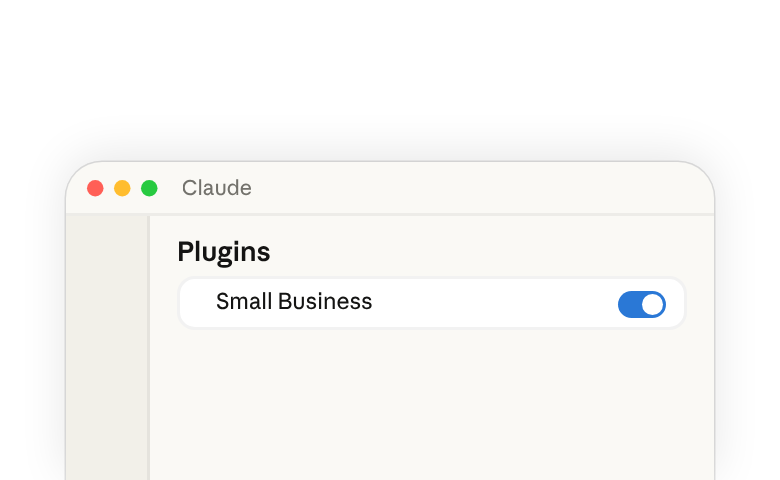
Small Businessプラグイン(新しいタブで開きます)は、会計、支払い、CRM、デザイン、契約、メール、ファイル、カレンダーなど、すでに使用しているツール全体でClaude(新しいタブで開きます)を活用します。作業内容を平易な言葉で説明するだけで、Claudeがデータを読み込み、作業を行い、送信・投稿・支払いが行われる前に結果を提示します。
プラグインをうまく使いこなすことは、2つの動作からなる委任の行為です。まず、Claudeが適切なskillを選べるように作業内容を平易な言葉で伝えます。次に、作業が進む間も関与し続け、何かが送信される前にClaudeが準備した内容を確認します。Claudeはあなたが指示する協働者として機能します。能力を提供するのはClaudeですが、意図と判断はあなたの手に残ります。
プラグインのインストールと実行
Pro、Max、Team、またはEnterpriseプランでClaude Desktopアプリ(新しいタブで開きます)が必要です。
- Claudeを開き、左サイドバーのカスタマイズをクリックします。
- プラグインの下にある+をクリックします。
- Small Businessを見つけてインストールをクリックします。
プラグインをインストールすると、以下に挙げるすべてのskill(新しいタブで開きます)が利用可能になります。プラグインを自社の業務やワークフローに合わせて調整する方法については、本ガイドの自社向けにプラグインをカスタマイズするセクションを参照してください。
skillを実行するには:
- チャットバーに
/と入力し、リストから選択するか、 - 作業内容を平易な言葉で説明すると、Claudeが適したskillを選びます。
いずれの方法でも、Claudeはそのタスクに対するskillの指示に従います。詳細については、Skillsとは(新しいタブで開きます)およびClaudeでプラグインを使用する(新しいタブで開きます)を参照してください。
プラグインの内容
プラグイン(新しいタブで開きます)には、一連のskill(新しいタブで開きます)と、それらが読み取るコネクタがまとめられています。各skillは、特定のタスクのための一連の指示です。プラグインをインストールすると、Claudeはすでにさまざまなタスクの手順を把握しているため、プロンプトを入力する際はほんの数語で済みます。
このプラグイン内の一部のskillは、他のいくつかのskillを順番に実行し、ステップの間であなたの判断を求めます。そのため、大きな作業であっても一度の依頼で済みます。以下の表は、各skillの内容、機能、および読み取るツールを示しています
| Skill | できること | 使用するツール |
|---|---|---|
| Set up the plugin | ||
smb-onboard | The setup skill. Asks about your business, helps you connect your tools, and saves your context so every other skill knows it. | All connectors |
| Extend beyond what's available | ||
build-connector | Connects Claude to a tool that doesn't have an official connector yet. | Claude connector directory, Zapier |
build-agent | Turns a task you keep doing by hand into a skill you can run by name or on a schedule. | Native |
| Run the business | ||
/pay-the-bills | Codes your bills, checks you have the cash, and lines up the payment run for your OK.Runs ap-processor cash-flow-snapshot month-end-prep | Expensify, Gmail, Gusto, Intuit QuickBooks, MYOB, NetSuite, Notion, PayPal, Ramp, Shopify, Square, Stripe, Xero, Zoho Books |
/restock | Figures out what to reorder, drafts the purchase orders and supplier emails, and logs them in your books.Runs inventory-planner ap-processor | Expensify, Gmail, Google Calendar, Intuit QuickBooks, NetSuite, Notion, Ramp, Shopify, Square, Xero, Zoho Books |
/report-pack | Runs your saved reports on a schedule and adds a quick business snapshot for context.Runs report-builder business-pulse | Any data source |
/monday-brief | One page to start the week: cash, sales, pipeline, your calendar, and the one thing that most needs you.Runs business-pulse report-builder | Docusign, Expensify, Gmail, Google Calendar, Google Drive, Gusto, HubSpot, Intuit QuickBooks, MYOB, NetSuite, PayPal, Ramp, RingEX Chat, Shopify, Slack, Square, Stripe, TikTok Ads, Xero, Zoho Books, Zoho Desk |
/close-month | Closes your books, updates your cash forecast, and writes the close packet for your accountant.Runs month-end-prep cash-flow-snapshot report-builder | Expensify, Google Drive, Gusto, Intuit QuickBooks, MYOB, NetSuite, PayPal, Ramp, Shopify, Square, Stripe, Xero, Zoho Books |
/tax-prep | Makes sure your books are closed, then prepares your quarterly taxes or 1099 list for your accountant.Runs month-end-prep tax-season-organizer | Expensify, Gusto, Intuit QuickBooks, MYOB, NetSuite, Notion, PayPal, Ramp, Shopify, Square, Stripe, Xero, Zoho Books |
/plan-payroll | Checks you'll have the cash for payroll, drafts reminders for overdue invoices, and gets the run ready for you to submit.Runs cash-flow-snapshot invoice-chase payroll-prep | Airwallex, Gmail, Gusto, Intuit QuickBooks, Microsoft 365, MYOB, NetSuite, Notion, PayPal, Ramp, Shopify, Square, Stripe, Xero, Zoho Books |
inbox-manager | Sorts your inbox, tells you what needs you, and drafts replies in your voice. | Gmail, Google Calendar, Microsoft 365, Notion, Slack |
report-builder | Builds a report you describe in plain English and saves it so you can rerun it anytime. | Any data source |
ap-processor | Pulls bills from your inbox or uploads, codes them to the right account, and lines up who to pay. | Expensify, Gmail, Intuit QuickBooks, NetSuite, Notion, Ramp, Xero, Zoho Books |
payroll-prep | Checks timesheets, flags anything that looks off, and gets payroll ready for you to submit. | Gusto, Intuit QuickBooks, MYOB, NetSuite, Notion, Xero, Zoho Books |
inventory-planner | Tracks how fast each item sells, warns you before you run out, and drafts the reorders. | Google Calendar, Intuit QuickBooks, NetSuite, Shopify, Square |
ticket-deflector | Reads a customer email, looks up their order and history, and drafts a reply matched to the situation. | Atlassian, Gmail, HubSpot, Notion, PayPal, RingEX Chat, Shopify, Square, Stripe, Zoho Desk |
cash-flow-snapshot | Reads cash, invoices, bills, and incoming settlements and builds a 30/60/90-day forecast with the tight weeks flagged. | Gusto, Intuit QuickBooks, MYOB, NetSuite, PayPal, Ramp, Shopify, Square, Stripe, Xero, Zoho Books |
invoice-chase | Ranks overdue invoices and drafts a reminder for each one, matched to how that customer has paid before. | Airwallex, Gmail, Intuit QuickBooks, Microsoft 365, MYOB, NetSuite, Notion, PayPal, Shopify, Square, Stripe, Xero, Zoho Books |
month-end-prep | Reconciles your books against your payment processors, flags what's off, and writes the close packet for your accountant. | Expensify, Gusto, Intuit QuickBooks, MYOB, NetSuite, PayPal, Ramp, Shopify, Square, Stripe, Xero, Zoho Books |
tax-season-organizer | Calculates quarterly estimated taxes or builds a year-end 1099 list, formatted for your accountant. | Expensify, Gusto, Intuit QuickBooks, MYOB, NetSuite, Notion, PayPal, Ramp, Square, Stripe, Xero, Zoho Books |
business-pulse | One page: cash, sales trend, pipeline, this week's calendar, and the one thing that most needs you. | All connectors |
hiring-screener | Ranks your applicants against the job's requirements, drafts replies, and schedules interviews. | Docusign, Gmail, Google Calendar, Google Drive, Gusto, Microsoft 365, Trello |
contract-review | Reads a contract and writes a plain-English summary, a red-flag list, and a marked-up redline. | None required; optional Docusign, Gmail |
job-post-builder | Writes a job post, a structured interview guide with a scoring rubric, and an offer letter template. | None required; optional Docusign, Gmail, Google Drive |
| Grow the business | ||
/call-list | Picks the top leads to call today and writes a call card with talking points for each.Runs lead-triage | Apollo, Clay, Gmail, Google Calendar, HubSpot |
/grow-pipeline | Finds new prospects, writes outreach in your voice, and logs every touch in your CRM.Runs lead-finder outreach-composer crm-autopilot | Apollo, Clay, Gmail, HubSpot; Google Calendar, Intuit Mailchimp, Intuit QuickBooks, Microsoft 365, Monday.com, Notion, PayPal, RingEX Chat, Salesforce, Shopify, Stripe, Trello, Zoho CRM, Zoom |
/speed-to-lead | Answers new inquiries on nights and weekends and updates your CRM.Runs speed-to-lead outreach-composer crm-autopilot | Gmail, Google Calendar, HubSpot; Apollo, Clay, Intuit Mailchimp, Microsoft 365, Monday.com, Notion, RingEX Chat, Salesforce, Slack, Trello, Zoho CRM, Zoom |
/marketing-monday | One page to start the week on growth: what's working, what customers are saying, and what competitors changed.Runs growth-pulse review-reputation | Apollo, Clay, Gmail, HubSpot, Intuit Mailchimp, Intuit QuickBooks, Monday.com, PayPal, Shopify, Slack, Square, Stripe, TikTok Ads, Zoho CRM, Zoho Desk |
/reactivate | Finds customers who've stopped buying and drafts personal win-back messages for each one.Runs review-reputation outreach-composer crm-autopilot | Apollo, Clay, Gmail, Google Calendar, HubSpot, Intuit Mailchimp, Intuit QuickBooks, Microsoft 365, Monday.com, MYOB, NetSuite, Notion, PayPal, RingEX Chat, Salesforce, Shopify, Square, Stripe, Trello, Xero, Zoho Books, Zoho CRM, Zoho Desk, Zoom |
lead-finder | Finds new prospects that look like your best customers, with the right person to contact at each. | Apollo, Clay, HubSpot, Intuit QuickBooks, Notion, PayPal, Shopify, Stripe |
lead-triage | Scores your leads on engagement, fit, and urgency, and writes a call card for the top ones with talking points. | Apollo, Clay, Gmail, Google Calendar, HubSpot |
outreach-composer | Writes outreach and follow-up emails that sound like you, personalized to each prospect. | Apollo or Clay, Gmail or Microsoft 365, HubSpot, Intuit Mailchimp |
speed-to-lead | Answers new inquiries fast with a reply and real meeting times, and flags hot leads for you. | Gmail, Google Calendar, HubSpot, Notion, RingEX Chat, Slack |
proposal-builder | Turns your notes, photos, or an RFP into a priced proposal and sends it for signature once you approve. | Apollo, Atlassian, Canva, Docusign, Gmail, Google Drive, Intuit QuickBooks, Microsoft 365, MYOB, NetSuite, Notion, PayPal, Square, Stripe, Trello, Xero, Zoho Books, Zoom |
ad-manager | Shows what your ads are earning and wasting, suggests changes, and makes them once you say yes. | Canva, HubSpot, Intuit QuickBooks, Shopify, Square, TikTok Ads; other ad platforms via build-connector |
seo-ai-visibility | Checks how easily customers can find you on search engines and AI assistants, and gives you the fixes. | None required; optional Shopify, Wix |
growth-pulse | One page on growth: sales by channel, marketing results, customer reviews, and three actions for this week. | Gmail, HubSpot, Intuit Mailchimp, Intuit QuickBooks, PayPal, Shopify, Slack, Square, Stripe, TikTok Ads |
canva-creator | Builds the campaign from an approved brief: posting calendar, social designs, captions, and email copy. | Canva, HubSpot, Shopify, Square |
social-content-engine | Keeps your social calendar full with on-brand posts in your voice, ready for your approval. | Canva, HubSpot, Intuit Mailchimp, Notion, Shopify, Trello |
review-reputation | Gathers your reviews and customer feedback into themes, drafts review replies, and spots customers who've gone quiet. | Gmail, HubSpot, Monday.com, PayPal, Shopify, Square, Stripe, Zoho CRM, Zoho Desk |
crm-autopilot | Keeps your CRM up to date from your emails, calls, and meetings, and flags deals that have gone quiet. | Emergent, Gmail, Google Calendar, HubSpot, Monday.com, Notion, RingEX Chat, Salesforce, Trello, Zoho CRM, Zoom |
content-strategy | Reads your sales data, finds what's selling and what isn't, and drafts a content plan that pushes the winners. | Intuit QuickBooks, Notion, PayPal, Shopify, Square, Stripe |
grant-rfp-writer | Finds grants and bids you qualify for, tells you which are worth pursuing, and drafts the application. | Docusign, Google Calendar, Google Drive or Microsoft 365, Trello |
記載されているツールはデフォルトです。プラグインをカスタマイズすると、実際に使用しているツール—別の決済処理業者、会計ツール、CRMなど—にskillを向けることができ、skillはそれらのツールから読み取るようになります。
自社向けにプラグインをカスタマイズする
skillには、典型的な中小企業向けに書かれたデフォルト設定が付属しています。これを自社向けにカスタマイズする方法は2通りあります。
カスタマイズ → プラグインで、Claude for Small Businessを開き、カスタマイズをクリックします。または、チャットバーに直接プロンプトを入力します。
"small-business"プラグインを、自分の会社に合わせてカスタマイズしてください。
Claudeは、あなたの事業内容、一緒に働く人、現在最も困っていることなど、事業について質問し、プラグインのデフォルト設定をそれに合わせて書き換えます。それ以降、skillはあなたのコンテキスト—業種、チームの規模、優先事項、物事の進め方の好み—を引き継ぎます。
これらのskillを実行するタスクをClaudeと一緒に行い、その出力を確認していく中で、いつでもClaudeに更新を依頼できます—変更してほしい点を伝えれば、その変更が保存されます。時間が経つにつれ、skillはあなたの好みのやり方や、望む出力の形により適したものになっていきます。
完全な手順については、Claudeでのプラグインのカスタマイズ方法(新しいタブで開きます)を参照してください。
試してみる例
今週のタスクリストから何か一つ選び、それを信頼して任せられる人に説明するように描写してみましょう。Claudeはあなたのプロンプトを読み取り、適したskillを実行します。
プラグインをセットアップする
- 始めたいです。私はコーヒー焙煎事業を営んでおり、カフェを2店舗、卸売事業、オンラインショップを運営しています。
利用可能な範囲を拡張する
- 私が使っている焙煎ソフトはリストにありません。毎日の焙煎バッチを確認できるように接続してもらえますか?
- 毎週月曜日に、先週の卸売注文を取り出し、不足しているものについてカフェにメールしています。これを、頼むだけで済むようにしてもらえますか?
事業を運営する
- 請求書の支払いをしてください。今週支払い期限のものをすべてカバーしつつ、給与も支払えますか?
- 豆と袋が少なくなってきました。何を再注文すべきか調べて、仕入先への発注書の下書きを作成してください。
- 毎週の数値レポートを作成し、毎週月曜日の朝に送ってください。
- 月曜日のブリーフをください。今週知っておくべきことは何ですか?
- 8月分の帳簿を締めて、会計士用の資料を準備してください。
- 確定申告の準備をしてください。四半期を締めて、見積納税額として取っておくべき金額を教えてください。
- 資金繰りが厳しく、給与の支払い期限が金曜日です。間に合いますか? 間に合うなら、支払い準備を進めてください。
事業を成長させる
- 今日は誰に電話すべきですか? トークポイント付きの上位5件を教えてください。
- ファネルを埋めてください。最も優良な卸売顧客に似たカフェを見つけて、アウトリーチ文を書いてください。
- 毎晩と週末にspeed-to-leadを実行して、問い合わせが放置されないようにしてください。
- 月曜日のマーケティングブリーフをください。何がうまくいっていて、顧客は何と言っていて、競合他社は何を変更しましたか?
- 常連客の一部が何か月も注文していません。静かになった顧客を見つけて、呼び戻すのを手伝ってください。
これらのうち3つ—給与計算、月次決算、月曜日のブリーフ—の詳しい手順については、中小企業でClaudeを活用する方法(新しいタブで開きます)を参照してください。
練習: 自分でskillを実行してみる
今週の作業から一つ、答えがどのようなものになるかすでに大体わかっているものを選び、人に頼むときのようにチャットバーで説明してみましょう:
どの請求書が支払い期限を過ぎていますか? また、どれから優先してフォローアップすべきですか?
今週、請求書が気になる作業でない場合は、自分自身の作業に置き換えてください。ただし、skill名は使わず、平易な言葉のままにしてください。Claudeが適したskillを選びます。戻ってきた結果が意図した作業と異なる場合は、/と入力して自分でskillを選んでください。
何かを承認する前に、すでに知っている情報と結果を照らし合わせて確認してください:
- 帳簿と1行を照合する。 すぐに思い浮かぶ顧客を一人選び、下書きのリマインダーに記載されている内容が自分の記録と一致しているか確認します。
- リストに場違いなものがないか確認する。 決済済みだとわかっている請求書が未決済として表示されている場合は、それが立ち止まって不一致を解消すべきサインです。何かが送信される前に対処しましょう。
大切な習慣はこれです: 作業内容を説明し、Claudeにskillを選ばせ、承認する前に知っている情報と結果を照らし合わせて確認する。これは、このプラグインのあらゆるskillで同じように機能します。
注意事項
- 送信、投稿、支払いの前に必ず承認します — skillは下書きを作成し、提案し、準備するだけです。あなたが許可するまで何も外部には出ません。
- 既存の権限がそのまま適用されます — Claudeは、各ツールのあなたのアカウントが読み取れる範囲のものを読み取ります。すでにアクセス権のないデータを見ることはできません。
- Anthropicは、あなたの事業データでClaudeを訓練しません — また、各ツールですでに設定済みの権限は引き続き適用されます。従業員が現在QuickBooksで何かを閲覧できない場合、Claudeを通じても閲覧できません。ポリシーの全文はTrust Center(新しいタブで開きます)にあります。
- 重要な意思決定はあなたの手に残ります — Claudeは作業を準備し、見つけた内容を提示しますが、何を請求するか、何に署名するか、会計士に何を送るかといった重要な判断は、あなたとあなたの専門家が行うものです。
- 一部の機能は、連携先ツールのプランに依存します — デザインの生成や送信の準備には、そのツールでより上位のプランが必要になる場合があります。利用できない場合、skillがその旨を伝え、代替策を提示します。
詳細情報
- Claude for Small Businessのご紹介(新しいタブで開きます) — ローンチのお知らせ
- 中小企業でClaudeを活用する方法(新しいタブで開きます) — プラグインが最初から最後まで実行するワークフロー
- Claudeでのプラグインのカスタマイズ方法(新しいタブで開きます) — skillをあなたのコンテキストから実行できるようにする
- Skillsとは(新しいタブで開きます) — ClaudeにおけるSkillの仕組み