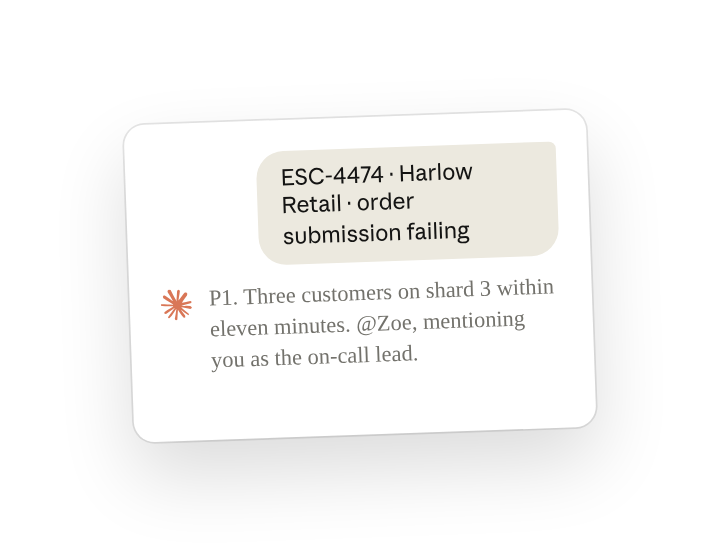
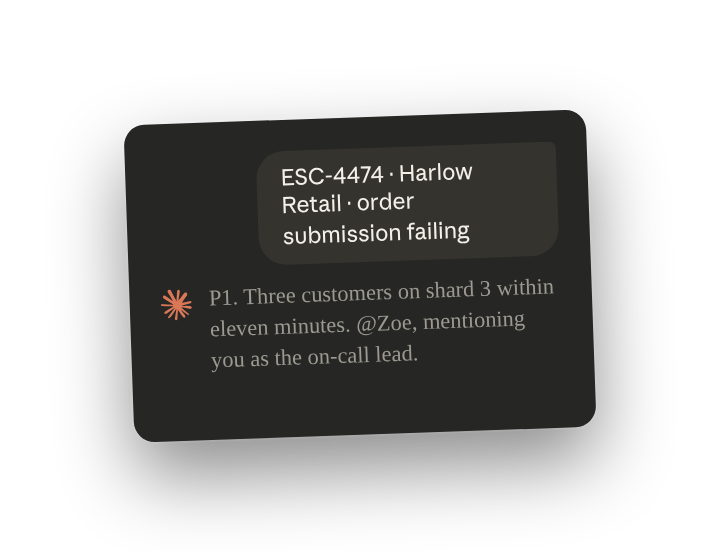
A support team no longer needs someone reading every post in the escalations channel to catch the urgent one. Claude Tag can assess and route a message the moment it arrives, and @-mention a person only for a P1.
With your ticketing tool connected, give Claude Tag that job as a standing responsibility(opens in new tab). With proactive replies(opens in new tab) on for the channel, Claude triages each escalation without being tagged. It matches the escalation to earlier tickets and tags the team that owns it. It also drafts a first response for an agent to send. Anyone in the channel can correct a severity or an owner, or change when Claude alerts a person.
Set up
What to ask Claude, and what it does
Send this once in your escalations channel. From then on, Claude sets a severity and an owner on each new escalation, in its thread, whether or not anyone tags it. Say that only a P1 should mention a person, and add your severity levels, owners and P1 contact if the channel's history does not already show them.
Here are Claude's replies to four escalations posted one Tuesday, shown together. Each went in its own escalation's thread:
Claude mentioned Zoe because three related reports made this a P1. It tagged the account team because the instruction says to tag the team that owns it. It merged and linked tickets in the support tool, and the drafted replies are for an agent to send.
Before an agent acts on one, open the ticket Claude matched and read the draft.
Follow ups
Correct a severity or owner, and have Claude remember it for the channel
Claude fixes a severity or owner from a reply in the thread, such as a reply that ESC-4472 is a P2 because the customer cannot onboard a new team. It remembers the correction for the channel when asked (channel memory(opens in new tab)):
Tell Claude when to mention you
Claude mentions people only when your instructions say to. Whoever receives the P1 pages can reply under any of Claude's posts and ask to be mentioned only when a decision is needed (decisions that come back to you(opens in new tab)). Zoe receives the P1 pages here, so she replies under one of Claude's posts:
Ask for the queue at any time
Claude can summarize what was posted over any period and which escalations still need a person. Replace "host-side" with the kind of escalation your team takes first.
Have Claude reply only when tagged
With Respond automatically off, escalations reach Claude only when someone tags Claude in their thread, until anyone in the channel turns it back on (quiet the whole channel(opens in new tab)).
Tips
Let Claude draft, and have a person send
Claude can write a customer reply but does not send it. Each draft waits in the escalation's thread until an agent reviews it and sends it from your support tool.
Related resources
- Learn more in the Introduction to Claude Tag(opens in new tab) course.
- Get started with Claude Tag(opens in new tab): add @Claude to a channel and see what it can read there.
- Triage requests(opens in new tab): the Claude Tag docs page this use case is based on.