When an alert pages the on-call engineer, the first job is to find out whether it is real and what changed. The engineer reads dashboards, logs and recent deploys before deciding anything, sometimes from a phone at night.
Add Claude Tag to the on-call channel and connect monitoring, paging and the code host. With proactive replies(opens in new tab) on, Claude picks up each paging alert that tags it, so no one on the team has to tag it. Give it the job and the runbook once as a standing responsibility(opens in new tab), and it posts what broke, why and a proposed fix in the alert's thread. In the thread, anyone on the team can reply to correct it(opens in new tab). Claude runs the rollback only after the on-call engineer approves it there. Then it opens the fix as a draft pull request.
Set up
What to ask Claude, and what it does
Send this once, as a new message in your on-call channel. Claude saves it for the channel and investigates each paging alert that tags it after that. In your own message, say who to mention when something breaks and that Claude waits for a person's approval before a rollback, and link your runbook and owner list if they are not already in the channel.
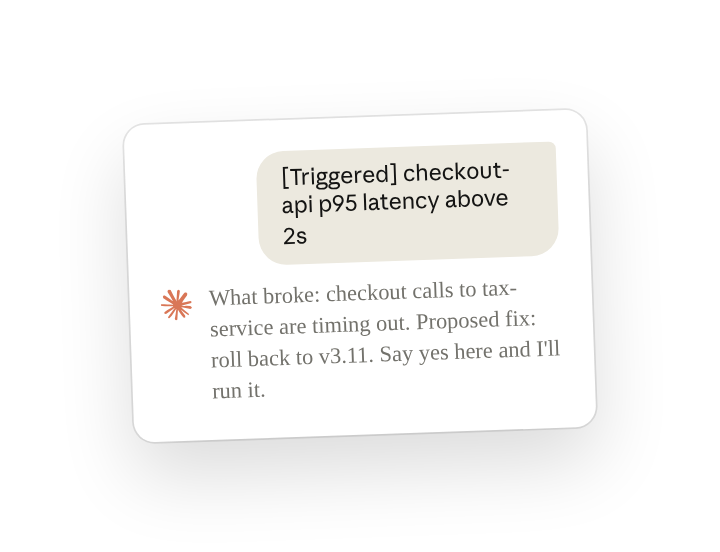
The alert integration posted the two alerts below one Tuesday morning. Nobody on the team tagged Claude. It replied in the checkout alert's thread and covered both:
The alert integration includes @Claude in each alert. With Respond automatically on, Claude replied without a person tagging it. It mentioned Sana because the instruction says to mention whoever is on call.
Before approving, open the linked pull request and the latency dashboard and check that the deploy came before the latency rise.
Follow ups
Approve the rollback from the thread
Anyone in the alert's thread can answer or correct Claude there (reply in the thread to steer(opens in new tab)). When the on-call engineer approves, Claude runs the runbook's rollback step through the channel's deploy connection and confirms the recovery. Later it posts the fix as a draft pull request with an incident summary page.
Check the alerting dashboard on a schedule
A routine(opens in new tab) can compare the alerting dashboard with its state at the last check and post the same investigation for anything new. That way, a problem that builds slowly and pages nobody is still investigated. It posts only when something changed.
Post the on-call handoff every Monday
Claude can post the handoff for the incoming on-call engineer as a scheduled routine(opens in new tab). It builds the handoff from the week's alert threads in this channel, so the next person starts with what happened and what is still open. Keep a time zone in the message.
Ask Claude which routines are set up in this channel
Claude lists a channel's routines when asked, and anyone in the channel can change or disable one by naming it (manage standing work(opens in new tab)).
Tips
Tailor Claude's proactive replies in high-volume channels
With proactive replies on, Claude looks at every new post in the channel. That suits a channel where each new message is an alert someone would investigate anyway. It still works in noisier threads like a busy feed of warnings or deploy notices. In this case, specify to Claude in a message which types of posts it should look into and which to ignore.
Decide what Claude is allowed to change
What Claude can do in a channel's tool connection depends on the access and permissions your admin gives it there. In this channel that decides whether Claude runs the rollback step itself or writes it out for a person to run.
Related resources
- Learn more in the Introduction to Claude Tag(opens in new tab) course.
- Get started with Claude Tag(opens in new tab): add @Claude to a channel and see what it can read there.
- Watch monitors and alerts(opens in new tab): the Claude Tag docs on watching monitors and alerts.
- Claude on call: How Claude Tag serves as Anthropic's first responder for CI/CD failures(opens in new tab): how Anthropic's engineering team runs this in its CI on-call channel.