Set up
Try a plugin
The Finance plugin ships with /journal-entry and seven other close-week skills as a starting point, it already knows how to match across ledgers and structure a JE. If your admin manages plugins and it's not available yet, skip this; nothing below requires it.
Connect your tools
Claude Cowork is more powerful when it works directly with your systems. You control permissions and access. Learn about tool access(opens in new tab).
Navigate to Customize → Connectors in Cowork to set up.


Set your working folder
Drag the files you'll use (both entity exports, the FX rate sheet, your JE template, last month's recon) into one folder and point Cowork at it. Cowork reads from it and writes the matched workbook and JE draft back to it. Create a Cowork project(opens in new tab) from your intercompany folder so the FX policy, materiality threshold, and JE template stay attached every close.
The prompt
Copy this into Claude Cowork
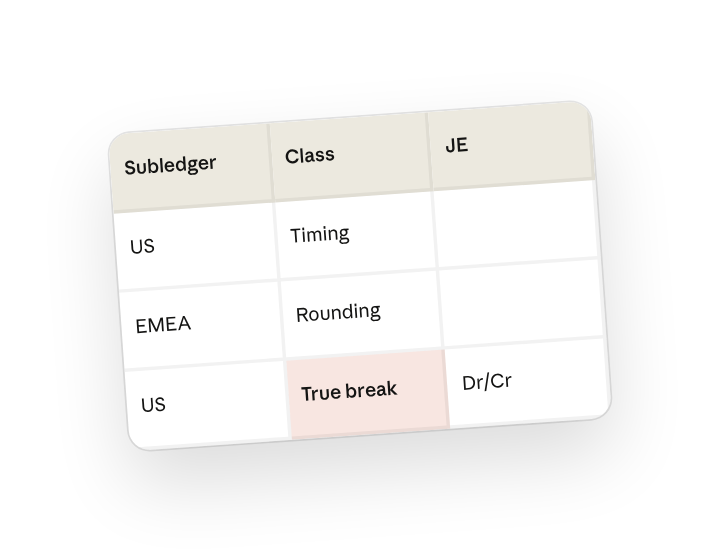
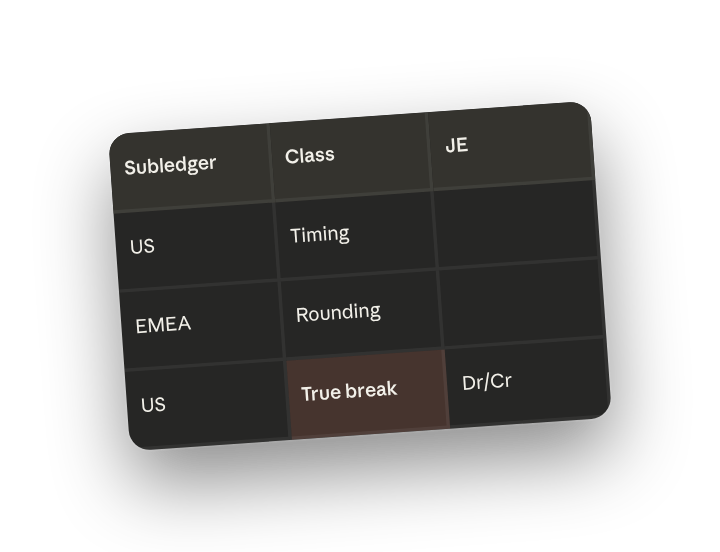
Reconcile the March intercompany balances across both subledgers. Normalize FX to USD at the month-end rate, fuzzy-match by amount and reference, and sort the differences into timing, rounding, and true breaks. For every true break, draft the journal entry with Dr/Cr, memo, and support reference, and write the recon workbook to this folder.
Why this works
Give it your own categories. "Timing, rounding, true breaks" is your classification, stated once, so the workbook comes back already sorted your way.
Specify the matching method. References never line up perfectly across entities; asking for fuzzy match catches the near-misses a VLOOKUP drops.
Name every part of the output. Dr/Cr, memo, and support reference means the output is one review away from posting.
Supply the reference data yourself. Cowork reads the month-end rate from the file you trust, not a number it looked up.
Get a better draft
Add last month's recon. Drop the prior workbook in the folder and Cowork matches your tab structure, column names, and tie-out cells.
Set the rounding threshold. Add "treat anything under $25 as rounding" so you're not clearing pennies by hand.
Make Cowork work for you
A plugin skill is a starting point — customize it with your own practices and expertise. A few minutes of conversation and it runs with your standards from then on.
Make what we've done in this task so far into a skill, or edit the /journal-entry skill with my feedback.
Make it repeatable
Run it on a schedule
Intercompany is due the same day every close. Type /schedule in the prompt, or open Scheduled in the Cowork sidebar, and the customized skill runs against the newest exports automatically.
/schedule Every Monday at 9am, if new subledger exports are in FY26-Close/Intercompany, run /journal-entry against them and write the recon workbook and JE draft to that folder.
Runs /journal-entry against the newest subledger exports, sorts breaks, and writes the JE draft to the close folder.
Share with your teammates
Your customized /journal-entry now carries your match logic, your FX policy, and your JE template. Share it so every entity controller runs the same recon, same buckets, same memo format.