Set up
Try a plugin
The Productivity plugin ships with /start and other personal-inbox skills as a starting point, already structured to read across apps and sort by urgency. If your admin manages plugins and it's not available yet, skip this; nothing below requires it.
Connect your tools
Claude Cowork is more powerful when it works directly with your systems. You control permissions and access. Learn about tool access(opens in new tab).
Navigate to Customize → Connectors in Cowork to set up.


'%3e%3cpath%20d='M11.9091%2034H16.3636V23.6969L10%2019.1515V32.1818C10%2033.1879%2010.8559%2034%2011.9091%2034Z'%20fill='%234285F4'/%3e%3cpath%20d='M31.6364%2034H36.0909C37.1473%2034%2038%2033.1848%2038%2032.1818V19.1515L31.6364%2023.6969'%20fill='%2334A853'/%3e%3cpath%20d='M31.6364%2015.8182V23.6969L38%2019.1515V16.7272C38%2014.4788%2035.305%2013.1969%2033.4182%2014.5454'%20fill='%23FBBC04'/%3e%3cpath%20d='M16.3636%2023.697V15.8182L24%2021.2727L31.6364%2015.8182V23.697L24%2029.1515'%20fill='%23EA4335'/%3e%3cpath%20d='M10%2016.7272V19.1515L16.3636%2023.6969V15.8182L14.5818%2014.5454C12.6918%2013.1969%2010%2014.4788%2010%2016.7272Z'%20fill='%23C5221F'/%3e%3c/g%3e%3cdefs%3e%3cclipPath%20id='clip0_4766_38693'%3e%3crect%20width='28'%20height='20'%20fill='white'%20transform='translate(10%2014)'/%3e%3c/clipPath%3e%3c/defs%3e%3c/svg%3e)
Set your working folder
This one runs almost entirely through connectors, so the working folder is light. Point Cowork at a notes folder if you want each day's sweep saved as a file you can search later; otherwise the sweep stays in the chat and the drafts stay in Slack and Teams. If you run it daily, create a Cowork project(opens in new tab) so your channel list and reply preferences stay attached.
The prompt
Copy this into Claude Cowork
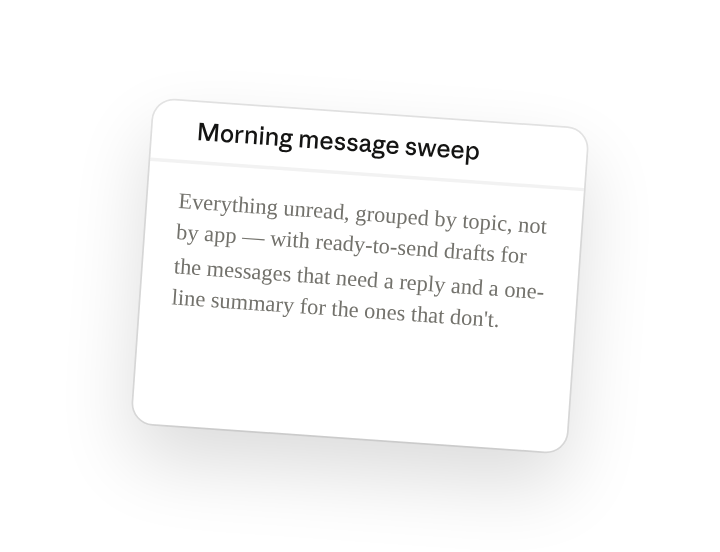
Sweep my unread Slack DMs and mentions, Teams activity feed, and Gmail inbox from the last 24 hours. Group everything by topic, not by app. For each topic, tell me whether it needs a reply from me, needs reading, or is just FYI. Draft a reply for everything in the first bucket and keep each to three sentences or fewer.
Why this works
Say how to group the results. The same conversation often spans a Slack thread, a Teams ping, and an email; "by topic, not by app" collapses them into one item so you reply once instead of three times.
Sort by the action needed. Separating "needs a reply" from "needs me to read it" from "FYI" means the drafts only land where you'd actually type, and the rest is skimmable.
Set a length limit. "Three sentences or fewer" keeps the replies in your voice for a quick edit-and-send rather than a paragraph you'd never write yourself.
Let the connected tools supply context. Slack, Teams, and Gmail are read live through the connectors, so the sweep reflects what's actually sitting unread right now, not a stale export.
Get a better draft
Add an example to match. Drop an example you like into the folder and Cowork matches your structure and voice.
Ask it to flag uncertainty. Add "flag anything you're not confident about" so you know where to look first when you review the draft.
Make Cowork work for you
A plugin skill is a starting point — customize it with your own practices and expertise. A few minutes of conversation and it runs with your standards from then on.
Make what we've done in this task so far into a skill, or edit the /start skill with my feedback.
Make it repeatable
Run it every morning at 8am
The sweep should be waiting before you open Slack. Type /schedule in the prompt, or open Scheduled in the Cowork sidebar, and the customized skill runs every weekday morning against your live connectors.
/schedule Run /start every weekday at 8:00am against Slack, Teams, and Gmail, and post the topic-grouped sweep with drafts to me as a Slack DM.
Runs /start across Slack, Teams, and Gmail and DMs you the topic-grouped list with reply drafts.
Share with your teammates
Your customized /start now carries your channel list, your priority senders, and your skip rules. Share it so teammates with the same channels get the same sorted morning, and new joiners inherit the watch-list on day one.