A bug reported in an engineering channel often stays open until an engineer can set planned work aside, reproduce it and find the cause. That investigation is usually most of the work, and the change itself is small.
With Claude Tag in the channel and the repository connected, reply to a report. Claude reproduces the bug, finds the cause and opens a draft pull request(opens in new tab). It posts its progress in the thread, where anyone on the team can ask for a different approach(opens in new tab). It works on its own copy of the code under its own GitHub account, so branch protection and review apply. An engineer decides whether it merges.
Set up
What to ask Claude, and what it does
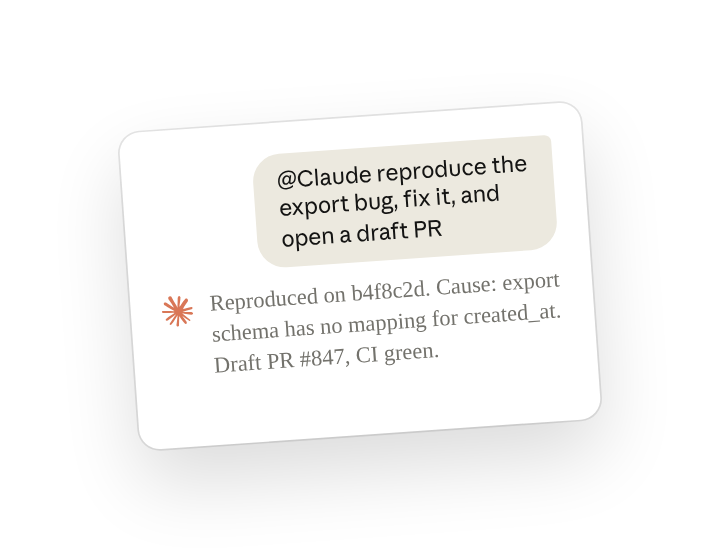
When a bug report comes in, reply in its thread and ask Claude to reproduce and fix it. Tell it which repository, and when to stop, such as once a draft PR is open and CI passes.
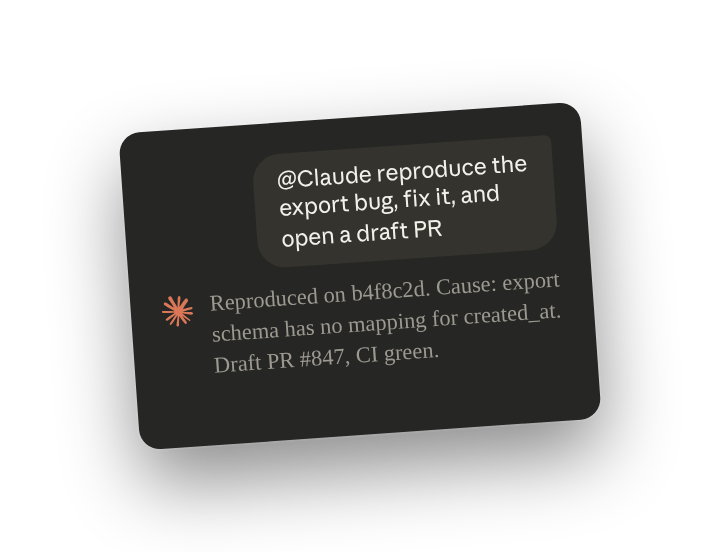
Claude's first reply is a checklist that it updates as it works, so you can check in and see Claude's progress. When it finishes, it posts the message below:
Claude opened the pull request under its own GitHub account, so your branch protection and review rules apply to it.
Before anyone merges, read the changed code in the pull request and check that the new test covers the reported case.
Follow ups
Correct the approach in the thread
Anyone in the thread can ask for a change, without tagging Claude again, and Claude updates the same pull request (reply in the thread to steer(opens in new tab)). Leo, who owns the export code, replies in the thread:
Have Claude follow a pull request
Claude can follow a pull request(opens in new tab), whoever opened it, and post each CI result in the thread. Ask it to tag you only when a check fails.
Have Claude act on every new report
With Respond automatically on for the channel, Claude can act on new reports without a tag (standing work(opens in new tab)). Send the message below once, and Claude tries to reproduce each new bug report. It posts a draft pull request, or what it tried.
See what standing instructions the channel has
Claude lists a channel's standing instructions when asked, so you can change or stop one(opens in new tab).
Ask for a diagnosis only
You decide how far Claude goes. Ask for the cause only, and Claude posts its findings in the thread without changing code or opening a pull request.
Tips
Give Claude the repository and a clear stopping point
Prior to your first message, Claude has no copy of your code when a thread starts. Once you name the repository in your messages Claude clones it. Tell it when to stop, such as once CI passes, so it knows when the fix is finished.
Teach Claude your repository's conventions once
Claude can follow conventions for a repository every time it works there, such as where files go or what a pull request must include (make repo conventions stick(opens in new tab)).
Related resources
- Learn more in the Introduction to Claude Tag(opens in new tab) course.
- Get started with Claude Tag(opens in new tab): add @Claude to a channel and see what it can read there.
- Fix bugs(opens in new tab): the Claude Tag docs page this use case is based on.