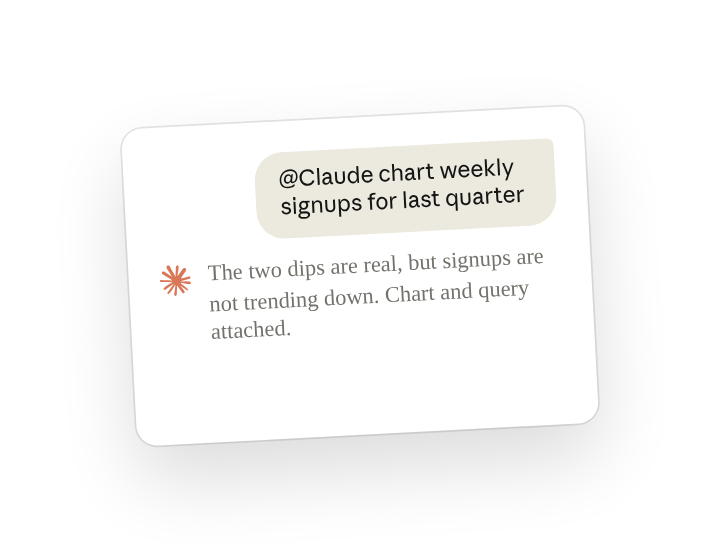
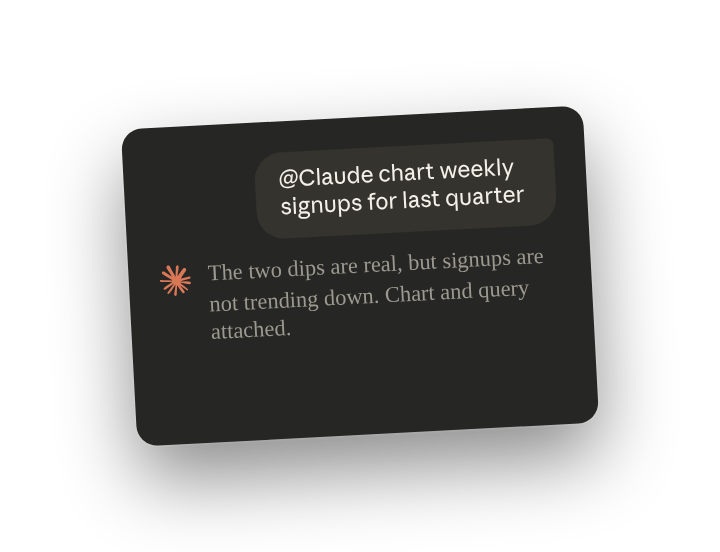
A team discussing a metric in a channel can ask for the number in the thread and get it there, as a chart, while the discussion is still going. With Claude Tag connected to the data warehouse, anyone in the channel can ask, whether or not they write SQL. The query arrives with the chart, so the people who own the metric can see how it was counted.
Ask in the thread, and Claude runs the query and posts the chart and the query as artifacts(opens in new tab) there. In the thread, anyone on the team can reply to correct it(opens in new tab). Claude can save a correction for the channel, and post a number the team checks every week as a routine(opens in new tab).
Set up
What to ask Claude, and what it does
Ask in the thread where the discussion is happening, each time you need a number from the data warehouse. Name the metric and the time period. Claude reads the whole thread, so you can refer to something said earlier without describing it again.
Open the query to see what it counted and what it left out, and reply in the thread if your team counts the metric differently.
Follow ups
Correct how the metric is counted, and have Claude remember it for the channel
Claude redraws a chart from a correction in the thread. When the correction should apply from now on, for example that reactivated accounts should not count as signups, ask Claude to remember it for the channel (channel memory(opens in new tab)):
Get key metrics posted on a schedule
Claude can run a query and post the chart every morning (routine(opens in new tab)). Name the format so each post stays short, and name the time zone.
Ask Claude which routines are set up in this channel
Claude lists a channel's routines when asked. Check before adding one, and stop one by naming it (manage standing work(opens in new tab)).
Chart numbers people posted in the channel, without a warehouse
Without a warehouse connection, Claude can chart numbers people posted in the channel, such as request volume in a triage channel.
Tips
Keep each task in its own thread
Claude treats a thread as one continuing conversation, so each reply builds on the last and follow-up questions can be short. A new message in the channel starts a fresh conversation, so include what Claude needs, such as the metric and the time period.
Related resources
- Learn more in the Introduction to Claude Tag(opens in new tab) course.
- Get started with Claude Tag(opens in new tab): add @Claude to a channel and see what it can read there.
- Answer data questions(opens in new tab): the Claude Tag docs page this use case is based on.