Most requests in an internal help channel first need either an answer from the team's policies or a question back to the requester about a detail they left out. With Claude Tag in an IT help channel, Claude can give every request that first response from the knowledge base. When a request needs the owner's decision, Claude files one complete ticket for them.
Connect the IT knowledge base and the ticket queue to the channel and give Claude Tag the job as a standing responsibility(opens in new tab). With proactive replies(opens in new tab) on, Claude replies to each new request in its thread without being tagged. When something needs the owner, it files the ticket(opens in new tab) with the context and assigns it to them. The owner still makes the decision.
Set up
What to ask Claude, and what it does
Send this once in your IT help channel. From then on, Claude answers each new request in its thread, asks for anything missing and passes what it cannot resolve to the owner. If the channel's history does not show who the owner is or where the policies are kept, add both to your message.
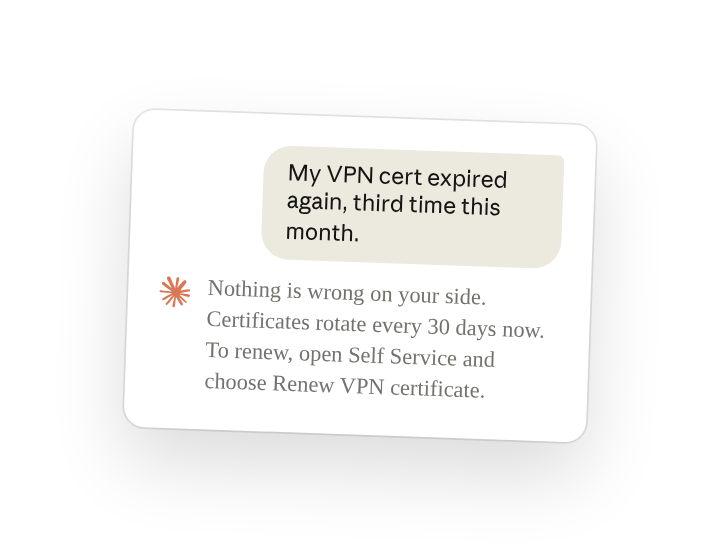
Ravi posted the question below a week later, without tagging Claude:
Claude answered from the policy and filed nothing until Ravi replied.
For the first weeks, the owner reads some of Claude's answers and opens the linked article to check each one against the policy. Where an answer does not match, the owner corrects Claude in the thread.
Follow ups
File the request for the owner to approve
Anyone in the thread can answer Claude without tagging it again. If the ticketing tool is connected to this channel with write access, Claude files the request under its own name and assigns it to the owner (turn threads into tickets(opens in new tab)).
Tell Claude who handles which kind of request
Claude keeps instructions for the channel in channel memory(opens in new tab), which anyone in the channel can read and correct. When the same kind of request keeps coming in, the owner can add who handles it and how to treat duplicates. Claude then applies it to every later request in the channel.
Get a weekly summary of requests
Claude can post a summary of the week's requests as a routine(opens in new tab), including posts that did not tag it. Add your time zone to the time.
Make Claude mention-only in a channel
The channel's Respond automatically setting decides whether Claude answers messages that do not tag it, and anyone in the channel can turn it off by asking (quiet the whole channel(opens in new tab)). Requesters then include @Claude in their posts.
Tips
Correct Claude in the thread and ask it to remember
When Claude answers a request that should have gone to the owner, or sends the owner one it could have answered, the owner says so in that thread and asks Claude to update its memory for the channel. Claude applies the correction to later requests.
Related resources
- Learn more in the Introduction to Claude Tag(opens in new tab) course.
- Get started with Claude Tag(opens in new tab): add @Claude to a channel and see what it can read there.
- Triage requests(opens in new tab): the Claude Tag docs on triaging a request channel.