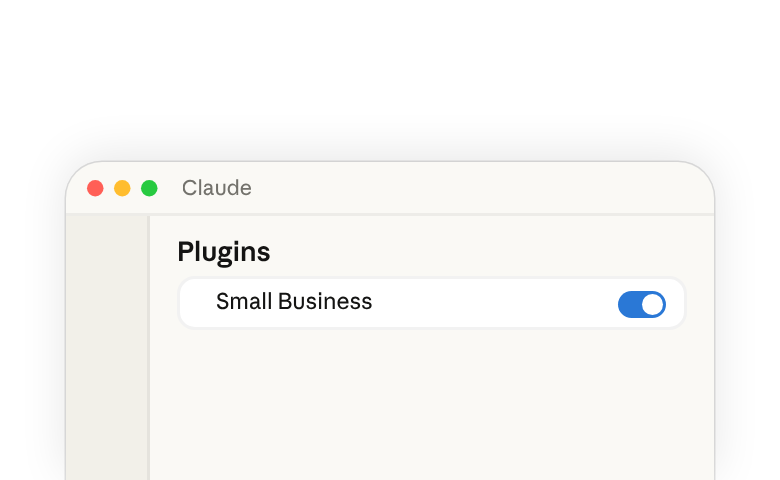
The Small Business plugin(opens in new tab) in Claude Cowork(opens in new tab) puts Claude to work across the tools you already use — your accounting, payments, CRM, design, contracts, email, files, and calendar. You describe the job in plain English, and Claude reads the data, does the work, and shows you the result before anything sends, posts, or pays.
Running the plugin well is an act of delegation, in two moves: you put the job into plain words so Claude picks the right skill for it, and you stay involved while the work happens, reading what Claude stages before anything goes out. Claude works as a collaborator you direct: it brings the capability, and the intent and the judgment calls stay with you.
Install and run the plugin
You'll need the Claude desktop app(opens in new tab) on a Pro, Max, Team, or Enterprise plan.
- Open Cowork and click Customize in the left sidebar.
- Under Plugins, click +.
- Find Small Business and click Install.
After installing the plugin, you'll have all of the skills(opens in new tab) listed below available. To tailor the plugin to your business and workflow, see the Customize the plugin for your business section of this guide.
To run a skill:
- Type
/in the chat bar and pick it from the list, or - Describe the job in plain English and Claude picks the skill that fits.
Either way, Claude follows the skill's instructions for that task. To learn more, see What are skills(opens in new tab) and Use plugins in Claude Cowork(opens in new tab).
What's in the plugin
A plugin(opens in new tab) bundles a set of skills(opens in new tab) and the connectors they read from. Each skill is a set of instructions for a specific task. With the plugin installed, Claude already knows the steps for a range of tasks, so when you prompt for one it only has to be a few words.
Some skills in this plugin run a few of the others in sequence, asking for your decision between steps, so a bigger job is still one ask. The table lists each skill, what it does, and the tools it reads from
| Skill | What it does | Tools it uses |
|---|---|---|
| Set up the plugin | ||
smb-onboard | The setup skill. Asks about your business, helps you connect your tools, and saves your context so every other skill knows it. | All connectors |
| Extend beyond what's available | ||
build-connector | Connects Claude to a tool that doesn't have an official connector yet. | Claude connector directory, Zapier |
build-agent | Turns a task you keep doing by hand into a skill you can run by name or on a schedule. | Native |
| Run the business | ||
/pay-the-bills | Codes your bills, checks you have the cash, and lines up the payment run for your OK.Runs ap-processor cash-flow-snapshot month-end-prep | Expensify, Gmail, Gusto, Intuit QuickBooks, MYOB, NetSuite, Notion, PayPal, Ramp, Shopify, Square, Stripe, Xero, Zoho Books |
/restock | Figures out what to reorder, drafts the purchase orders and supplier emails, and logs them in your books.Runs inventory-planner ap-processor | Expensify, Gmail, Google Calendar, Intuit QuickBooks, NetSuite, Notion, Ramp, Shopify, Square, Xero, Zoho Books |
/report-pack | Runs your saved reports on a schedule and adds a quick business snapshot for context.Runs report-builder business-pulse | Any data source |
/monday-brief | One page to start the week: cash, sales, pipeline, your calendar, and the one thing that most needs you.Runs business-pulse report-builder | Docusign, Expensify, Gmail, Google Calendar, Google Drive, Gusto, HubSpot, Intuit QuickBooks, MYOB, NetSuite, PayPal, Ramp, RingEX Chat, Shopify, Slack, Square, Stripe, TikTok Ads, Xero, Zoho Books, Zoho Desk |
/close-month | Closes your books, updates your cash forecast, and writes the close packet for your accountant.Runs month-end-prep cash-flow-snapshot report-builder | Expensify, Google Drive, Gusto, Intuit QuickBooks, MYOB, NetSuite, PayPal, Ramp, Shopify, Square, Stripe, Xero, Zoho Books |
/tax-prep | Makes sure your books are closed, then prepares your quarterly taxes or 1099 list for your accountant.Runs month-end-prep tax-season-organizer | Expensify, Gusto, Intuit QuickBooks, MYOB, NetSuite, Notion, PayPal, Ramp, Shopify, Square, Stripe, Xero, Zoho Books |
/plan-payroll | Checks you'll have the cash for payroll, drafts reminders for overdue invoices, and gets the run ready for you to submit.Runs cash-flow-snapshot invoice-chase payroll-prep | Airwallex, Gmail, Gusto, Intuit QuickBooks, Microsoft 365, MYOB, NetSuite, Notion, PayPal, Ramp, Shopify, Square, Stripe, Xero, Zoho Books |
inbox-manager | Sorts your inbox, tells you what needs you, and drafts replies in your voice. | Gmail, Google Calendar, Microsoft 365, Notion, Slack |
report-builder | Builds a report you describe in plain English and saves it so you can rerun it anytime. | Any data source |
ap-processor | Pulls bills from your inbox or uploads, codes them to the right account, and lines up who to pay. | Expensify, Gmail, Intuit QuickBooks, NetSuite, Notion, Ramp, Xero, Zoho Books |
payroll-prep | Checks timesheets, flags anything that looks off, and gets payroll ready for you to submit. | Gusto, Intuit QuickBooks, MYOB, NetSuite, Notion, Xero, Zoho Books |
inventory-planner | Tracks how fast each item sells, warns you before you run out, and drafts the reorders. | Google Calendar, Intuit QuickBooks, NetSuite, Shopify, Square |
ticket-deflector | Reads a customer email, looks up their order and history, and drafts a reply matched to the situation. | Atlassian, Gmail, HubSpot, Notion, PayPal, RingEX Chat, Shopify, Square, Stripe, Zoho Desk |
cash-flow-snapshot | Reads cash, invoices, bills, and incoming settlements and builds a 30/60/90-day forecast with the tight weeks flagged. | Gusto, Intuit QuickBooks, MYOB, NetSuite, PayPal, Ramp, Shopify, Square, Stripe, Xero, Zoho Books |
invoice-chase | Ranks overdue invoices and drafts a reminder for each one, matched to how that customer has paid before. | Airwallex, Gmail, Intuit QuickBooks, Microsoft 365, MYOB, NetSuite, Notion, PayPal, Shopify, Square, Stripe, Xero, Zoho Books |
month-end-prep | Reconciles your books against your payment processors, flags what's off, and writes the close packet for your accountant. | Expensify, Gusto, Intuit QuickBooks, MYOB, NetSuite, PayPal, Ramp, Shopify, Square, Stripe, Xero, Zoho Books |
tax-season-organizer | Calculates quarterly estimated taxes or builds a year-end 1099 list, formatted for your accountant. | Expensify, Gusto, Intuit QuickBooks, MYOB, NetSuite, Notion, PayPal, Ramp, Square, Stripe, Xero, Zoho Books |
business-pulse | One page: cash, sales trend, pipeline, this week's calendar, and the one thing that most needs you. | All connectors |
hiring-screener | Ranks your applicants against the job's requirements, drafts replies, and schedules interviews. | Docusign, Gmail, Google Calendar, Google Drive, Gusto, Microsoft 365, Trello |
contract-review | Reads a contract and writes a plain-English summary, a red-flag list, and a marked-up redline. | None required; optional Docusign, Gmail |
job-post-builder | Writes a job post, a structured interview guide with a scoring rubric, and an offer letter template. | None required; optional Docusign, Gmail, Google Drive |
| Grow the business | ||
/call-list | Picks the top leads to call today and writes a call card with talking points for each.Runs lead-triage | Apollo, Clay, Gmail, Google Calendar, HubSpot |
/grow-pipeline | Finds new prospects, writes outreach in your voice, and logs every touch in your CRM.Runs lead-finder outreach-composer crm-autopilot | Apollo, Clay, Gmail, HubSpot; Google Calendar, Intuit Mailchimp, Intuit QuickBooks, Microsoft 365, Monday.com, Notion, PayPal, RingEX Chat, Salesforce, Shopify, Stripe, Trello, Zoho CRM, Zoom |
/speed-to-lead | Answers new inquiries on nights and weekends and updates your CRM.Runs speed-to-lead outreach-composer crm-autopilot | Gmail, Google Calendar, HubSpot; Apollo, Clay, Intuit Mailchimp, Microsoft 365, Monday.com, Notion, RingEX Chat, Salesforce, Slack, Trello, Zoho CRM, Zoom |
/marketing-monday | One page to start the week on growth: what's working, what customers are saying, and what competitors changed.Runs growth-pulse review-reputation | Apollo, Clay, Gmail, HubSpot, Intuit Mailchimp, Intuit QuickBooks, Monday.com, PayPal, Shopify, Slack, Square, Stripe, TikTok Ads, Zoho CRM, Zoho Desk |
/reactivate | Finds customers who've stopped buying and drafts personal win-back messages for each one.Runs review-reputation outreach-composer crm-autopilot | Apollo, Clay, Gmail, Google Calendar, HubSpot, Intuit Mailchimp, Intuit QuickBooks, Microsoft 365, Monday.com, MYOB, NetSuite, Notion, PayPal, RingEX Chat, Salesforce, Shopify, Square, Stripe, Trello, Xero, Zoho Books, Zoho CRM, Zoho Desk, Zoom |
lead-finder | Finds new prospects that look like your best customers, with the right person to contact at each. | Apollo, Clay, HubSpot, Intuit QuickBooks, Notion, PayPal, Shopify, Stripe |
lead-triage | Scores your leads on engagement, fit, and urgency, and writes a call card for the top ones with talking points. | Apollo, Clay, Gmail, Google Calendar, HubSpot |
outreach-composer | Writes outreach and follow-up emails that sound like you, personalized to each prospect. | Apollo or Clay, Gmail or Microsoft 365, HubSpot, Intuit Mailchimp |
speed-to-lead | Answers new inquiries fast with a reply and real meeting times, and flags hot leads for you. | Gmail, Google Calendar, HubSpot, Notion, RingEX Chat, Slack |
proposal-builder | Turns your notes, photos, or an RFP into a priced proposal and sends it for signature once you approve. | Apollo, Atlassian, Canva, Docusign, Gmail, Google Drive, Intuit QuickBooks, Microsoft 365, MYOB, NetSuite, Notion, PayPal, Square, Stripe, Trello, Xero, Zoho Books, Zoom |
ad-manager | Shows what your ads are earning and wasting, suggests changes, and makes them once you say yes. | Canva, HubSpot, Intuit QuickBooks, Shopify, Square, TikTok Ads; other ad platforms via build-connector |
seo-ai-visibility | Checks how easily customers can find you on search engines and AI assistants, and gives you the fixes. | None required; optional Shopify, Wix |
growth-pulse | One page on growth: sales by channel, marketing results, customer reviews, and three actions for this week. | Gmail, HubSpot, Intuit Mailchimp, Intuit QuickBooks, PayPal, Shopify, Slack, Square, Stripe, TikTok Ads |
canva-creator | Builds the campaign from an approved brief: posting calendar, social designs, captions, and email copy. | Canva, HubSpot, Shopify, Square |
social-content-engine | Keeps your social calendar full with on-brand posts in your voice, ready for your approval. | Canva, HubSpot, Intuit Mailchimp, Notion, Shopify, Trello |
review-reputation | Gathers your reviews and customer feedback into themes, drafts review replies, and spots customers who've gone quiet. | Gmail, HubSpot, Monday.com, PayPal, Shopify, Square, Stripe, Zoho CRM, Zoho Desk |
crm-autopilot | Keeps your CRM up to date from your emails, calls, and meetings, and flags deals that have gone quiet. | Emergent, Gmail, Google Calendar, HubSpot, Monday.com, Notion, RingEX Chat, Salesforce, Trello, Zoho CRM, Zoom |
content-strategy | Reads your sales data, finds what's selling and what isn't, and drafts a content plan that pushes the winners. | Intuit QuickBooks, Notion, PayPal, Shopify, Square, Stripe |
grant-rfp-writer | Finds grants and bids you qualify for, tells you which are worth pursuing, and drafts the application. | Docusign, Google Calendar, Google Drive or Microsoft 365, Trello |
The tools listed are the defaults. When you customize the plugin, you can point a skill at the tools you actually use — a different payment processor, accounting tool, or CRM — and the skill reads from those instead.
Customize the plugin for your business
The skills come with defaults written for a typical small business. There are two ways to make them yours.
In Customize → Plugins, open Claude for Small Business and click Customize. Or type the prompt yourself in the chat bar:
Customize the "small-business" plugin for me based on my company.
Claude asks about your business — what you do, who works with you, what's hardest right now — and rewrites the plugin's defaults to match. From then on, the skills carry your context: your industry, your team size, your priorities, the way you like things done.
As you do tasks with Claude that run these skills and see the output they produce, you can tell Claude to update any of them at any time — say what you'd like different and the change is saved. Over time the skills get more tailored to how you like things done and how you want the outputs to come out.
For the full pattern, see How to customize plugins in Cowork(opens in new tab).
Examples to try
Pick something that's on your list this week and describe it the way you'd describe it to someone you trust to handle it. Claude reads your prompt and runs the skill that fits.
Set up the plugin
- Get me started. I run a coffee roaster with two cafes, a wholesale business, and an online shop.
Extend beyond what's available
- My roasting software isn't on your list. Can you connect to it so I can see each day's roast batches?
- Every Monday I pull last week's wholesale orders and email cafes about anything we're short on. Can you turn that into something I can just ask for?
Run the business
- Pay the bills. Can I cover everything due this week and still make payroll?
- We're running low on beans and bags. Figure out what to reorder and draft the POs for my suppliers.
- Run my weekly numbers pack and send it to me every Monday morning.
- Give me my Monday brief. What do I need to know this week?
- Close the books for August and get the packet ready for my accountant.
- Get me ready for taxes. Close out the quarter and tell me what to set aside for my estimated payment.
- Money's tight and payroll is due Friday. Can I make it, and if so, get the run ready?
Grow the business
- Who should I call today? Give me my top 5 with talking points.
- Fill my funnel. Find cafes like my best wholesale accounts and write the outreach.
- Run speed-to-lead every night and weekend so no inquiry sits unanswered.
- Give me my Monday marketing brief. What's working, what are customers saying, and what did competitors change?
- Some of our regulars haven't ordered in months. Find who's gone quiet and help me win them back.
For a step-by-step walkthrough of three of these — payroll, the month-end close, and the Monday brief — see Using Claude for your small business(opens in new tab).
Practice: run one skill yourself
Take one job from your week, one where you already know roughly what the answer should look like, and describe it in the chat bar the way you'd hand it to a person:
Which invoices are overdue, and which ones should I follow up on first?
Swap in your own job if invoices aren't the one on your mind this week, keeping the wording plain, with no skill name. Claude picks the skill that fits. If what comes back isn't the job you meant, type / and choose the skill yourself.
Before you approve anything, check the result against something you already know:
- Confirm one line against your books. Pick a customer you know offhand and check that what the draft reminder says about them matches your records.
- Scan the list for anything that doesn't belong. An invoice you know was settled showing up as open is your cue to stop and sort out the mismatch before anything goes out.
The habit to keep: describe the job, let Claude pick the skill, and check the result against something you know before you approve it. It works the same for every skill in this plugin.
Things to note
- You approve before anything sends, posts, or pays — skills draft, propose, and stage. Nothing goes out until you say so.
- Your existing permissions hold — Claude reads what your account in each tool can read. It can't see data you don't already have access to.
- Anthropic doesn't train Claude on your business data — and the permissions you've already set in your tools still apply. If an employee can't see something in QuickBooks today, they can't see it through Claude. The full policy is in the Trust Center(opens in new tab).
- The big decisions stay with you — Claude prepares the work and shows you what it found, but the calls that matter — what to charge, what to sign, what to send your accountant — are yours and your professionals' to make.
- Some features depend on your plan in a connected tool — generating designs or staging sends may need a higher tier in that tool. When something isn't available, the skill tells you and offers a workaround.
Learn more
- Introducing Claude for Small Business(opens in new tab) — the launch announcement
- Using Claude for your small business(opens in new tab) — workflows the plugin runs end to end
- How to customize plugins in Cowork(opens in new tab) — make the skills run from your context
- What are skills(opens in new tab) — how skills work in Claude