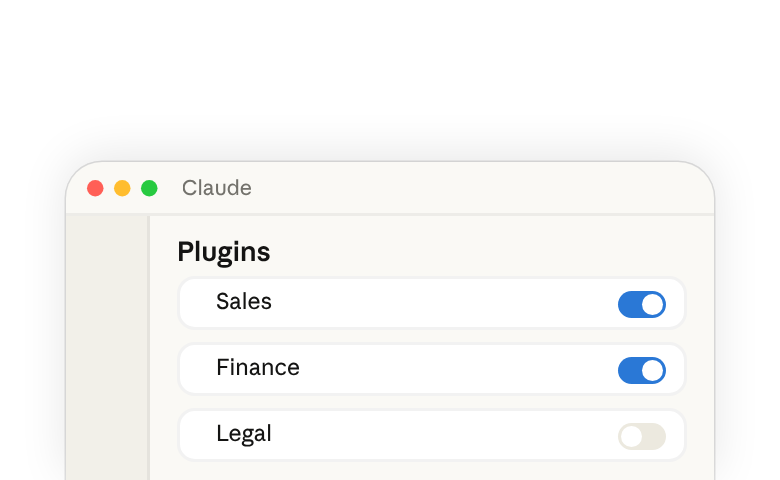
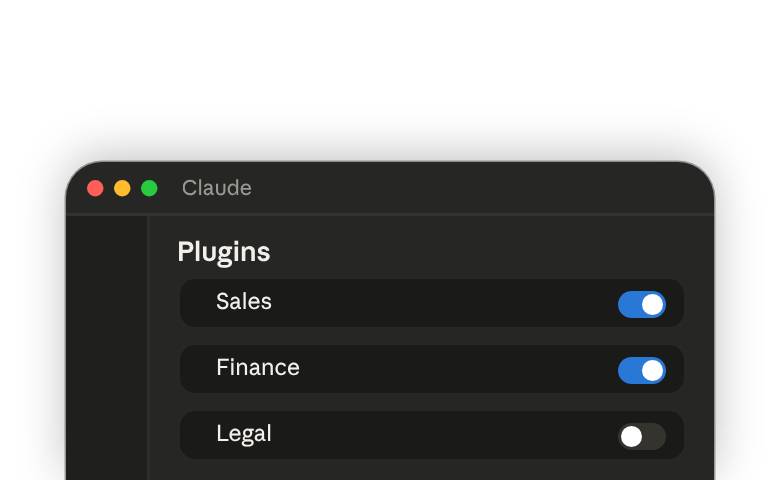
In Claude Cowork(opens in new tab), a plugin(opens in new tab) packages the skills(opens in new tab) and connectors(opens in new tab) for a role into one install. Anthropic publishes pre-built plugins(opens in new tab) for roles like Sales, Finance, Legal, and Marketing, each with skills for that role's common workflows.
Out of the box, those skills are generic templates. Customizing a plugin rewrites them with your team's tools, standards, and reference material, so the same skills produce work that matches how your team does it. Browse all plugins in Cowork →(opens in new tab)
If you're new to Cowork, /setup-claude walks you through setting up your first plugin and connectors — see Get started in Cowork in three steps(opens in new tab).
Start a customize session
In the sidebar, open Customize › Plugins(opens in new tab), select the plugin, and click Customize.
Cowork opens a session with the plugin loaded. Claude looks through your connected tools — Slack, email, Drive — for signs of which systems your team uses, then asks you questions to confirm what it found and fill in what it couldn't. Once you answer, Claude rewrites the plugin's skills to reference your tools, adds the matching connectors, and packages the result for you to install.
The questions depend on the plugin and what's already in your workspace, so treat the session as a conversation — answer what's asked, and add anything else Claude should know about how your team works.
What to give Claude
Claude will ask which tools you use, and leave room for anything else. The tool answers wire the plugin to the right connectors; the anything else is where you describe how your team actually works.
- Your tools. Pre-built skills reference tools generically — the CRM, the data warehouse. Naming yours maps each skill to the right connector, so
/variance-analysisqueries Snowflake and/call-prepreads from Salesforce(opens in new tab) without asking. If a connector you name isn't enabled yet, Claude lists it for you to connect later. - How your team works. The defaults and standards a new teammate would need to know — what you call things, what counts as done, when something gets escalated. The role examples below show what this looks like for each plugin.
- Reference documents. Point Claude at examples of finished work — last quarter's close package, a brand guide, a redline that landed, your memo template. Claude reads them and writes the relevant patterns into the plugin's skills, so future output matches your formats.
Review what Claude built
When the session finishes, Claude shows a summary of what changed and opens the plugin's files alongside the conversation. A plugin is a folder of plain-text instruction files, and you can click through any of them to read exactly what a skill will do.
Click Save plugin to install it. From here, editing is the same as customizing: open a session with the plugin and tell Claude what to change.
Keep improving it
You don't need to cover everything in the first pass. Run a skill, and when you spot something to adjust — a step to add, a format to match more closely — tell Claude in the same session: add this to the plugin so it's right next time. The change is written back to the skill file.
To see what's still generic, start another Customize session and ask: what placeholders are left in this plugin?
Examples by role
Each role below shows the same three inputs — tools, how the team works, reference documents — and what the plugin's skills do once they're in place.
Sales
Connect: your CRM (like HubSpot(opens in new tab) or Salesforce(opens in new tab)) and call-recording tool.
Share: your qualification framework, deal stages, and competitive positioning.
Reference: proposals and outreach that landed well.
Result:
/call-prepnow produces briefs using your framework and recent call context./forecastnow weights pipeline by your stage probabilities.
Finance
Connect: your ERP or data warehouse.
Share: your chart of accounts, materiality thresholds, and close calendar.
Reference: last period's close package and your memo template.
Result:
/variance-analysisnow decomposes by your drivers and flags what crosses your thresholds./reconciliationnow produces workpapers in your format.
Legal
Connect: your document store.
Share: your standard positions by clause type — what's acceptable, what's negotiated, what's escalated.
Reference: past redlines and your fallback clause library.
Result:
/review-contractnow flags deviations against your positions with your severity labels./triage-ndanow screens against your defaults for term, jurisdiction, and carveouts.
Marketing
Connect: your CMS and analytics.
Share: your audience segments, channel mix, and style guide.
Reference: brand guidelines and past campaigns that performed.
Result:
/campaign-plannow builds briefs for your audiences and channels./draft-contentnow writes in your voice for your formats.
Share with your team
The customize session ends with a packaged .plugin file you can pass around.
- Send the file — teammates install it from
Customize›Plugins›Add. - Host on GitHub — push the plugin folder to a repo; teammates install from the URL and get updates when you push.
- Hand it to your admin — an admin can provision the plugin to a group from
Organization settings›Plugins, so everyone in that department gets the same pre-configured version. See Manage Cowork plugins for your organization(opens in new tab).
Things to note
- Plugins run in Cowork on the desktop app. The customize session edits files on your machine, so it isn't available in browser or mobile.
- Plugins can come from a few places: Anthropic's pre-built set, ones you install or build, and ones your organization provisions. The first two are yours to edit; organization-provisioned plugins are managed by your admin and re-sync over local changes.
- Skills and connectors also exist outside plugins. A standalone skill you add from
Customize›Skillsis available in every session, with or without a plugin.
Learn more
- Customize Cowork for the work you do(opens in new tab) — connectors, skills, instructions, and plugins together.
- Get started in Cowork in three steps(opens in new tab) — install your first plugin with
/setup-claude. - Build a plugin from scratch(opens in new tab) — when the pre-built plugins don't cover your workflow.
- Use plugins in Cowork(opens in new tab) — install, enable, and manage plugins.