Set up
Try a plugin
The Operations plugin ships with /risk-assessment and other vendor-management skills as a starting point, already structured to read security documentation and score against a framework. If your admin manages plugins and it's not available yet, skip this; nothing below requires it.
Connect your tools
Claude Cowork is more powerful when it works directly with your systems. You control permissions and access. Learn about tool access(opens in new tab).
Navigate to Customize → Connectors in Cowork to set up.


'%3e%3cmask%20id='mask0_181_11527'%20style='mask-type:luminance'%20maskUnits='userSpaceOnUse'%20x='0'%20y='0'%20width='24'%20height='25'%3e%3cpath%20d='M19.2%200.855469H4.8C2.14903%200.855469%200%203.0045%200%205.65547V20.0555C0%2022.7064%202.14903%2024.8555%204.8%2024.8555H19.2C21.851%2024.8555%2024%2022.7064%2024%2020.0555V5.65547C24%203.0045%2021.851%200.855469%2019.2%200.855469Z'%20fill='white'/%3e%3c/mask%3e%3cg%20mask='url(%23mask0_181_11527)'%3e%3cpath%20d='M24%200.855469H0V24.8555H24V0.855469Z'%20fill='url(%23paint0_linear_181_11527)'/%3e%3cpath%20fill-rule='evenodd'%20clip-rule='evenodd'%20d='M12.1582%2014.6759C11.2427%2014.6759%2010.458%2013.8913%2010.458%2012.9322C10.458%2011.9732%2011.1991%2011.1885%2012.1582%2011.1885C13.0735%2011.1885%2013.8582%2011.9732%2013.8582%2012.9322C13.8582%2013.8913%2013.1172%2014.6759%2012.1582%2014.6759ZM7.1886%2014.6759C6.27316%2014.6759%205.48849%2013.8913%205.48849%2012.9322C5.48849%2011.9732%206.22956%2011.1885%207.1886%2011.1885C8.10405%2011.1885%208.8887%2011.9732%208.8887%2012.9322C8.8887%2013.8913%208.14763%2014.6759%207.1886%2014.6759ZM18.5226%2010.3602C18.7407%2010.0987%2019.1329%2010.0551%2019.3945%2010.273C19.656%2010.4474%2019.7433%2010.8397%2019.5253%2011.1013L17.956%2013.063L19.5253%2015.0247C19.7433%2015.2861%2019.656%2015.635%2019.3945%2015.8529C19.1329%2016.0273%2018.7407%2015.9837%2018.5226%2015.7657L17.1713%2014.1092L15.82%2015.7657C15.6019%2016.0273%2015.2097%2016.0708%2014.9481%2015.8529C14.6865%2015.6785%2014.5993%2015.2861%2014.8173%2015.0247L16.3866%2013.063L14.8609%2011.0577C14.6429%2010.7962%2014.7301%2010.4474%2014.9916%2010.2295C15.2532%2010.0551%2015.6455%2010.0987%2015.8635%2010.3166L17.2149%2012.0168L18.5226%2010.3602ZM4.96538%207.57031C5.27052%207.57031%205.53209%207.83186%205.53209%208.13701V10.6218C6.0116%2010.273%206.57831%2010.0551%207.23219%2010.0551C8.322%2010.0551%209.23745%2010.6654%209.71697%2011.6244C10.1965%2010.709%2011.1119%2010.0551%2012.2017%2010.0551C13.7711%2010.0551%2014.9916%2011.3629%2014.9916%2012.9758C14.9916%2014.5887%2013.7274%2015.8965%2012.2017%2015.8965C11.1119%2015.8965%2010.1965%2015.2861%209.71697%2014.3271C9.23745%2015.2426%208.322%2015.8965%207.23219%2015.8965C5.70645%2015.8965%204.44227%2014.6323%204.44227%2013.0193V8.13701C4.39868%207.83186%204.66023%207.57031%204.96538%207.57031Z'%20fill='white'/%3e%3c/g%3e%3c/g%3e%3cdefs%3e%3clinearGradient%20id='paint0_linear_181_11527'%20x1='12'%20y1='0.855469'%20x2='12'%20y2='24.8555'%20gradientUnits='userSpaceOnUse'%3e%3cstop%20stop-color='%232486FC'/%3e%3cstop%20offset='1'%20stop-color='%230061D5'/%3e%3c/linearGradient%3e%3cclipPath%20id='clip0_181_11527'%3e%3crect%20width='24'%20height='24'%20fill='white'%20transform='translate(0%200.855469)'/%3e%3c/clipPath%3e%3c/defs%3e%3c/svg%3e)
Set your working folder
Drag the files you'll use (the vendor's SOC 2, their questionnaire responses, the DPA and MSA, your risk framework) into one folder on your machine, then point Cowork at it. Cowork reads from it and writes the scored memo and mitigation list back to it. If you run vendor reviews regularly, create a Cowork project(opens in new tab) from that folder so your framework, instructions, and memory stay attached.
The prompt
Copy this into Claude Cowork
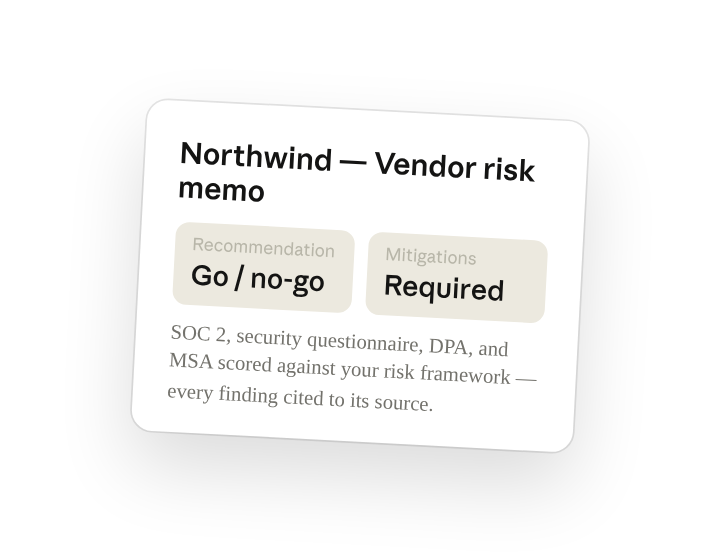
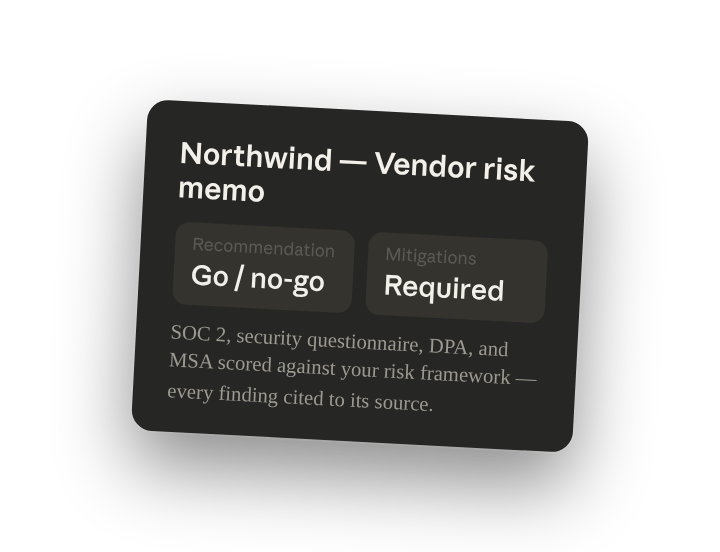
Score this vendor's SOC 2, security questionnaire, DPA, and MSA against our risk framework. Write the review memo with a clear go or no-go and the required mitigations with owners. Cite the source document and section for every finding.
Why this works
List the sources to read together. "SOC 2, questionnaire, DPA, and MSA" tells Cowork to cross-read security evidence and contract terms together, so a control gap and a missing contract clause show up as one finding, not two reviews.
Use your own risk criteria. "Against our risk framework" points the scoring at the document in the folder, so the tier and the go/no-go reflect your thresholds for data sensitivity and access.
Ask for a go or no-go recommendation. "Clear go or no-go" plus "required mitigations with owners" makes the memo something procurement can act on, not a list of observations someone still has to interpret.
Citations make it auditable. "Cite the source document and section" means every finding traces back to a page in the SOC 2 or a clause in the DPA, so security and legal can verify without re-reading the packet.
Get a better draft
Add an example to match. Drop an example you like into the folder and Cowork matches your structure and voice.
Ask it to flag uncertainty. Add "flag anything you're not confident about" so you know where to look first when you review the draft.
Make Cowork work for you
A plugin skill is a starting point — customize it with your own practices and expertise. A few minutes of conversation and it runs with your standards from then on.
Make what we've done in this task so far into a skill, or edit the /risk-assessment skill with my feedback.
Make it repeatable
Run it on every new vendor
When a vendor packet arrives, the scored memo should already be drafting. Type /schedule in the prompt, or open Scheduled in the Cowork sidebar, and the customized skill runs whenever a new risk-review folder appears under Vendors.
/schedule Weekdays at 9am, check Vendors for any new risk-review folder and run /risk-assessment against the docs inside and write the scored memo and mitigation list to that folder.
Runs /risk-assessment on every new risk-review folder under Vendors and writes the scored memo and mitigation list back to it.
Share with your teammates
Your customized /risk-assessment now carries your risk tiers, your deal-breaker controls, and your memo format. Share it so procurement, security, and legal score every vendor the same way and the approval chain reads a consistent memo no matter who ran the review.