1. Describe the task
The valuation cutoff was last Friday. You’ve got the reserve workbook with five tabs of triangles, the prior-year filing memo open in another window, the appointed actuary asking about IBNR movement, and the state filing due in two weeks.
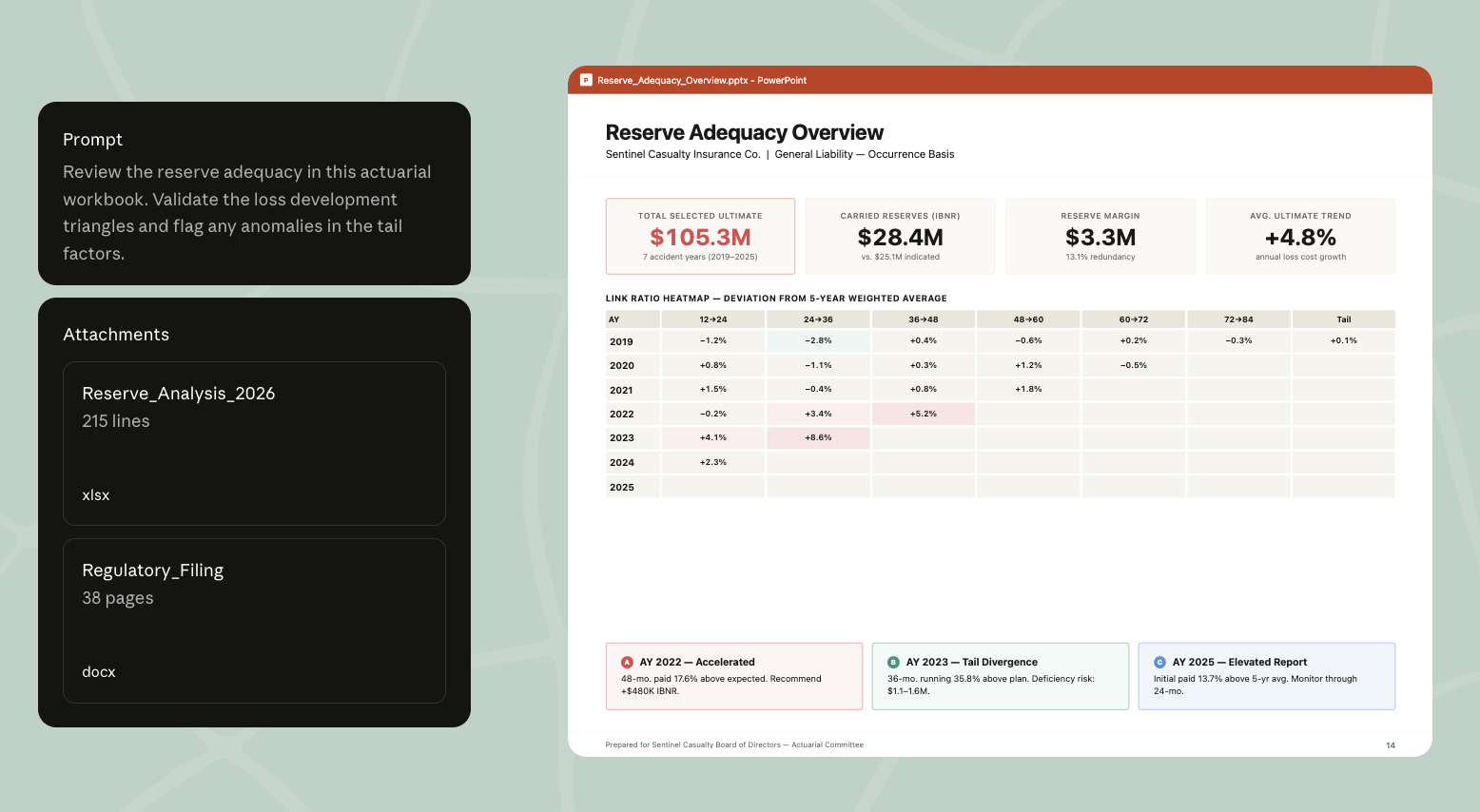
Claude reads your reserve workbook from the valuation folder, pulls your prior filings and the latest state bulletins through your organization's own NAIC connector (a custom MCP server your team hosts), and tells you where the development factors look off — and which formulas reference the wrong roll-forward column. You take the flags into Claude for Excel to fix the workbook, then open the filing memo in Claude for Word. The Excel-to-Word handoff carries the conversation, so the narrative draft already knows which reserve segments moved and why.
Claude validates the formulas and flags the anomalies; you sign off on the reserves.
Q1 reserve review for Personal Auto BI — appointed actuary review next week, filing due in two. Walk me through the workbook before I lock the numbers.
Steps:
- Read the reserve workbook in the valuation folder and validate the formulas
- Pull the FY24 filing and any new bulletins from NAIC
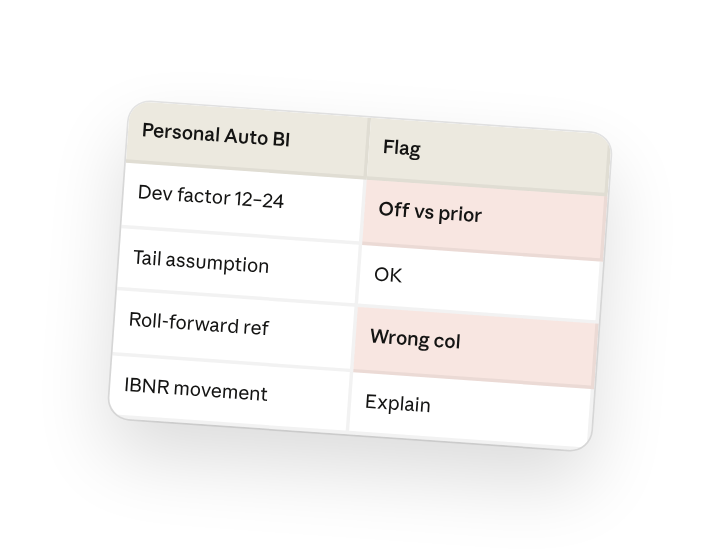
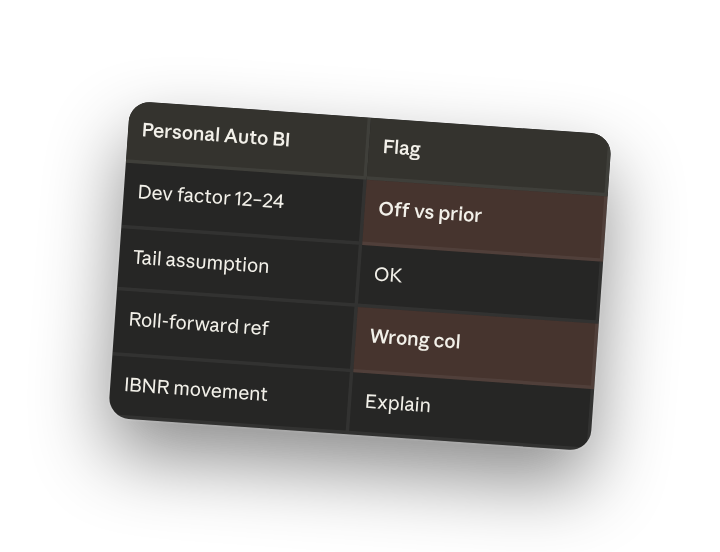
- Flag development factors and tail assumptions that look off vs. prior
- Give me a brief I can take into Excel — sheet refs, what's broken, what's just a movement to explain
Show me the flags before I touch anything.
2. Give Claude context
The formula validation and prior-period comparison come first, in a conversation with Claude. Claude reads the reserve workbook and pulls historical filings through your organization's own NAIC connector. Workbook fixes happen in Claude for Excel with the file open, and that Excel conversation carries into Claude for Word so the filing narrative picks up where you left off.
Required context
Drag in the reserve workbook and the prior-year filing memo, or give Claude access to the valuation folder in the Claude desktop app. This walkthrough assumes your organization runs its own NAIC data source as a remote MCP server: an Owner adds it once under Organization settings > Connectors (Add > Custom > Web, then the server URL), and you connect it from your connectors(opens in new tab) and turn it on from the + menu in your conversation. Have the Claude for Excel and Claude for Word add-ins installed. That's where the workbook fixes and filing narrative happen.
3. What Claude creates
A brief you can act on: where the workbook is broken, where the reserves moved, and the exact cells to look at when you open the file.
Personal Auto BI — Q1 reserve review
Reserve walk vs. Q4 prior
- Ultimate losses: $487.2M — up $6.4M from $480.8M
- Case reserves: $142.1M — down $3.2M
- IBNR: $89.6M — up $9.6M
- Paid-to-date: $255.5M — up $11.2M (in line with expected)
3 formula issues to fix
Triangles!K47 — Hard-coded 0.987 development factor The 24-36 month link ratio for AY 2022 is hard-coded. Every other cell in column K pulls from the LDF table on Methodology!B14. This was probably a one-time override that didn't get reverted. The driver-derived value is 1.024 — using 0.987 understates IBNR by ~$2.1M for that accident year.
Roll-forward!E22 — References wrong column Q1 paid-to-date for AY 2023 is pulling from the AY 2022 column. Off by $890K. The pattern in the rest of the row is correct; just this one cell drifted.
BF Method!D38 — Tail factor not flowing through The 120-month tail factor on the input tab updated to 1.015, but the BF calculation still uses the prior 1.012. Three references didn't get linked when the tail tab was rebuilt last quarter.
1 movement to explain in the narrative
IBNR up $9.6M (+12%) on Personal Auto BI Drivers: claim count emergence on AY 2024 ran 8% above expected in Q1, and the LDF refresh added ~50bp to the 12-24 month link ratio. Both are real movements, not formula issues — they just need narrative in the filing.
In your Excel workbook
With the Claude for Excel add-in installed, paste this into the sidebar with the workbook open:
Q1 reserve review — IBNR up $9.6M, ultimate up $6.4M.
Three formula fixes: Triangles!K47 (hard-coded LDF), Roll-forward!E22 (wrong column ref), BF Method!D38 (tail not flowing). Walk me through each, show me the corrected number, then re-run the reserve walk so I can see the clean ultimate.
Once you've signed off on the workbook, open the filing memo in Claude for Word. The conversation carries from Excel, so the narrative already knows the IBNR movement and the LDF refresh — you just need it to draft the reserve adequacy section and the methodology change disclosure.
4. Follow up prompts
Continue the conversation with Claude to refine, expand, or explore further.
Pressure-test the development factors
Back in the conversation where you ran the review, ask whether the LDFs look consistent with industry data.
are my 12-24 and 24-36 link ratios in line with the industry benchmarks NAIC published last quarter for Personal Auto BI?
Run a sensitivity on the tail
In Claude for Excel, once the workbook is clean.
rebuild the tail sensitivity — show ultimate at tail factors of 1.010, 1.015, 1.020, 1.025, hold everything else constant
Draft the methodology change disclosure
In Claude for Word, once the reserves are locked.
draft the methodology change section for the filing — we updated the tail factor and added one accident year to the LDF selection window. keep it ASOP 36 compliant
5. Tricks, tips, and troubleshooting
Ask Claude for the Excel-ready brief
Before you move to Excel, ask Claude for a one-paragraph brief with the sheet references and the formula flags. Claude for Excel starts its own conversation, so paste the brief there to give it what it needs.
Click the sheet reference
When Claude flags Triangles!K47 in the Excel sidebar, click it and Excel jumps to that cell. Check the formula and the surrounding pattern before you agree to change anything.
Excel to Word carries the conversation
When you open the filing memo in Claude for Word, it already knows which formulas you fixed and which movements need narrative. You're not re-explaining the reserve walk — just say "draft the reserve adequacy section and the methodology disclosure."
Save it as a skill
Quarterly reserve review is the same loop every cycle. Once the review works for one segment, ask Claude to save it as a skill so next quarter's review follows the same steps across all your lines.
6. Ready to try for yourself?
Try it on your next reserve cycle. Give Claude the reserve workbook and last year's filing memo, ask where the workbook needs fixing, and review the flags before anything moves.