1. Describe the task
Using model context protocol(opens in new tab) (MCP), Claude can connect to your everyday tools and apps. When you enable connectors(opens in new tab), Claude pulls context directly from Messages or Notes and saves organized information back to your apps, eliminating the need for copying, pasting, or switching between tools.
Point Claude to a message thread. It'll find the relevant conversation, research solutions, and then write to your notes for structured, organized information you can access anywhere.
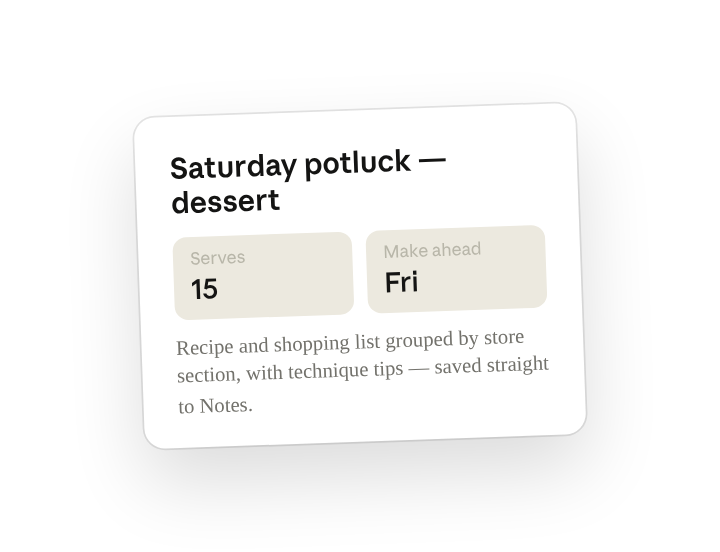
I just got a text from Sarah asking me to bring dessert to Saturday's potluck—there will be about 15 people.
Can you read my Messages to see the full context, then help me figure out what to make? I need something that's impressive but not too complicated, travels well, and can be made Friday night since Saturday morning I'll be busy.
Research dessert options that fit those criteria, then save the recipe and shopping list to my Notes app—group the shopping list by store section so I'm not running back and forth, and include any technique tips that'll help me nail it.
To ensure correct formatting in my notes, use HTML tags to create natural line breaks. Use abbreviations and concise language so the note isn't overly long.
2. Give Claude context
Claude can connect to Messages to understand the full thread context, search the web for current dessert recipes that match what you're looking for, and save the organized recipe and shopping list directly to your Notes app.
Required context
To connect Messages and Notes, download Claude for Desktop.(opens in new tab)
Then, in the desktop app, open Settings, search for “Extensions” and click it in the results. Click “Browse extensions,” then install Read and Send iMessages and Read and Write Apple Notes. These are extensions of Claude for Desktop on a Mac, not iPhone integrations: Claude reads the threads and writes the notes on your computer, and as long as Messages and Notes sync over iCloud, your phone stays in step with no phone-side setup.
Optional context
Make sure Web Search(opens in new tab) is turned on in the chat bar so Claude can search for recipes and reviews online as a next step. If you have the new Claude experience, there's no web search toggle. Claude searches the web when it helps.
3. What Claude creates
Claude analyzes your messages for key details within conversation threads, then uses Web Search to find relevant options online. Finally, it stores organized notes in your Notes app, accessible across all your devices.
Got it! I read through your messages with Sarah and picked up the important stuff—there are a couple vegetarians coming, one person needs gluten-free, and it's a casual backyard thing on Saturday afternoon.
So I looked up desserts that travel well and can be prepped ahead, since you mentioned you're busy Saturday morning. Salted Caramel Swirl Brownies would be perfect here. They're the kind of thing that looks impressive but isn't actually complicated, they taste even better the next day (so Friday night baking works great), and you can easily make a small separate batch for your gluten-free guest.
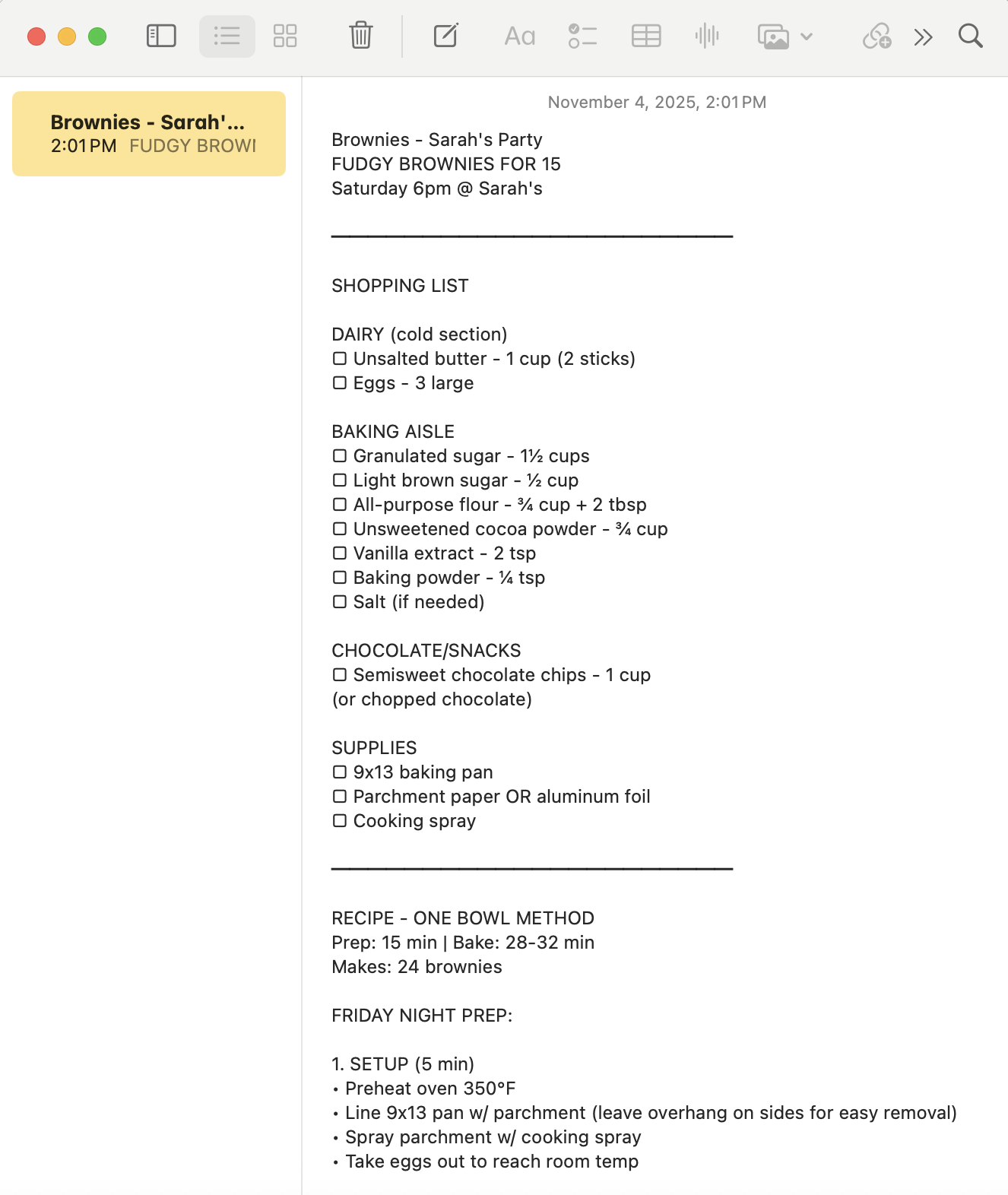
✓I've saved a note to your Apple Notes:
"Brownies - Sarah's Party"
All your ingredients are organized by where you'll find them in the store—baking aisle, then dairy, then condiments. No running back and forth. I noted quantities and threw in some optional touches if you want to make them extra nice. Should be about 50 minutes of hands-on work plus 30 minutes in the oven. And honestly, letting them sit overnight makes them even fudgier, so Friday night timing is actually ideal. You can check your Notes app whenever you're ready to shop or bake.
Below the shopping list is the step-by-step recipe with timing notes so you know what to expect. I included tips on getting that swirl pattern right and how to test when they're done. Also added a mini-recipe for the gluten-free version using almond flour.
4. Follow up prompts
Continue the conversation with Claude to refine, expand, or explore further.
Send replies
Ask Claude to reply to the host with what you're bringing. Claude can read your messages and send replies.
Please send Sarah a message back saying I'll bring brownies for 15 people. Let her know I can make a small gluten-free batch too.
Adapt to new information
Have Claude intelligently adjust the output when details change.
Sarah just texted that it's 25 people now. Update my Notes with 1.5x quantities for both the recipe and shopping list.
Try it out in other platforms
Claude can connect to a variety of your communication tools. Apply this workflow wherever you work.
My team's been chatting about a workshop in Slack. Read those messages, research venue options nearby, and save a planning timeline to my Notes.
5. Tricks, tips, and troubleshooting
Connect to your iOS(opens in new tab) or Android(opens in new tab) apps
Claude can now connect with your device's system apps to help you take action directly from your conversations. When you chat with Claude, it can draft messages, emails, or calendar events, and find locations, all integrated with your mobile apps. The mobile app drafts new messages from your phone; reading an existing thread and writing the note, as in this walkthrough, runs through the Claude desktop app's extensions on a Mac.
Formatting for Notes
Keep in mind the Notes app may need different structure than a normal file output. For better formatting when creating content for Apple Notes, ask Claude to use HTML breaks for spacing between lines and sections, abbreviations to keep notes brief, and to prioritize quick reference information, so the content is easily viewable on mobile formats.
Privacy control stays with you
Each connection you enable expands what Claude can access and where it can do work, but you stay in control. Claude only reads conversations you allow it to and only saves to apps you've connected when granted permission.
6. Ready to try for yourself?
Next time you're juggling requests and scattered information, point Claude to your messages to find and organize small details, saving you time and hassle.