1. Describe the task
In Cowork, Claude reads your bank statements and chart of accounts from a folder, then cross-references every transaction against the source documents.
Focus your prompt on what you need back: a reconciliation report, correcting journal entries, or both. Claude handles the matching while you work on something else.
I need to reconcile my January 2024 bank statement. I've uploaded my checking account statement export and my current chart of accounts.
Can you analyze the transactions, match them to the right accounts, and flag anything that doesn't line up? If there are discrepancies, I'd love journal entries to fix them.
2. Give Claude context
Cowork(opens in new tab) is a workspace in Claude, available in the Claude Desktop(opens in new tab) app and — with remote sessions (in beta) — on web and mobile. Run locally, Claude works directly with your local files. It cross-references transactions across your bank statements and chart of accounts and identifies what's off.
What to expect: After your initial prompt in Cowork, Claude may ask you clarifying questions about your accounts, then build a plan you can review in the sidebar. This helps it reconcile more thoroughly and produce a more complete output.
Required context
To get started:
- Download Claude Desktop(opens in new tab) and start a Cowork session
- Select Work in a folder in the chat bar to give Cowork access to the folder with your financial files, or use the + button to add individual files
3. What Claude creates
Claude analyzes both files, matches transactions to accounts, and surfaces exactly what needs fixing. The response shows the reconciliation logic, specific discrepancies found, and correctly-formatted journal entries ready for review.
Bank Statement Summary
I've analyzed your January 2024 checking account statement:
- Total transactions: 147
- Total deposits: $45,230.00
- Total withdrawals: $38,892.45
Transaction Matching Results
- 128 matched to existing categories (87%)
- 13 need new categorization
- 6 have discrepancies requiring journal entries
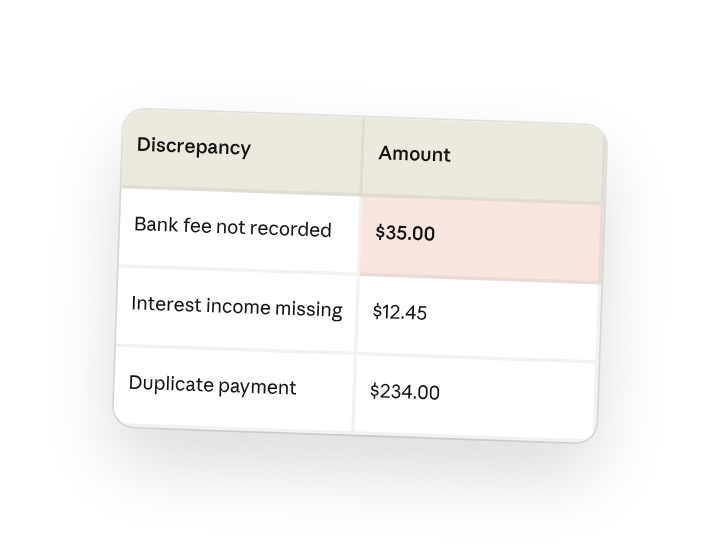
Discrepancies Identified
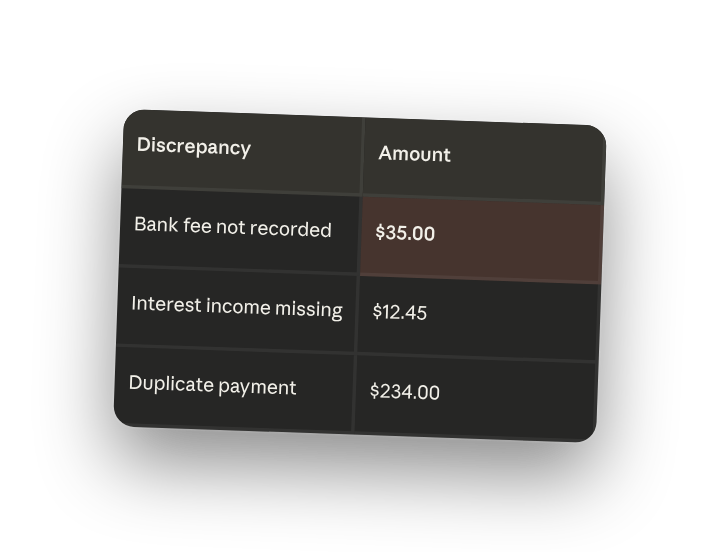
- Bank fee not recorded - $35.00
- Interest income missing - $12.45
- Duplicate payment - $234.00
Journal Entries to Correct
I've prepared 13 journal entries totaling $2,563.23 in adjustments. All entries balance and use your chart of accounts IDs.
4. Follow up prompts
Continue the conversation with Claude to refine, expand, or explore further.
Export journal entries as CSV
Get a CSV file you can import into your accounting system.
"These entries look correct. Please export them as a CSV file I can import."
Create a reconciliation summary
Generate a formal reconciliation report for your records or auditor.
"Create a reconciliation summary document I can save for my January records."
Analyze adjustment patterns
Identify recurring issues in how transactions are recorded so you can fix the root cause.
"Which expense categories needed the most adjustments? Are there patterns I should address in how I record transactions?"
5. Tricks, tips, and troubleshooting
Use the sidebar panels to track progress
The Artifacts panel shows files Claude creates, like your journal entries spreadsheet, as they're generated. The Context panel shows which source files Claude is referencing.
Grant folder access for seamless file output
Before starting, point Cowork to the folder where you want the final journal entries saved. Claude can write the reconciliation output directly there.
Let Claude work through multiple months in parallel
If you're catching up on several months of reconciliation, Claude can coordinate parallel workstreams, analyzing January while also working on February.
Start another task while this one runs
Open a new session from the sidebar for other work while Cowork reconciles. You'll see a grey dot in the sidebar when it needs attention.
6. Ready to try for yourself?
Give Cowork your source files and let Claude do the cross-referencing. Review the matches, refine as needed, and export the result when you're ready.