1. Describe the task
In Cowork, Claude works across your local files and browser in a single session. It reads your vendor tracker, contract templates, and vendor documents from a folder, then fills intake forms in your procurement portal through Claude in Chrome.
In your prompt, describe the end state you want. Claude plans the onboarding steps from there, and when parts of the workflow are independent, it runs them in parallel.
I need to onboard several vendors. Their documents spread across my desktop.
For each new vendor:
- Create an NDAs and MSAs from the templates
- Fill out an onboarding form
- Afterwards, add all information to the vendor tracker spreadsheet
Organize all the new documents on my desktop.
2. Give Claude context
Cowork(opens in new tab) is a workspace in Claude, available in the Claude Desktop(opens in new tab) app and — with remote sessions (in beta) — on web and mobile. Run locally, Claude works directly with your local files, so there's no copying and pasting into the conversation. For browser work like filling portal forms, it uses Claude in Chrome(opens in new tab).
What to expect: After your initial prompt in Cowork, Claude may ask you questions about how to handle the batch, then build a plan you can review in the sidebar. This front-loading helps it run end-to-end with fewer interruptions.
Required context
To get started:
- Download Claude Desktop(opens in new tab) and start a Cowork session
- Select Work in a folder in the chat bar and choose the folder with your vendor tracker, contract templates, and vendor details
- Install Claude in Chrome(opens in new tab) and turn on the Claude in Chrome connector (Settings > Connectors), then log into your procurement portal
3. What Claude creates
Claude works through each step, moving between your local files and your browser to complete the full onboarding. Using the Claude in Chrome connector, Claude opens your procurement portal in a new browser tab and fills out intake forms directly, while reading vendor details and generating contracts from the files in your folder.
I'll work through the onboarding in three parts — updating your spreadsheet, completing the portal form, and generating the MSA.
1. Vendor Tracker Updated
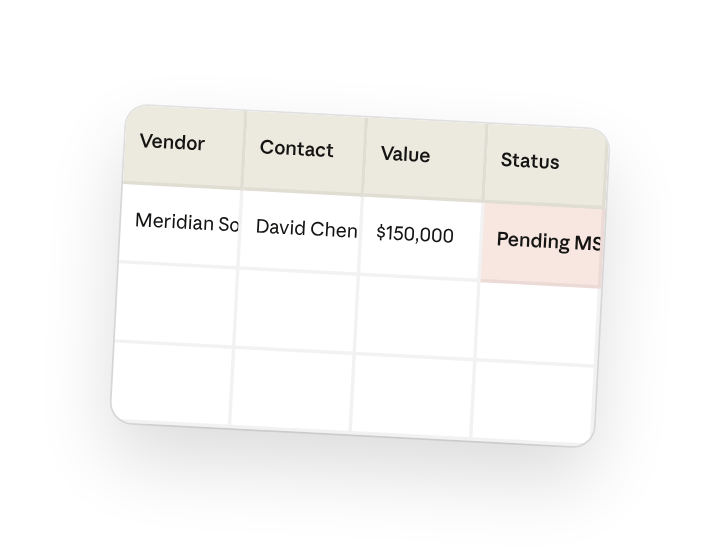
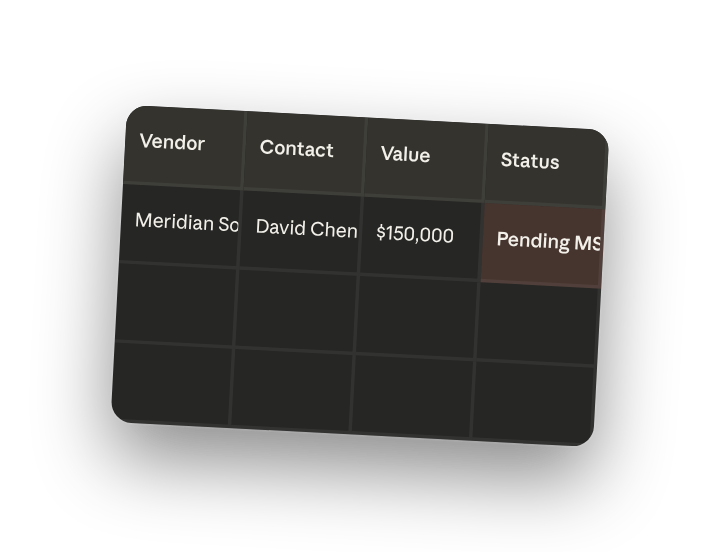
I've added Meridian Solutions to your vendor tracker:
- Vendor Name: Meridian Solutions
- Primary Contact: David Chen
- Service Category: IT Consulting
- Annual Value: $150,000
- Status: Pending MSA
2. Procurement Portal Form
I've completed the vendor intake form in your Chrome tab. The form is ready for you to review and submit.
3. Master Service Agreement Generated
I've created the MSA from your template and saved it to your Documents folder.
I'll now continue with the remaining vendors…
4. Follow up prompts
Continue the conversation with Claude to refine, expand, or explore further.
Generate additional documents
Create more contracts from your templates. NDAs, SOWs, or other vendor documents using the same vendor details.
"Also generate an NDA from our template at ~/Documents/Templates/NDA-Template.docx and save it in the same folder as the MSA."
Organize vendor files
Create a vendor folder with everything in one place. Move or copy all onboarding documents to a dedicated folder.
"Create a folder called Meridian-Solutions in ~/Documents/Vendors and move the MSA there. Also save a copy of their contact details as a text file."
5. Tricks, tips, and troubleshooting
Subagents can handle independent tasks at the same time
Updating the vendor tracker and generating the contract don't depend on each other — so you can ask Claude to spin up subagents and run them in parallel.
Turn on the Claude in Chrome connector before starting
Install Claude in Chrome and enable it under Settings > Connectors, then select it from the Connectors menu in your Cowork session. Log into your procurement portal before you start — Claude works within your authenticated session.
The progress panel shows what Claude is working on
Cowork displays which files Claude is reading and what it's doing at each step. If something looks off, you can steer the work in progress.
6. Ready to try for yourself?
Use Cowork to handle vendor onboarding in one session — updating your tracker, generating contracts, and filling portal forms.