Set up
Try a plugin
The Commercial Legal plugin ships with /review and other commercial-contracting skills as a starting point, already structured to screen an NDA against your playbook and sort it green, yellow, or red so standard paper splits from the exceptions. It's one of twelve practice-area plugins for legal teams; if your admin manages plugins and it's not available yet, skip this, nothing below requires it.
/reviewReview a vendor agreement, NDA, or SaaS subscription against your playbook./stakeholder-summaryTranslate a contract review into a summary the business stakeholder will actually read./cold-start-interviewRun the cold-start interview to learn your commercial contracts practice and write your team practice profile.Connect your tools
Claude Cowork is more powerful when it works directly with your systems. You control permissions and access. Learn about tool access(opens in new tab).
Navigate to Customize → Connectors in Cowork to set up.


Set the working folder
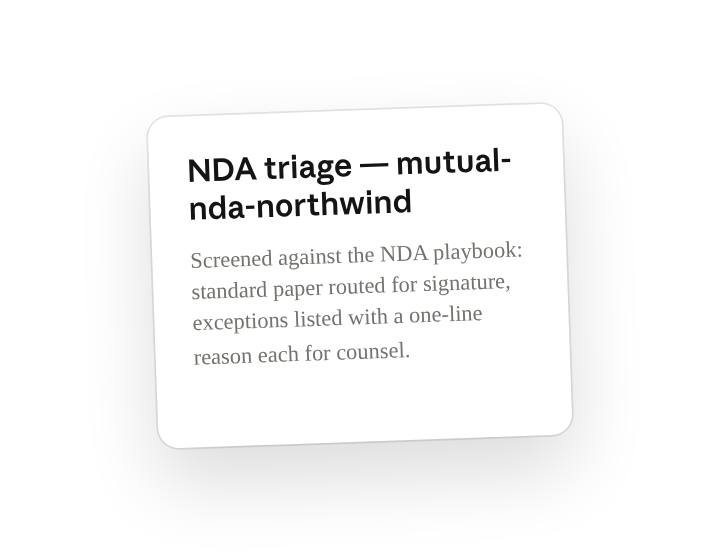
Put your standard mutual template and your NDA playbook in one folder on your machine, then in Cowork click + Add folder and select it. Save it as a Cowork project(opens in new tab) so your playbook and template are loaded once and every inbound NDA runs against the same project knowledge — Cowork reads from the folder and writes the triage card back to it.
When a task runs locally, Cowork reads these files on your computer; when it runs in the cloud, the files it uses leave your device and are processed on Anthropic's servers. On Team and Enterprise plans they aren't used to train Claude either way (how Cowork handles your data(opens in new tab)); on Pro and Max that follows your model-improvement setting.
The prompt
Copy this into Claude Cowork
Triage this NDA against our NDA playbook. For each criterion in the playbook, mark whether this paper meets our standard. If everything passes, mark it cleared and route for signature. If anything is off-standard, list only the exceptions with a one-line reason each so counsel reviews just those.
Why this works
Check against your playbook. "Each criterion in the playbook" turns triage into your team's fixed checklist, so every NDA is screened the same way against positions you've already taken.
Define the two outcomes. "Mark it cleared and route for signature" or "list only the exceptions" gives Cowork a binary decision to make, which is what lets standard paper move without a lawyer touching it.
Set a length limit. "One-line reason each" means the exception list is a scan, not a memo, so counsel opens the file already knowing which clause to go to.
Let the working folder supply context. Your mutual template and NDA playbook sit in the working folder, so "our standard" means your positions on term, law, and carve-outs, not a generic checklist.
Get a better draft
Add an example to match. Drop an example you like into the folder and Cowork matches your structure and voice.
Ask it to flag uncertainty. Add "flag anything you're not confident about" so you know where to look first when you review the draft.
Make Cowork work for you
A plugin skill is a starting point — customize it with your own practices and expertise. A few minutes of conversation and it runs with your standards from then on.
Make what we've done in this task so far into a skill, or edit the /review skill with my feedback.
Make it repeatable
Run it on every new NDA
NDAs arrive throughout the day. Type /schedule in the prompt, or open Scheduled in the Cowork sidebar, and the customized skill checks NDAs/Intake each weekday morning and runs /review on any new files before your day starts.
/schedule Weekdays at 9am — run /review on every file in NDAs/Intake that wasn't there on the last run. Route cleared NDAs to DocuSign for signature and move them to NDAs/Processed. For anything with exceptions, write the triage card to NDAs/Exceptions and post the list to #legal-nda-review in Slack so counsel picks it up.
Each weekday morning, runs /review on files added to NDAs/Intake since the last run. Cleared paper routes to DocuSign and moves to NDAs/Processed (the executed copy lands wherever your DocuSign envelope settings already send it); exceptions get a triage card in NDAs/Exceptions and a Slack post to #legal-nda-review for counsel.
Share with your teammates
Your customized /review now carries your full playbook checklist, your approved jurisdictions, and your escalation triggers. Share it so every requester and paralegal screens NDAs the same way, and counsel only sees the paper that actually needs them.