1. Describe the task
Claude takes your position and can research opposing viewpoints at depth. It can then turn that research into an interactive practice environment where you test your responses and get immediate feedback.
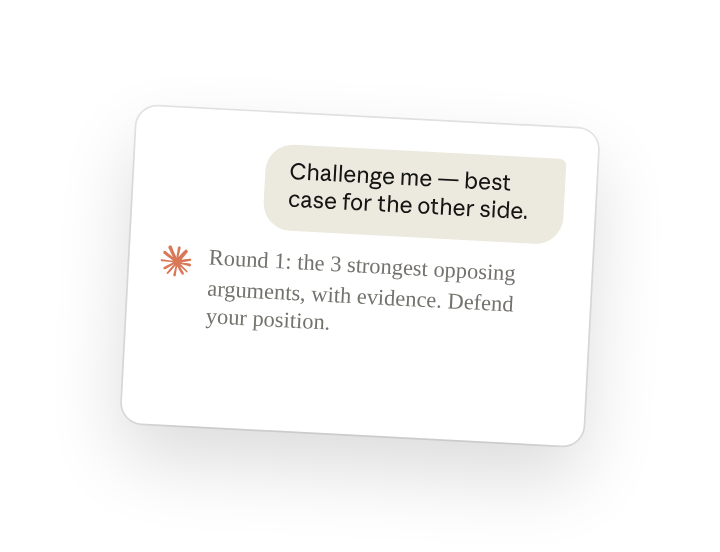
Tell Claude your debate topic and any arguments you've already encountered. Ask it to create an interactive simulator and specify you want performance feedback after each round.
I have a debate coming up and need to prepare. I want to be able to state my topic and position, then get challenged with real counterarguments and evidence so I can test my responses.
Can you create an artifact where I can practice debating any topic against the strongest possible opponent? Make it genuinely tough - I need practice against the best case for the other side, not weak strawman arguments.
The artifact's design should be offwhite with grayscale foundation with desaturated watercolor punctuation and analog fidelity through blueprint grids and paper textures. Think editorial refinement meets architectural drawing with transparency modulation, atmospheric zoning, and layered warmth.
2. Give Claude context
Enable the right capabilities for Claude to build interactive tools.
Required context
In Settings under Capabilities(opens in new tab), enable AI-powered artifacts(opens in new tab).
This lets Claude create interactive web applications that use Claude's reasoning—your debate simulator will generate counterarguments and evaluate your responses in real-time, all within the tool itself.
3. What Claude creates
Claude researches the strongest intellectual opposition to your position, then creates an interactive practice simulator where you defend your arguments against a challenging opponent. The artifact uses Claude's API to generate intelligent counterarguments in real-time, evaluate your responses, and adapt the difficulty based on your performance.
Done! I've created a Debate Practice Simulator (React Artifact).
This Simulator has three phases:
Research Phase:
- Claude generates a research brief analyzing the 3 strongest opposing arguments with evidence
- Creates an intelligent opponent persona that genuinely believes the opposing view
Practice Interface:
- Visual performance dashboard tracking strong arguments, weak responses, and dodged questions
- Opponent challenges presented in cards with torn-paper aesthetic and flame icon
- Response input with paper-grain texture and organic focus effects
- Real-time evaluation from Claude analyzing your logic, evidence, and rhetoric
- Adaptive difficulty that presses harder on dodges and acknowledges strong points
Analysis Phase:
- Performance breakdown with color-coded statistics across all three rounds
- Round-by-round history showing each challenge, your response, and evaluation
- Opposition research brief displaying Claude's analysis of the strongest counterarguments
4. Follow up prompts
Continue the conversation with Claude to refine, expand, or explore further.
Analyze your weaknesses
Get detailed feedback on where your arguments fell short
Review my responses from the practice session. From each weak point you identified, explain: (1) why it was weak, (2) what assumption I made that was flawed, (3) show how a skilled debater would have exploited that gap, and (4) a stronger version of what I could've said.
Create response cards for predictable questions
Identify the 5-10 topics or questions you're most likely to get and prepare strong answers. Claude can predict common challenges based on your position, then help you craft concise responses you can practice until they're natural.
Based on my position, what are the 5 questions I'm most likely to get asked? For each one, draft a 30-second response that directly answers the question, uses evidence, and doesn't sound rehearsed. I want to practice these until they feel conversational.
Handle specific rhetorical tactics
Prepare for the ways opponents actually derail arguments—emotional appeals, false equivalencies, moving goalposts. Claude can simulate these tactics and show you how to redirect without appearing defensive or dismissive.
My opponent tends to pivot to emotional stories when data doesn't support their position. Practice that scenario—when I present evidence, respond with an emotional anecdote that sounds compelling. Then show me how to acknowledge the story while returning to the actual question without seeming cold.
5. Tricks, tips, and troubleshooting
Ask for the research first, then practice
Don't jump straight into the practice tool. Say: "Show me the research brief first, then create the simulator." This gives you time to understand the strongest opposing arguments before you start defending your position.
Customize the artifact's design
To add unique styling to your debate artifact, tell Claude about your favorite brands, design works, or aesthetic preferences—or paste in code snippets from designs you like. Browse the artifact gallery(opens in new tab) to see what's possible and find inspiration. When you find an artifact you like, click on it and select "View full chat" to see the code used to build it. You can copy and paste this code into Claude and ask to adapt the style for your artifact
AI-powered artifacts
This debate simulator uses Claude within the tools in real-time, so the opposing arguments adapt to your specific position, generating intelligent counterarguments on demand—not pre-written responses. Learn more about AI-powered artifacts(opens in new tab).
6. Ready to try for yourself?
Practice against the strongest opposition before the real debate—Claude researches counterarguments and builds you an interactive tool that shows exactly where your reasoning breaks down.