Set up
Try a plugin
The Corporate Legal plugin ships with /diligence-issue-extraction, /tabular-review, and other M&A skills as a starting point, already structured to walk a data room, pull the provisions that matter on a change of control, and cite every finding back to its source document. It's one of twelve practice-area plugins for legal teams; if your admin manages plugins and it's not available yet, skip this, nothing below requires it.
/diligence-issue-extractionRead VDR documents and extract issues per house categories and materiality thresholds, producing findings in house memo format./tabular-reviewTabular review — one row per document, one column per data point, every cell cited to source./material-contract-scheduleBuild the material contracts disclosure schedule from diligence findings, applying the purchase agreement's Material Contract definition and formatting per the agreement's schedule format./cold-start-interviewHouse cold-start interview (request list and prior memo), with a per-deal pass for deal-specific context.Connect your tools
Claude Cowork is more powerful when it works directly with your systems. You control permissions and access. Learn about tool access(opens in new tab).
Navigate to Customize → Connectors in Cowork to set up.
'%3e%3cmask%20id='mask0_181_11527'%20style='mask-type:luminance'%20maskUnits='userSpaceOnUse'%20x='0'%20y='0'%20width='24'%20height='25'%3e%3cpath%20d='M19.2%200.855469H4.8C2.14903%200.855469%200%203.0045%200%205.65547V20.0555C0%2022.7064%202.14903%2024.8555%204.8%2024.8555H19.2C21.851%2024.8555%2024%2022.7064%2024%2020.0555V5.65547C24%203.0045%2021.851%200.855469%2019.2%200.855469Z'%20fill='white'/%3e%3c/mask%3e%3cg%20mask='url(%23mask0_181_11527)'%3e%3cpath%20d='M24%200.855469H0V24.8555H24V0.855469Z'%20fill='url(%23paint0_linear_181_11527)'/%3e%3cpath%20fill-rule='evenodd'%20clip-rule='evenodd'%20d='M12.1582%2014.6759C11.2427%2014.6759%2010.458%2013.8913%2010.458%2012.9322C10.458%2011.9732%2011.1991%2011.1885%2012.1582%2011.1885C13.0735%2011.1885%2013.8582%2011.9732%2013.8582%2012.9322C13.8582%2013.8913%2013.1172%2014.6759%2012.1582%2014.6759ZM7.1886%2014.6759C6.27316%2014.6759%205.48849%2013.8913%205.48849%2012.9322C5.48849%2011.9732%206.22956%2011.1885%207.1886%2011.1885C8.10405%2011.1885%208.8887%2011.9732%208.8887%2012.9322C8.8887%2013.8913%208.14763%2014.6759%207.1886%2014.6759ZM18.5226%2010.3602C18.7407%2010.0987%2019.1329%2010.0551%2019.3945%2010.273C19.656%2010.4474%2019.7433%2010.8397%2019.5253%2011.1013L17.956%2013.063L19.5253%2015.0247C19.7433%2015.2861%2019.656%2015.635%2019.3945%2015.8529C19.1329%2016.0273%2018.7407%2015.9837%2018.5226%2015.7657L17.1713%2014.1092L15.82%2015.7657C15.6019%2016.0273%2015.2097%2016.0708%2014.9481%2015.8529C14.6865%2015.6785%2014.5993%2015.2861%2014.8173%2015.0247L16.3866%2013.063L14.8609%2011.0577C14.6429%2010.7962%2014.7301%2010.4474%2014.9916%2010.2295C15.2532%2010.0551%2015.6455%2010.0987%2015.8635%2010.3166L17.2149%2012.0168L18.5226%2010.3602ZM4.96538%207.57031C5.27052%207.57031%205.53209%207.83186%205.53209%208.13701V10.6218C6.0116%2010.273%206.57831%2010.0551%207.23219%2010.0551C8.322%2010.0551%209.23745%2010.6654%209.71697%2011.6244C10.1965%2010.709%2011.1119%2010.0551%2012.2017%2010.0551C13.7711%2010.0551%2014.9916%2011.3629%2014.9916%2012.9758C14.9916%2014.5887%2013.7274%2015.8965%2012.2017%2015.8965C11.1119%2015.8965%2010.1965%2015.2861%209.71697%2014.3271C9.23745%2015.2426%208.322%2015.8965%207.23219%2015.8965C5.70645%2015.8965%204.44227%2014.6323%204.44227%2013.0193V8.13701C4.39868%207.83186%204.66023%207.57031%204.96538%207.57031Z'%20fill='white'/%3e%3c/g%3e%3c/g%3e%3cdefs%3e%3clinearGradient%20id='paint0_linear_181_11527'%20x1='12'%20y1='0.855469'%20x2='12'%20y2='24.8555'%20gradientUnits='userSpaceOnUse'%3e%3cstop%20stop-color='%232486FC'/%3e%3cstop%20offset='1'%20stop-color='%230061D5'/%3e%3c/linearGradient%3e%3cclipPath%20id='clip0_181_11527'%3e%3crect%20width='24'%20height='24'%20fill='white'%20transform='translate(0%200.855469)'/%3e%3c/clipPath%3e%3c/defs%3e%3c/svg%3e)

Set the working folder
Put the diligence request list and your summary template in one folder on your machine, then in Cowork click + Add folder and select it. Save it as a Cowork project(opens in new tab) so your request list, instructions, and memory stay attached as new documents land in the data room — Cowork reads from the connected room and writes the index and summary back to the folder.
When a task runs locally, Cowork reads these files on your computer; when it runs in the cloud, the files it uses leave your device and are processed on Anthropic's servers. On Team and Enterprise plans they aren't used to train Claude either way (how Cowork handles your data(opens in new tab)); on Pro and Max that follows your model-improvement setting.
The prompt
Copy this into Claude Cowork
Read every document in the connected data room. Categorize each by type, then for the material contracts extract counterparty, term, change-of-control, assignment, and consent provisions. Flag the material issues and draft the diligence summary with a citation back to the source document and section for every entry.
Why this works
Categorize first, then extract. Sorting the room by document type means the extraction step runs only on the material contracts, so the issues list isn't buried in noise.
Name the provisions that matter. Change-of-control, assignment, and consent are the deal-triggering terms, so the index is actionable instead of exhaustive.
Require a citation for every entry. The deal team can click through to the source document and section to verify each finding before it goes into the summary.
Read the room directly. The Box or Datasite connector means the review is run against the live index, so late uploads aren't missed.
Get a better draft
Add an example to match. Drop a prior diligence summary you like into the folder and Cowork matches your structure and headings.
Ask it to flag uncertainty. Add "flag anything you're not confident about" so you know which entries to verify first.
Make Cowork work for you
A plugin skill is a starting point — customize it with your own practices and expertise. A few minutes of conversation and it runs with your standards from then on.
Make what we've done in this task so far into a skill, or edit the /diligence-issue-extraction skill with my feedback.
Make it repeatable
Make it a live artifact
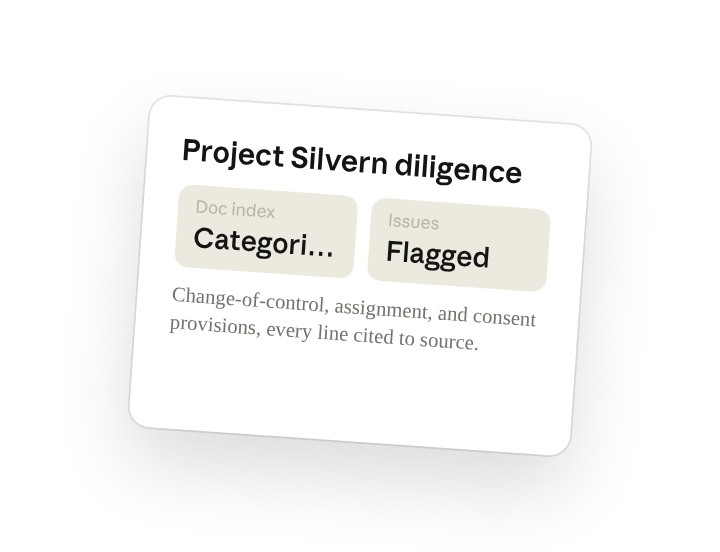
A diligence summary is stale the moment the seller uploads another folder. Ask Cowork to publish the document index and issues list as a live artifact and the deal team has one link that stays current as the room fills.
Publish the document index and material-issues list as a live artifact for the deal team. Re-run it against the connected data room and keep a short "what's new since the last run" note at the top.
Re-run it as the room fills
New documents land in the data room every day during diligence. Type /schedule in the prompt, or open Scheduled in the Cowork sidebar, and the customized skill re-runs each morning so the index and issues list stay current. A scheduled run that needs this folder runs on your computer, so keep the desktop app open.
/schedule Daily at 7am during the diligence window, re-run /diligence-issue-extraction against the connected data room, update the document index and issues list, and note what's new since yesterday at the top.
Runs /diligence-issue-extraction against the connected data room, updates the document index and issues list, and notes what's new since the last run.
Share with your teammates
Your customized /diligence-issue-extraction now carries your request list, your summary format, and the provisions you flag on every deal. Share it so the corporate team and outside counsel run the room the same way, and the issues list reads consistently no matter who picks up a folder.