Set up
Try a plugin
The Engineering plugin ships with /documentation as a starting point, already structured to fan out across connected sources, cite what it finds, and name an owner when it's not sure. If your admin manages plugins and it's not available yet, skip this; nothing below requires it.
Connect your tools
Claude Cowork is more powerful when it works directly with your systems. You control permissions and access. Learn about tool access(opens in new tab).
Navigate to Customize → Connectors in Cowork to set up.
'%20d='M.87%2018.26c-.25.4-.52.87-.75%201.23a.75.75%200%200%200%20.25%201.02l4.96%203.05a.75.75%200%200%200%201.04-.25c.2-.33.45-.76.73-1.21%201.95-3.22%203.91-2.83%207.45-1.14l4.92%202.34a.75.75%200%200%200%201-.36l2.36-5.34a.75.75%200%200%200-.38-.98c-1.04-.49-3.1-1.46-4.96-2.36-6.68-3.24-12.36-3.03-16.62%204Z'/%3e%3cpath%20fill='url(%23cfB)'%20d='M23.13%205.74c.25-.4.52-.87.75-1.23a.75.75%200%200%200-.25-1.02L18.67.44a.75.75%200%200%200-1.04.25c-.2.33-.45.76-.73%201.21-1.95%203.22-3.91%202.83-7.45%201.14L4.53.7a.75.75%200%200%200-1%20.36L1.17%206.4a.75.75%200%200%200%20.38.98c1.04.49%203.1%201.46%204.96%202.36%206.68%203.24%2012.36%203.03%2016.62-4Z'/%3e%3c/svg%3e)


Set your working folder
Drag the files that anchor the agent (your service catalog export, the team directory, the glossary, the "where to find things" onboarding doc) into one folder and point Cowork at it. These become the routing table the agent consults before searching anywhere else. Create a Cowork project(opens in new tab) from that folder so the catalog and ground rules stay attached as the agent evolves.
The prompt
Copy this into Claude Cowork
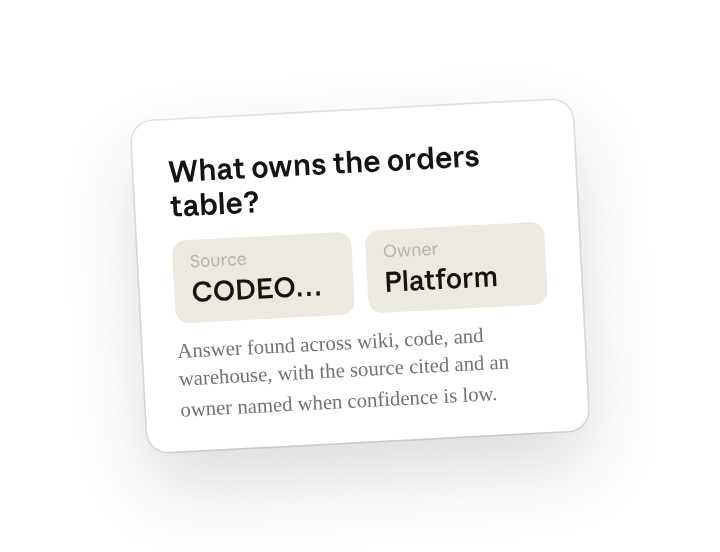
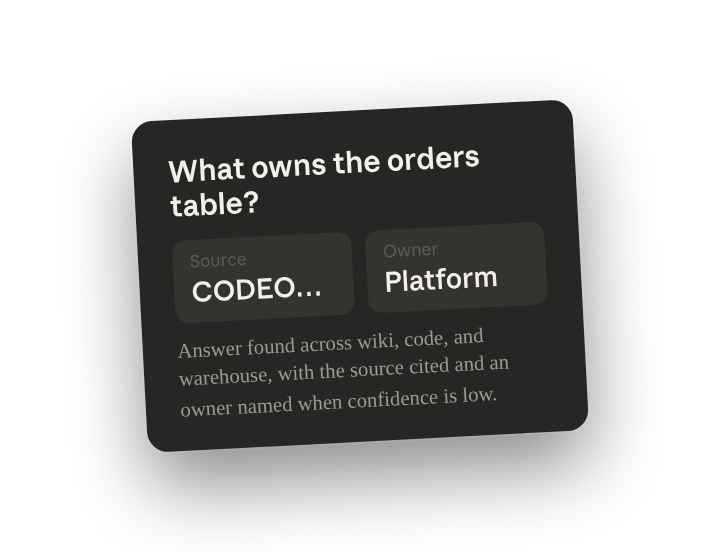
Build an internal "ask anything" agent for engineers. When someone asks "how do I get a staging API key," "what owns the orders table," or "why did deploys slow down last month," find the answer across our systems, cite the source, and tell them who to ask if you're not sure. Get one good answer first, then turn it into a shared skill.
Why this works
Give an example for each question type. A how-to, an ownership lookup, a metric why: covers the question types engineers actually ask.
Cite the source, every time. Engineers trust the link, not the prose; citations make the answer verifiable.
Name an owner when unsure. Asking for "the owning team or channel" gives Claude something to fall back on when it's not confident. You get a pointer to follow up on instead of a guess to verify.
Put reference docs in the working folder. Service catalog and team directory tell Cowork where to look and who to point to.
Get a better draft
Add an example to match. Drop an example you like into the folder and Cowork matches your structure and voice.
Ask it to flag uncertainty. Add "flag anything you're not confident about" so you know where to look first when you review the draft.
Make Cowork work for you
The plugin's /documentation is a generic starting point. Once Step 2 answers your three questions well, tell Cowork to write your version of the skill. Layer in which spaces and repos to search first, the "I'm not sure" threshold, the tone, and the systems that are off-limits. A few minutes of conversation and the skill speaks your stack from then on.
Make what we've done in this task so far into a skill, or edit the /documentation skill with my feedback.
Make it repeatable
Make it a live artifact
Once the agent answers your test questions well, publish it as a live artifact so anyone in the org has one link to ask. The artifact runs the shared skill behind the scenes; the platform team owns the skill and keeps tuning it.
Log every question it couldn't answer
The agent gets better when you know where it falls short. Type /schedule or open Scheduled in the Cowork sidebar, and a weekly run writes the unanswered questions to your folder so the platform team can fill the gaps.
/schedule Every Friday at 4pm, list the questions /documentation couldn't confidently answer this week, group them by topic, and write them to Platform/ask-company/gaps-<week>.md with a suggested owner for each.
Weekly, lists the questions the agent couldn't answer, groups them by topic, and writes a gap report with suggested owners.
Share with your teammates
Your customized /documentation now carries your sources, your routing table, and your confidence rules. Share it workspace-wide so every engineer asks the company the same way, and the answer to "how do I…" stops depending on who's in the channel.