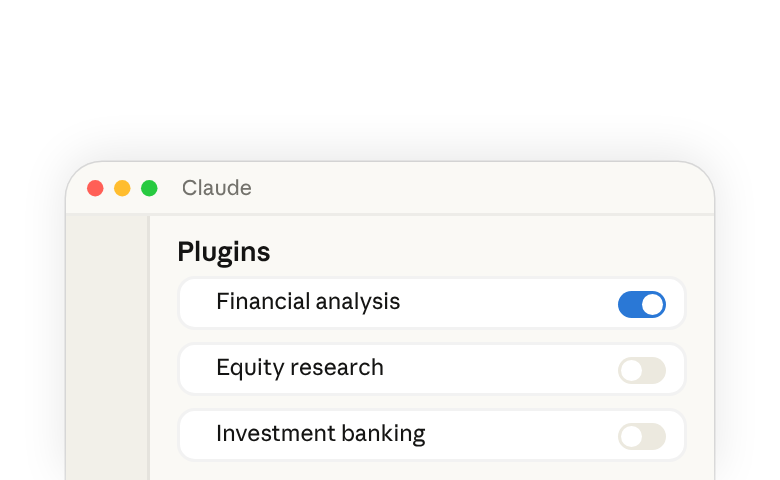
We offer a set of open-source plugins that extend Claude with specialized capabilities for financial services workflows, including financial modeling, equity research, investment banking, private equity, and fund administration.
These plugins are available in a public GitHub repository(opens in new tab) that you can add as a marketplace in Claude.
What's included
The repository contains a core plugin and several add-on plugins that build on it:
- Financial analysis (core) — Build comparable company analyses, DCF models, LBO models, and 3-statement financials. This plugin also includes all shared MCP connectors for financial data providers. Add this first.
- Investment banking — Draft CIMs, teasers, and process letters. Build buyer lists, run merger models, and create strip profiles.
- Equity research — Write earnings updates and initiating coverage reports. Track catalysts and screen for new ideas.
- Private equity — Source and screen deals, run due diligence checklists, draft IC memos, and monitor portfolio company KPIs.
- Fund administration — Reconcile the general ledger, trace breaks, prepare accruals and roll-forwards, write variance commentary, and tie out NAV.
- Operations — Parse KYC documents and check them against a rules grid.
The repository also includes partner-built plugins from LSEG and S&P Global, which bring their financial data and analytics directly into Claude.
Add the marketplace
- Open Claude.
- On the plugins page(opens in new tab), select Add > Add marketplace.
- Select Browse Anthropic sources.
- Select Add next to Financial Services, then select Done.
- Once the marketplace is added, its plugins are available for you to add.
On a Team or Enterprise plan, you won't see Browse Anthropic sources. An admin adds Financial Services for the whole organization in Organization settings, following the Help Center's steps to use Anthropic-built marketplaces(opens in new tab).
Add plugins
- On the Plugins page, find the financial services plugins.
- Add the financial analysis plugin first, because it is the core plugin that provides shared tools and data connectors used by all other plugins.
- Add any additional plugins based on your workflow needs.
- If a plugin has connectors, connect them when asked.
Once added, plugins activate automatically. Skills are applied when relevant, or you can invoke them manually during your session by typing "/" or clicking the "+" button.
Available Skills
After you add them, you can use Skills like:
- /comps [company] — Run a comparable company analysis
- /dcf [company] — Build a DCF valuation model
- /earnings [company] [quarter] — Generate a post-earnings update report
- /one-pager [company] — Create a one-page company profile
- /ic-memo [project name] — Draft an investment committee memo
- /source [criteria] — Source deals based on criteria
MCP connectors
The financial analysis core plugin includes connectors for third-party financial data providers such as Daloopa, Morningstar, S&P Global, FactSet, Moody's, MT Newswires, Aiera, LSEG, PitchBook, Chronograph, and Egnyte.
Access to these connectors may require a separate subscription or API key from the respective provider. Contact your data provider for details.
Customize plugins for your firm
These plugins are designed as starting points. You can customize them to match your firm's workflows. Ask Claude to customize a plugin for your firm, or edit the plugin files in your own copy of the repository:
- Add your firm's terminology, processes, and formatting standards to skill files.
- Swap or add MCP connectors to point at your specific data providers.
- Adjust workflow instructions to reflect how your team does analysis.
- Use /ppt-template to teach Claude your firm's branded PowerPoint layouts.
When Claude makes the changes, it shows the result as a file card. Select Save plugin to add it to your account.
Good to know
- Plugins are file-based. A skill can include executable scripts (Python, JavaScript, or Bash) in an optional
scripts/directory, and you can still customize a plugin without writing code or setting up infrastructure. - These plugins work across both Claude and Claude Code.
- AI-generated financial analysis should always be reviewed by qualified professionals before being used in decision-making.
Learn more
See our blog post for more information: Cowork and plugins for finance(opens in new tab).