Getting started with Claude Tag · 3 min
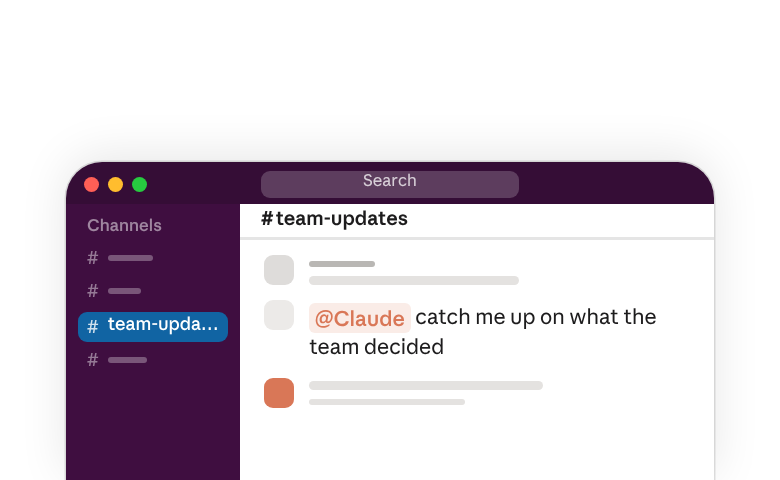
Claude can now work with your whole team, right where you're already working. Add Claude to a channel in a team workspace like Slack and it can keep up with your whole team in real time. No more switching back and forth to your Claude chat window, or copy and pasting to give Claude all the context it needs. With Claude Tag, it's already in your team's workspace following along.
And you can ask it to do complex tasks right from the channel like: “Compile a list of outstanding action items for this week. Check the threads from the last three days in this channel, our meeting notes in Google Drive, and our open Asana tasks.”
Claude Tag can sift through everything you give it access to. Chat history, shared documents, even your team's connectors and tools. It can quickly answer questions and compile information from multiple sources, as well as flag issues, draft entire documents, and even make updates and changes right in your team's tools. It works from its own accounts, logging every change, and who asked for it. It can also access individual tools and respond on your behalf when it makes sense, asking for permission every time.
Claude Tag was built for collaboration. Anyone in a channel can build on an existing request, or give Claude something new to tackle. Claude breaks tasks down into steps so everyone can see its progress as it works. And it can keep going while you move on to other priorities. And will let you know when it's done, or when a decision needs your input. You can check in and follow up from any device your workspace is connected to.
As Claude follows along in a channel, it can remember important details and save any instructions you give it. Tell Claude something like, “Remember for this channel: include links directly to the source information in the event spreadsheet when answering questions.” Claude will save that instruction so you don't have to explain the same things to it over and over again. Anyone can read and update its memory by tagging Claude in the channel. Claude will learn your team's styles and preferences so you can give it harder tasks over time.
You can also direct Claude to docs like style guides and checklists to cross-reference. If you update the checklist later, Claude will stay up to date by default.
Claude Tag is available for Team and Enterprise accounts. It was designed with organizations in mind, giving you full control over how much access it has to sensitive data and tools. You can decide what it works on, how often it chimes in, and how much it can do on its own in each individual channel you add it to. You can give it access to information and data from other public channels, while DMs and private channels stay private.
Tag Claude in on your team's next task so you can all go focus on something else.