Claude for Financial Services Skills are specialized tools designed to help financial services professionals with key workflows. These Skills provide Claude with targeted capabilities for common financial analysis, research, and document creation tasks, helping you work more efficiently and consistently.
These Skills are in research preview and available exclusively to Claude for Financial Services users who sign up on our waitlist(opens in new tab). We will periodically review this list and grant interested users access to this feature. If you have an Enterprise plan, you should contact your account manager to receive priority access.
A comps table, a DCF model, and an earnings update each follow a structure your team already expects, and rebuilding that structure takes time that belongs to the analysis itself. These Skills carry the structure so your effort goes to the judgment calls. Decide what a good output looks like before you start: a clear bar for format and content lets you evaluate the result instead of reacting to it. If you’re looking for information about Skills in general, see What are Skills?(opens in new tab)
Prerequisites
For admins (Enterprise plans): Owners must first enable both Code execution and file creation and Skills in Admin settings > Skills(opens in new tab). Both toggles live on that page, and members won’t see Skills until both are on.
For individual members: once Skills are enabled for your organization, you manage them from the Customize tab in the left sidebar, at Customize > Skills(opens in new tab).
How to enable Skills
- Make sure Code execution and file creation is enabled. On Enterprise plans your admin controls this at the organization level; individual Free, Pro, and Max accounts manage it in Settings > Capabilities(opens in new tab). Skills run in Claude’s secure sandboxed computing environment.
- Open Customize > Skills(opens in new tab).
- Toggle individual skills on or off as needed. You can also upload your own.
Read more about using Skills in Claude(opens in new tab).
Comps analysis with public/private peers
This Skill generates peer benchmarking tables with valuation multiples and operating metrics that auto-refresh with live data.
What it does: Creates comprehensive comparative analysis between a target company and selected peers using both public and private company data.
Suggested data sources:
- Public company fundamentals (FactSet/CapIQ/Daloopa)
- Private company fundamentals (PitchBook)
- M&A transactions data (PitchBook)
Key outputs:
- Excel spreadsheet with peer company financial data and valuation multiples
- Written analysis documenting peer selection rationale and key insights
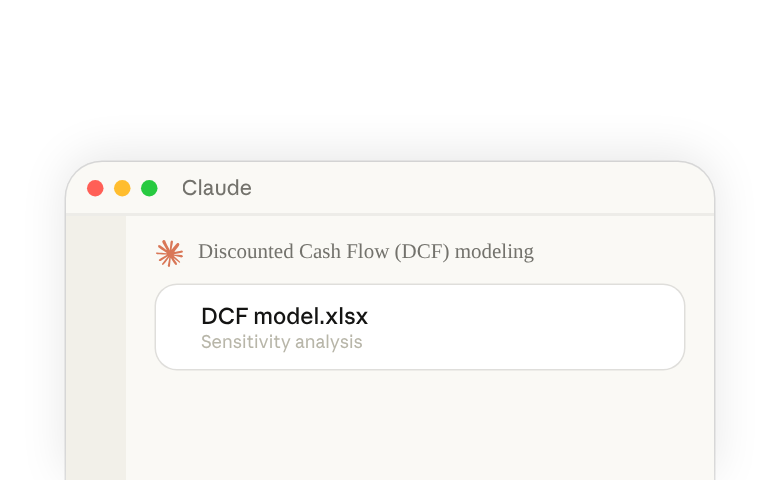
Discounted Cash Flow (DCF) modeling
This Skill builds discounted cash flow models with proper WACC calculations, scenario toggles, and sensitivity tables.
What it does: Constructs comprehensive DCF valuation models with detailed cash flow projections and scenario analysis.
Suggested data sources:
- Public company fundamentals (FactSet/CapIQ/Daloopa)
- Consensus estimates (FactSet)
- Broker research
Key outputs:
- Excel DCF model with detailed cash flow projections and valuation
- Sensitivity analysis showing impact of key assumptions
- Executive summary with valuation range and key drivers
Initiating coverage research
This Skill helps conduct comprehensive company research for initiating coverage, including business model analysis, competitive positioning, and financial performance review.
What it does: Produces thorough research reports with investment recommendations, financial models, and valuation analysis for new coverage initiations.
Suggest data sources:
- Web search on key company developments
- SEC filings (EDGAR)
- Public company fundamentals (FactSet/CapIQ/Daloopa)
- Earnings transcripts (Aiera)
Key outputs:
- Comprehensive initiation report with investment recommendation and price target
- Detailed financial model with projections and valuation analysis
- Executive summary presentation for investment committee review
Strip profile/business overview creation
This Skill creates concise 1-2 page company summaries for pitch books and buyer lists with key metrics and investment highlights.
What it does: Generates professional company profiles with executive summaries, business overviews, financial summaries, and supporting appendices.
Suggested data sources:
- Public company fundamentals (FactSet/CapIQ/Daloopa)
- Private company fundamentals & developments (Pitchbook)
Key outputs:
- Professional company profile presentation with executive summary
- Business overview document with key metrics and positioning
- Investment thesis summary with growth drivers and risks
Due diligence data pack creation
This Skill processes data room documents into structured Excel data packs with financials, customer lists, and contract terms.
What it does: Extracts and organizes key information from CIMs, offering memorandums, and other due diligence materials into standardized formats.
Suggested data sources:
- Due diligence / CIM documents (SharePoint, Egnyte)
Key outputs:
- Standardized financial data pack with historical and projected financials
- Executive summary highlighting key investment metrics
- Normalized data for comps analysis and modeling
Earnings Analysis
This Skill creates professional equity research earnings update reports analyzing quarterly results for companies already under coverage.
What it does: Creates fast-turnaround earnings analysis focusing on beat/miss analysis, key metrics, updated estimates, and revised thesis. Generates an 8-12 page document (3,000-5,000 words) including summary tables and charts.
Suggested data sources:
- Earnings call transcripts (Aiera)
- Investor presentations (Daloopa, Aiera)
- Public company fundamentals (FactSet/CapIQ/Daloopa)
How to use these Skills
Claude for Financial Services Skills work automatically when relevant to your task. You don’t need to explicitly invoke them—Claude determines when each Skill is needed based on your request.
For example, if you ask Claude to “Create a DCF model for Company XYZ,” Claude will automatically use the DCF modeling Skill. Similarly, asking for “comps analysis for ABC Corp” will trigger the comps analysis Skill.
To guarantee Claude uses the skill, you are also welcome to explicitly instruct Claude to use the skill. For example, append “please use DCF skill” to the prompt.
Practice: run one Skill on a company you know
Pick a company you cover or know well and ask for a comps analysis. Name the skill and spell out the shape of the output, since the spreadsheet has to fit how your team reads it:
Build a comps analysis for [a company you know well] with five public peers. Include valuation multiples and operating metrics for each peer, and a short write-up of the peer selection rationale. Please use the comps analysis skill.
When the spreadsheet comes back, check it the way you would check a first draft from a new analyst. Trace two or three of the multiples back to the underlying fundamentals, and read the peer selection rationale against the set you would have chosen yourself. Expect to adjust the first pass: a peer you would swap out or an assumption you would set differently is normal, because the Skill produces the draft and the judgment stays yours. If something doesn’t tie out, point it out and ask Claude to revise.
Best Practices
- Be specific about your requirements: Clearly state the company name, analysis type, and any specific parameters you need.
- Provide context: Share relevant details like industry, time period, or specific metrics you want to focus on.
- Review and refine: After Claude generates output using a Skill, you can ask for adjustments or additional analysis.
- Leverage multiple Skills: Many workflows benefit from using several Skills together—for example, using the research Skill to initiate coverage, then the DCF Skill for valuation.
One habit carries beyond these six Skills: whenever a deliverable has to fit an existing workflow, name the skill you want and the format the output needs in the same prompt, then trace the numbers that matter back to their sources before the output leaves your desk.